
Thaum-Pack do Minecraft 1.12.2
aktualizuje tekstury z thaumcraft, tworząc je w stylu "jappa style"
O pakiecie zasobów Thaum-Pack
If resource pack doesn't load, unzip the contents into a separate folder!
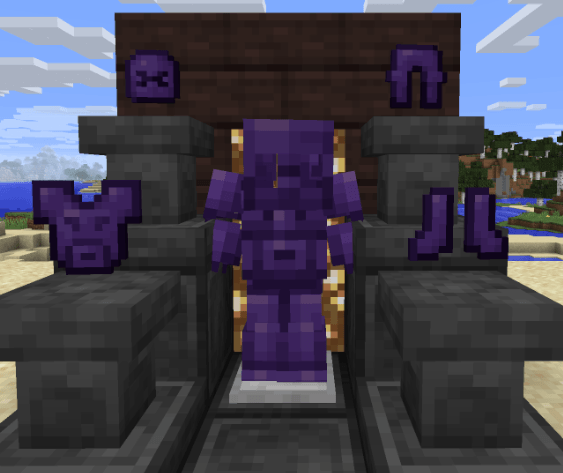
This is a resource pack for mod "thaumcraft 6" to version 1.12.2. I tried to update the textures and give them a more modern minecraft style (like "jappa style"). It can also be used in older versions of the mod. Also, it is not finished, maybe I will finish it in 2024.
Jak zainstalować Thaum-Pack
With Millida Launcher
Install Millida Launcher
The launcher is free: download it at millida.net/launcher and sign in with any nickname.
Click “Install” on this page
The launcher opens and installs the resource pack for Minecraft 1.12.2 automatically.
Launch the game
A profile with it appears in the launcher: click “Play”.
Manually
Download the archive
Pick the file Thaum_pack_v3_1.zip (3.9 MB) for your game version. No need to unpack it.
Put it in the resourcepacks folder
The easiest way: “Options”, then “Resource Packs”, then “Open Pack Folder”, and drag the archive there.
Enable the pack
In the same window, move the pack to the right-hand “Selected” column and click “Done”.
Wersje
Z zależnościami
| Minecraft | Loader | Plik | Data | Akcje |
|---|---|---|---|---|
| 1.12.2 | — | Thaum_pack_v3_1.zip3.9 MB |
FAQ
Which Minecraft versions does Thaum-Pack work on?
Only Minecraft 1.12.2: there are no files for other versions.
Where can I download Thaum-Pack safely?
On this page: the file Thaum_pack_v3_1.zip (3.9 MB) is stored on Millida’s server, with no link shorteners. SHA-1 checksum: b2133d449b55707ada6d25e300dd57d3c2e57fba.
Opinie
Oceń Thaum-Pack jako pierwszy



