
Installation Notes
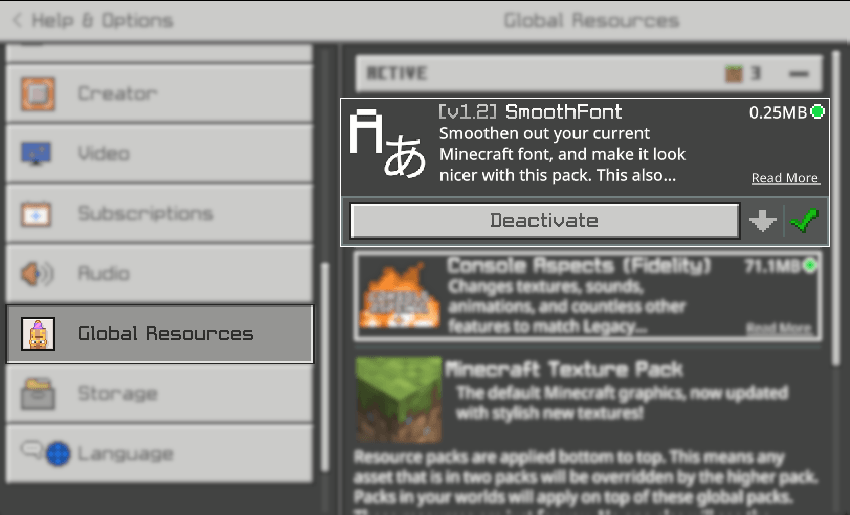
You can activate the pack under the Options > Global Resources tab:
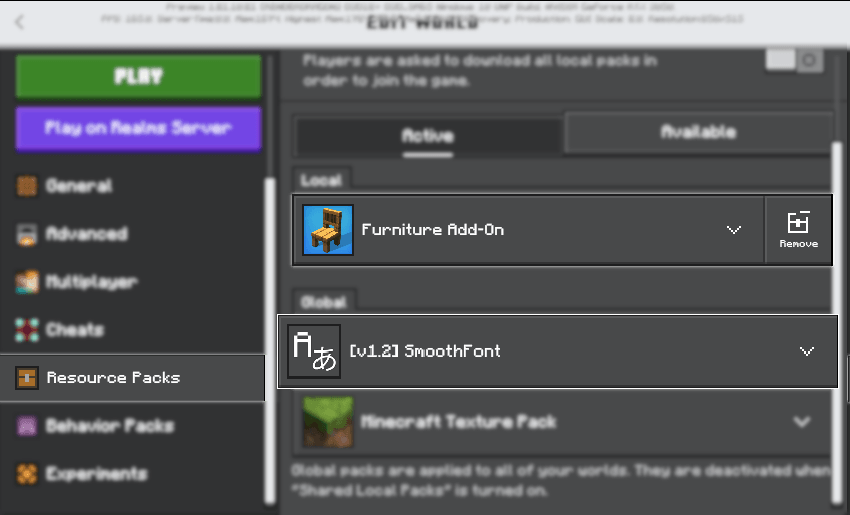
You can also mix and match with other resource packs and/or Add-Ons:
License & Usage
This Add-On is under MIT License. If you wish to attribute this work into your own, please refer to the license accordingly.
Copyright 2024 r4isen1920
Permission is hereby granted, free of charge, to any person obtaining a copy of this software and associated documentation files (the "Software"), to deal in the Software without restriction, including without limitation the rights to use, copy, modify, merge, publish, distribute, sublicense, and/or sell copies of the Software, and to permit persons to whom the Software is furnished to do so, subject to the following conditions:
The above copyright notice and this permission notice shall be included in all copies or substantial portions of the Software.
THE SOFTWARE IS PROVIDED "AS IS", WITHOUT WARRANTY OF ANY KIND, EXPRESS OR IMPLIED, INCLUDING BUT NOT LIMITED TO THE WARRANTIES OF MERCHANTABILITY, FITNESS FOR A PARTICULAR PURPOSE AND NONINFRINGEMENT. IN NO EVENT SHALL THE AUTHORS OR COPYRIGHT HOLDERS BE LIABLE FOR ANY CLAIM, DAMAGES OR OTHER LIABILITY, WHETHER IN AN ACTION OF CONTRACT, TORT OR OTHERWISE, ARISING FROM, OUT OF OR IN CONNECTION WITH THE SOFTWARE OR THE USE OR OTHER DEALINGS IN THE SOFTWARE.
Jak zainstalować SmoothFont
With Millida Launcher
Install Millida Launcher
The launcher is free: download it at millida.net/launcher and sign in with any nickname.
Click “Install” on this page
The launcher opens and installs the resource pack for Minecraft 1.18–1.20.80 automatically.
Launch the game
A profile with it appears in the launcher: click “Play”.
Manually
Download the archive
Pick the file SmoothFont.v1.2.r4isen1920.mcpack (265 KB) for your game version. No need to unpack it.
Put it in the resourcepacks folder
The easiest way: “Options”, then “Resource Packs”, then “Open Pack Folder”, and drag the archive there.
Enable the pack
In the same window, move the pack to the right-hand “Selected” column and click “Done”.
Wersje
Z zależnościami
| Minecraft | Loader | Plik | Data | Akcje |
|---|---|---|---|---|
| 1.18.2 | — | Download .MCPACK265 KB 2 |
FAQ
Which Minecraft versions does SmoothFont work on?
There are files for 1.18–1.20.80, 18 versions in total. The newest is 1.20.80.
Where can I download SmoothFont safely?
On this page: the file SmoothFont.v1.2.r4isen1920.mcpack (265 KB) is stored on Millida’s server, with no link shorteners. SHA-1 checksum: 6ff2c5eb08ccfeb905b24d26bdad1df16f7c3e41.
Opinie
Oceń SmoothFont jako pierwszy


