

O pakiecie zasobów Simple Shader (Ferous)
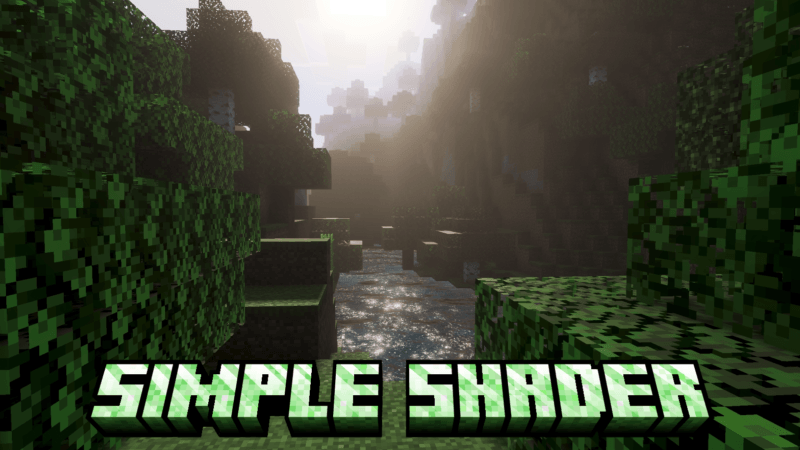
Simple Shader transforms your visuals with very simple techniques, but even though it is simple, this shader still has a dynamic atmosphere, render fog, ACE tone mapping, dynamic lighting, and dynamic water. Designed for people who like simple things.
(All photos can be checked in the media or below.)

Jak zainstalować Simple Shader (Ferous)
With Millida Launcher
Install Millida Launcher
The launcher is free: download it at millida.net/launcher and sign in with any nickname.
Click “Install” on this page
The launcher opens and installs the resource pack for Minecraft 26.40–26.50 automatically.
Launch the game
A profile with it appears in the launcher: click “Play”.
Manually
Download the archive
Pick the file Simple Shader 1.11.mcpack (347 KB) for your game version. No need to unpack it.
Put it in the resourcepacks folder
The easiest way: “Options”, then “Resource Packs”, then “Open Pack Folder”, and drag the archive there.
Enable the pack
In the same window, move the pack to the right-hand “Selected” column and click “Done”.
Wersje
Z zależnościami
| Minecraft | Loader | Plik | Data | Akcje |
|---|---|---|---|---|
| 26.40 | — | Simple Shader 1.11347 KB |
FAQ
Which Minecraft versions does Simple Shader (Ferous) work on?
There are files for 26.50, 26.40. The newest is 26.50.
Where can I download Simple Shader (Ferous) safely?
On this page: the file Simple Shader 1.11.mcpack (347 KB) is stored on Millida’s server, with no link shorteners. SHA-1 checksum: 64fe22e1b01a1f49e6bdf9705ef7ef24585689e8.
Opinie
Oceń Simple Shader (Ferous) jako pierwszy


