
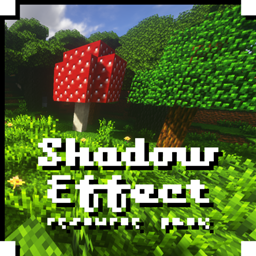
O pakiecie zasobów Shadow Effect - Texture Pack
Hi, This is a non-HD photo-realistic texture pack. Yep, it is non-HD and yet photo-realistic with 16 pixels 😅
All images presented here are vanilla without shaders, my goal is to highlight the environment using an expressive color pattern in the RGB scale and get the maximum range of colors. it's a rustic and atmospheric pattern so you can find very nice blocks here and some really ugly ones. 😜

Jak zainstalować Shadow Effect - Texture Pack
With Millida Launcher
Install Millida Launcher
The launcher is free: download it at millida.net/launcher and sign in with any nickname.
Click “Install” on this page
The launcher opens and installs the resource pack for Minecraft 1.14–1.19.4 automatically.
Launch the game
A profile with it appears in the launcher: click “Play”.
Manually
Download the archive
Pick the file ShadowEffect_v0.5.4.zip (9.2 MB) for your game version. No need to unpack it.
Put it in the resourcepacks folder
The easiest way: “Options”, then “Resource Packs”, then “Open Pack Folder”, and drag the archive there.
Enable the pack
In the same window, move the pack to the right-hand “Selected” column and click “Done”.
Wersje
Z zależnościami
| Minecraft | Loader | Plik | Data | Akcje |
|---|---|---|---|---|
| 1.17.1 | — | ShadowEffect_v0.5.4.zip9.2 MB | ||
| 1.17.1 | — | ShadowEffect_v0.2.8.zip6.2 MB |
FAQ
Which Minecraft versions does Shadow Effect - Texture Pack work on?
There are files for 1.14–1.19.4, 24 versions in total. The newest is 1.19.4.
Where can I download Shadow Effect - Texture Pack safely?
On this page: the file ShadowEffect_v0.5.4.zip (9.2 MB) is stored on Millida’s server, with no link shorteners. SHA-1 checksum: f471f146110cbdc079ea929b812261eeb1284681.
Opinie
Oceń Shadow Effect - Texture Pack jako pierwszy


