
O pakiecie zasobów Player Utilities
Module of Vanilla Expansion Collection
Description:
Tweaks around player interaction
All feature implemented:
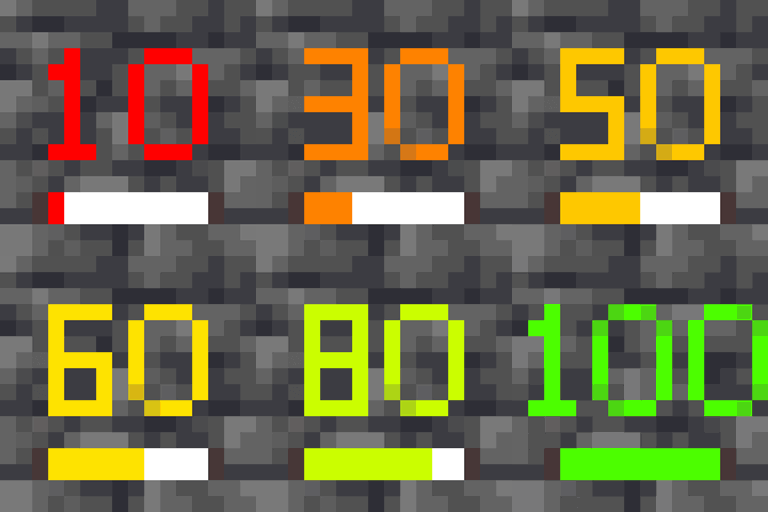
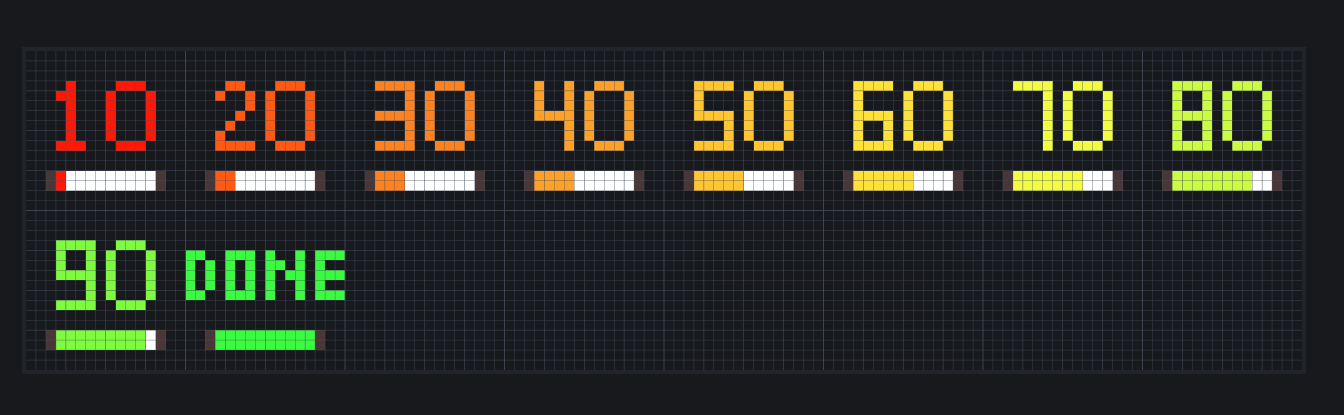
Block Breaking stages
- changed texture with a more intuitive (see screenshot)
Enchanted Golden Apple
- changed texture into "diamond golden apple"
Planned Features:
Menu/inventory update? (change all gui into dark mode)
Jak zainstalować Player Utilities
Install Millida Launcher
The launcher is free: download it at millida.net/launcher and sign in with any nickname.
Click “Install” on this page
The launcher opens and installs the resource pack for Minecraft 1.21.3 automatically.
Launch the game
A profile with it appears in the launcher: click “Play”.
Wersje
Z zależnościami
| Minecraft | Loader | Plik | Data | Akcje |
|---|---|---|---|---|
| 1.21.3 | — | 2.09.7 KB |
FAQ
Which Minecraft versions does Player Utilities work on?
Only Minecraft 1.21.3: there are no files for other versions.
How do I download Player Utilities?
With Millida Launcher: it installs Player Utilities into a modpack by itself, for the right game version and loader. The launcher is free.
Opinie
Oceń Player Utilities jako pierwszy


