
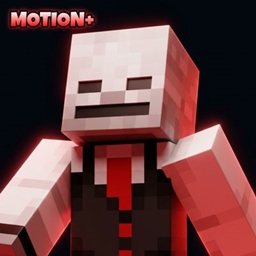
🎬 Motion+ | ARGEE
Third-Person Player Animation Pack for Minecraft Bedrock
Motion+ is a third-person animation pack designed to make player movement, combat, actions, and interactions feel more dynamic and polished.
👤 Third-person only - Motion+ does not include or modify first-person animations.
📦 Required
⚙️ EAF - Entity Animation Framework
Motion+ uses EAF to drive and manage its animation states.
🔗 EAF:
https://www.curseforge.com/minecraft-bedrock/addons/entity-animation-framework-eaf
🎬 Features
🚶 Movement & Player States
• Walking • Running / Sprinting • Sneaking • Swimming • Crawling • Falling • Climbing • Creative Flying
⚔️ Combat
• Sword Attack • Hurt Animation
🎣 Player Actions
• Fishing • Eating • Drinking Potions • Drawing a Bow • Using a Spyglass • Holding a Sword
🚣 Riding
• Boat Riding • Minecart Riding • Other / Unknown Riding States
👤 Third-Person Only
Motion+ is built specifically for third-person gameplay.
It does not intentionally replace or control first-person animations, allowing it to be used alongside separate first-person animation packs.
⚙️ Dynamic Animations
Animations automatically respond to the player's current state and actions.
CHECK THE GALLERY FOR PREVIEW OF THE ANIMATION
✨ Motion+ + EAF
Motion+ provides the third-person animations.
EAF (Entity Animation Framework) provides the framework that drives the animation system.🤝 Compatibility
Motion+ focuses on third-person animations and can be used alongside separate first-person animation packs.
🐛 Known Bugs
If you encounter an issue, please include:
• Minecraft version
• Motion+ version • EAF version • Animation affected • What happened
📋 Changelog
V1.0.0
• Initial Motion+ release
• Walking • Running / Sprinting • Sneaking • Swimming • Crawling • Falling • Climbing • Creative Flying • Sword Attack • Hurt • Fishing • Eating • Drinking • Bow Drawing • Sword Holding • Spyglass • Boat Riding • Minecart Riding • Third-person-only animation system
Jak zainstalować Motion+
Install Millida Launcher
The launcher is free: download it at millida.net/launcher and sign in with any nickname.
Click “Install” on this page
The launcher opens and installs the resource pack for Minecraft 26.40 automatically.
Launch the game
A profile with it appears in the launcher: click “Play”.
Wersje
Z zależnościami
| Minecraft | Loader | Plik | Data | Akcje |
|---|---|---|---|---|
| 26.40 | — | Motion+ V1.0.0.mcpack1.1 MB | ||
| 26.40 | — | BETA GEEmotion+272 KB |
Opinie
Oceń Motion+ jako pierwszy


