

What's in the pack:
- White bed = Hospital bed with a clipboard,
- Light grey bed = Greyscale terracotta theme,
- Grey bed = Tool bench/Work bench,
- Black bed = Gothic stone bed,
- Brown bed = Peasant bed with hay filling and a leather duvet,
- Red bed = Vanilla O.G,
- Orange bed = Pumpkin bed,
- Yellow bed = Bee bed,
- Blue bed = sunset at sea bed,
- Cyan bed = Under the sea bed,
- Light blue bed = Bubbles bed,
- Purple bed = Nether portal bed with obsidian frame,
- Magenta bed = End city banner bed,
- Pink bed = PIG,
- Lime green bed = Creeper bed,
- Green bed = Foliage bed with hay filling.
In addition the pillows have been changed to match the corisponding beds.

For the original Java Version:
Lucid Beds | Lucidwolf96's Profile
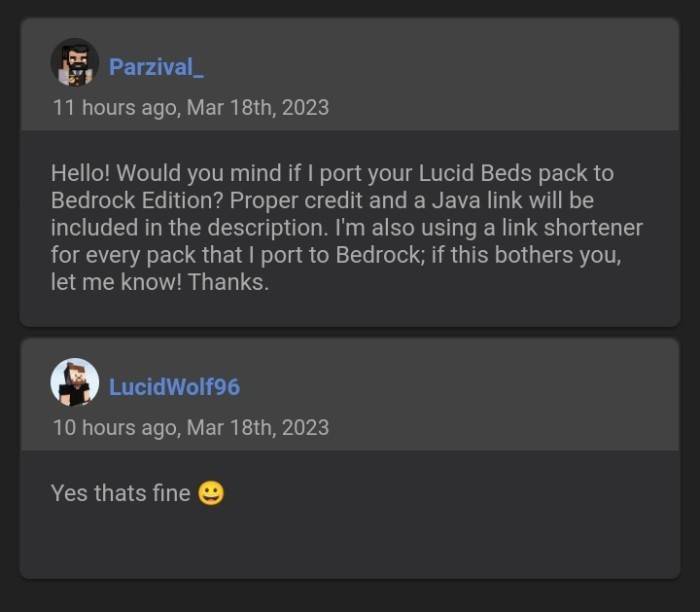
Owner's Permission:
Jak zainstalować Lucid Beds
With Millida Launcher
Install Millida Launcher
The launcher is free: download it at millida.net/launcher and sign in with any nickname.
Click “Install” on this page
The launcher opens and installs the resource pack for Minecraft 1.21.90–1.21.111 automatically.
Launch the game
A profile with it appears in the launcher: click “Play”.
Manually
Download the archive
Pick the file lucid_beds-v1.0.1.mcpack (701 KB) for your game version. No need to unpack it.
Put it in the resourcepacks folder
The easiest way: “Options”, then “Resource Packs”, then “Open Pack Folder”, and drag the archive there.
Enable the pack
In the same window, move the pack to the right-hand “Selected” column and click “Done”.
Wersje
Z zależnościami
| Minecraft | Loader | Plik | Data | Akcje |
|---|---|---|---|---|
| 1.21.90 | — | Lucid Beds v1.0.1701 KB |
FAQ
Which Minecraft versions does Lucid Beds work on?
There are files for 1.21.90–1.21.111, 7 versions in total. The newest is 1.21.111.
Where can I download Lucid Beds safely?
On this page: the file lucid_beds-v1.0.1.mcpack (701 KB) is stored on Millida’s server, with no link shorteners. SHA-1 checksum: 92f1e73355967ef078899f1e03190529da8b4d60.
Opinie
Oceń Lucid Beds jako pierwszy


