
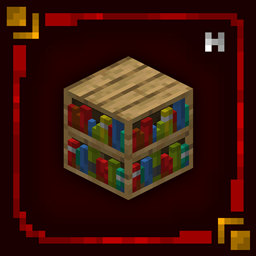
Hellim Studios - Hellim's 3D Blocks
Hellim’s 3D Blocks enhances Minecraft’s core building blocks by carefully sculpting them into true three-dimensional forms while preserving their original textures and unmistakable vanilla identity. Focused purely on structural and placeable blocks, this pack adds subtle depth, cleaner definition, and a stronger physical presence without altering colors, style, or the game’s iconic simplicity. The result is a world that feels more solid, refined, and immersive - yet remains instantly recognizable as the Minecraft you know and love.
❗This Resurcepack does not recuire any other things to work.❗

- Ametamethyst Clusters
- Beenest
- Beehive
- Bookshelf
- Cake
- Candels
- Chains
- Chiseled Bookshelf
- Cobweb
- Copper Bars
- Copper Bulbs
- Copper Grates
- Crying Obsidian
- Dried Help Block
- Glowstone
- Hay Block
- Iron Bars
- Ladder
- Lanterns
- Lectern
- Magma Block
- Pointed Drip Stone
- Scaffolding
- Sculk
- Sculk Catalyst
- Sea Lantern
- Shroomlight
- Soul Lantern
- Spawner
- Trial Spawner
- Vaults
❗You can suggest blocks for us to add to Resourcepack. For this, come to our Discord server or comment.❗
- This entire project is licensed under the "All Rights Reserved" license.
- You can use the project in Curseforge or Modrinth Modpacks as you wish. You don't need permission for this. But do not forget to tag our project in the description section of your Modpack.
- Please send us your problems, bugs, and suggestions regarding the packages via our Discord Server.

Jak zainstalować Hellim's 3D Blocks
With Millida Launcher
Install Millida Launcher
The launcher is free: download it at millida.net/launcher and sign in with any nickname.
Click “Install” on this page
The launcher opens and installs the resource pack for Minecraft 1.20–26.3 automatically.
Launch the game
A profile with it appears in the launcher: click “Play”.
Manually
Download the archive
Pick the file Hellim's 3D Blocks v1.1.zip (544 KB) for your game version. No need to unpack it.
Put it in the resourcepacks folder
The easiest way: “Options”, then “Resource Packs”, then “Open Pack Folder”, and drag the archive there.
Enable the pack
In the same window, move the pack to the right-hand “Selected” column and click “Done”.
Wersje
Z zależnościami
| Minecraft | Loader | Plik | Data | Akcje |
|---|---|---|---|---|
| 1.21 | — | Hellim's 3D Blocks v1.1544 KB 13 | ||
| 1.21 | — | Hellim's 3D Blocks v0.5.41.7 MB |
Opinie
Oceń Hellim's 3D Blocks jako pierwszy


