
Default 4x4 Paczka zasobów do Minecraft 1.21.122
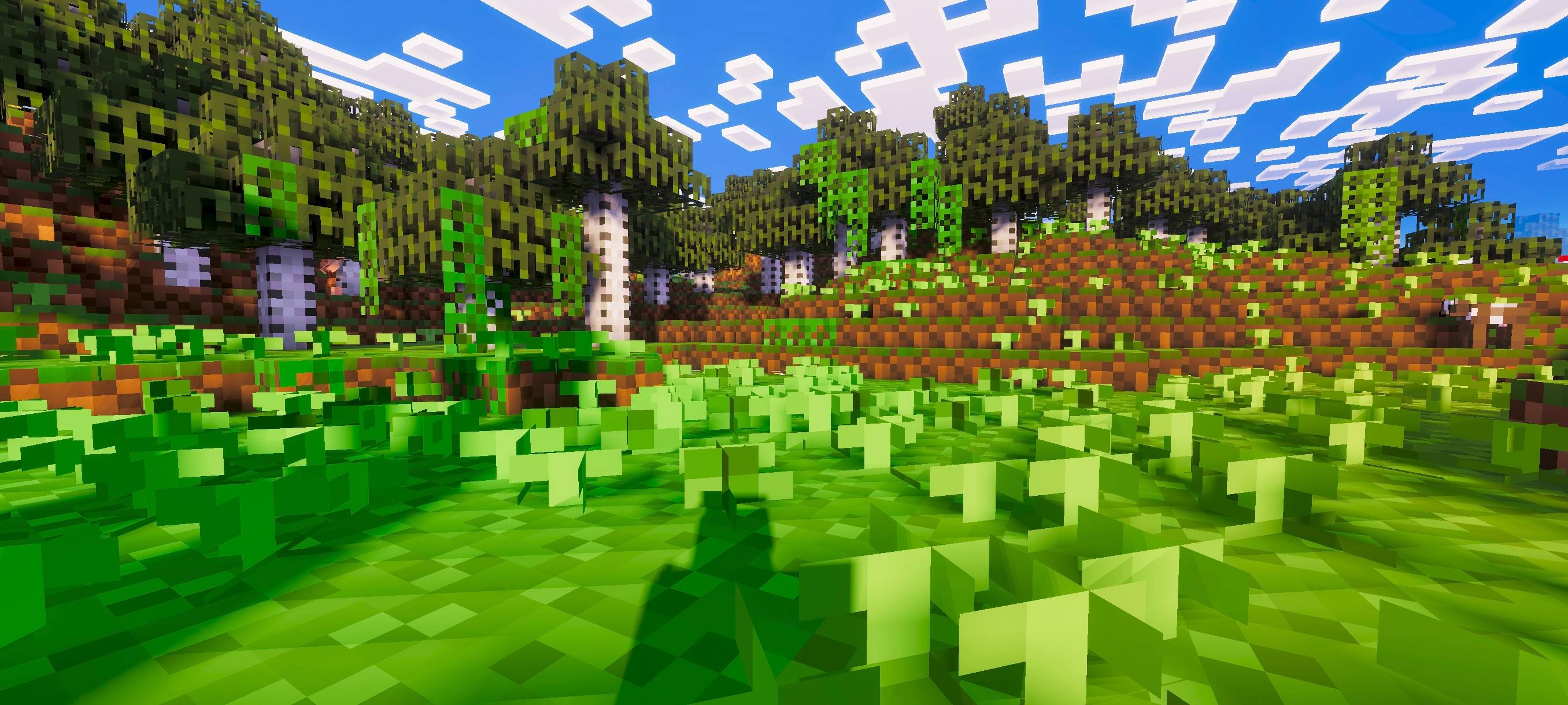
Ten pack zmienia wszystkie tekstury Minecrafta na 4×4, nadając retro pikselowy wygląd, jednocześnie poprawiając wydajność i utrzymując bloki łatwe do rozpoznania.
4x4 Resolution Pack
This pack gives Minecraft a bold, pixelated look by reducing all textures to 4x4 resolution. It improves performance while keeping blocks easy to recognize, creating a clean retro-style visual.
Perfect for low-end devices or for players who want a simple, charming pixel-art experience.
Want all resolutions from 16x to 1x? Try the Multi Resolutions Pack where you can switch between them using subpacks!
Jak zainstalować Default 4x4
With Millida Launcher
Install Millida Launcher
The launcher is free: download it at millida.net/launcher and sign in with any nickname.
Click “Install” on this page
The launcher opens and installs the resource pack for Minecraft 1.21.122 automatically.
Launch the game
A profile with it appears in the launcher: click “Play”.
Manually
Download the archive
Pick the file 4x4_Texture_Pack.mcpack (1.5 MB) for your game version. No need to unpack it.
Put it in the resourcepacks folder
The easiest way: “Options”, then “Resource Packs”, then “Open Pack Folder”, and drag the archive there.
Enable the pack
In the same window, move the pack to the right-hand “Selected” column and click “Done”.
Wersje
Z zależnościami
| Minecraft | Loader | Plik | Data | Akcje |
|---|---|---|---|---|
| 1.21.122 | — | 4x4_Texture_Pack.mcpack1.5 MB |
FAQ
Which Minecraft versions does Default 4x4 work on?
Only Minecraft 1.21.122: there are no files for other versions.
Where can I download Default 4x4 safely?
On this page: the file 4x4_Texture_Pack.mcpack (1.5 MB) is stored on Millida’s server, with no link shorteners. SHA-1 checksum: 5e4b7f43e20d8aa9e8d69fb837182540e87b3c28.
Opinie
Oceń Default 4x4 jako pierwszy



