
DARK MODE PLUS Paczka zasobów do Minecraft 1.20.1, 1.21
TRYB CIEMNY DLA MINECRAFTA

DARK MODE
ENGLISH
Texture pack with a custom DARK MODE It gives you a dark interface for your Minecraft, to achieve comfort for your eyes.
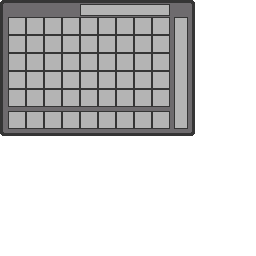
Contains:
- Dark Inventory
- Dark Furnance
- Dark Creative Inventory
- Dark Chest
- Dark Anvil
- Dark Enchantment Table
-All Tables and Interfaces
By @d_de_diego_d
ESPAÑOL
Paquete de texturas con un MODO OSCURO personalizado Te brinda una interfaz oscura para tu Minecraft, para lograr comodidad para tus ojos.
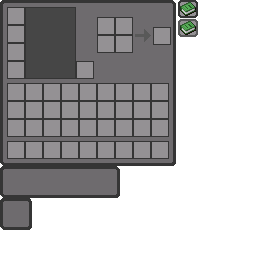
Contiene:
- Inventario Oscuro
- Horno Oscuro
- Inventario Creativo Oscuro
- Cofre Oscuro
- Yunque Oscuro
- Mesa de Encantamientos Oscura
- Todas las Mesas e Interfaces
By @d_de_diego_d
❤️ Support Me ❤️



⭐ Our Projects⭐

(c) TRIDEX 2025 - All Rights Reserved
Jak zainstalować DARK MODE PLUS
With Millida Launcher
Install Millida Launcher
The launcher is free: download it at millida.net/launcher and sign in with any nickname.
Click “Install” on this page
The launcher opens and installs the resource pack for Minecraft 0.16–26.0.02 automatically.
Launch the game
A profile with it appears in the launcher: click “Play”.
Manually
Download the archive
Pick the file Dark Mode Plus.mcpack (857 KB) for your game version. No need to unpack it.
Put it in the resourcepacks folder
The easiest way: “Options”, then “Resource Packs”, then “Open Pack Folder”, and drag the archive there.
Enable the pack
In the same window, move the pack to the right-hand “Selected” column and click “Done”.
Wersje
Z zależnościami
| Minecraft | Loader | Plik | Data | Akcje |
|---|---|---|---|---|
| 1.20.40 | — | Dark Mode Plus857 KB |
Opinie
Oceń DARK MODE PLUS jako pierwszy



