

3D-EndCrystals Paczka zasobów do Minecraft 1.20.1, 1.20.4
Prosta tekstura, która sprawia, że end crystal w stanie przedmiotu jest 3D
- wyświetleń
- 30 wyświetleń
- Zaktualizowano
- Zaktualizowano 01.10.2026
- 1.20 — 1.20.4
 Gra vanilla
- Klient
Minecraft 3D EndCrystals
- No optifine required!
- It should work with most versions!
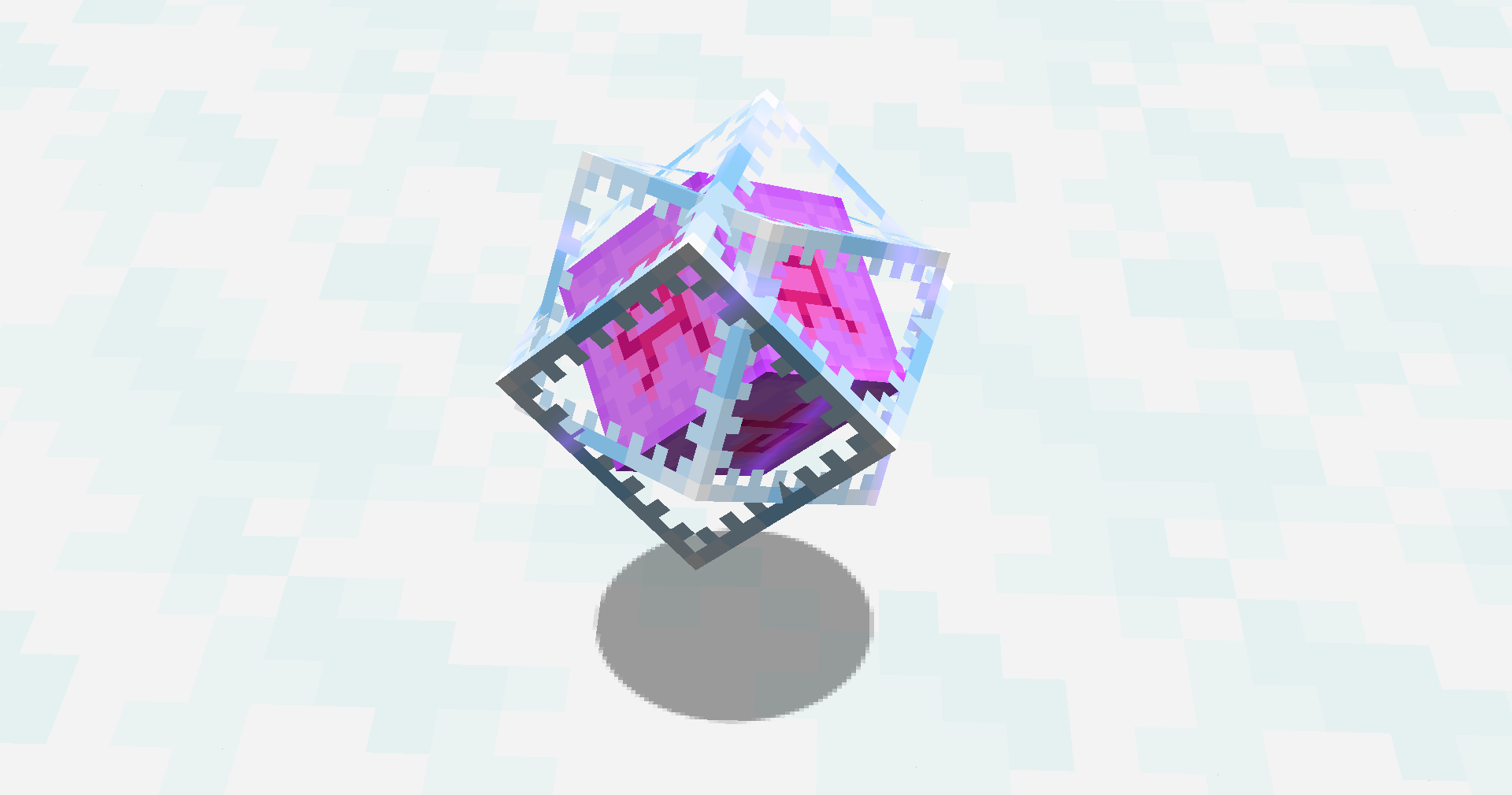
Original post (deleted)
https://www.reddit.com/r/Minecraft/comments/asvjp2/made_a_resource_pack_that_renders_the_end_crystal
Other Textures
- CustomMojangLogo
- Black TNT
Jak zainstalować 3D-EndCrystals
With Millida Launcher
Install Millida Launcher
The launcher is free: download it at millida.net/launcher and sign in with any nickname.
Click “Install” on this page
The launcher opens and installs the resource pack for Minecraft 1.20–1.20.4 automatically.
Launch the game
A profile with it appears in the launcher: click “Play”.
Manually
Download the archive
Pick the file 3D-Crystals[v1.2.0].zip (1.2 MB) for your game version. No need to unpack it.
Put it in the resourcepacks folder
The easiest way: “Options”, then “Resource Packs”, then “Open Pack Folder”, and drag the archive there.
Enable the pack
In the same window, move the pack to the right-hand “Selected” column and click “Done”.
Wersje
Z zależnościami
| Minecraft | Loader | Plik | Data | Akcje |
|---|---|---|---|---|
| 1.20.4 | — | 1.20.41.2 MB |
FAQ
Does 3D-EndCrystals need mods?
No, the resource pack works in the plain game without loaders: put it into the resourcepacks folder and enable it in the options.
Where can I download 3D-EndCrystals safely?
On this page: the file 3D-Crystals[v1.2.0].zip (1.2 MB) is stored on Millida’s server, with no link shorteners. SHA-1 checksum: 5d94dff1a969cd9fb890274206984b73b6569a55.
Opinie
Oceń 3D-EndCrystals jako pierwszy



