
WorldGen Plugin do Minecraft 1.8
Ręcznie generuj struktury świata (wioski, twierdze, świątynie itp.)
ATTENTION
As of spigot 1.8.3, WorldGen is broken. Mojang did a major rewrite of the worldgen files. It is possible to fix but its gonna take me some time.
Pls see this post for more details: http://dev.bukkit.org/bukkit-plugins/worldgen/?comment=102
ATTENTION
This Bukkit plugin is used to manually create or generate various world structures throughout your world. Supports permissions and the following structures:
- Ocean Monument
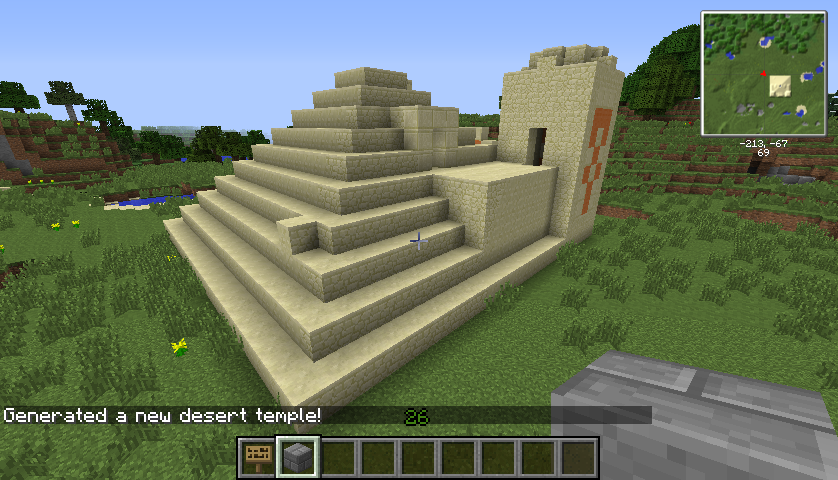
- Desert Temple
- Jungle Temple
- Mineshaft Complex
- Stronghold Complex
- Stronghold Portal Room
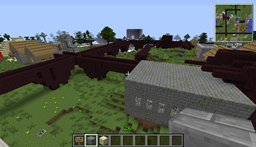
- NPC Village Complex
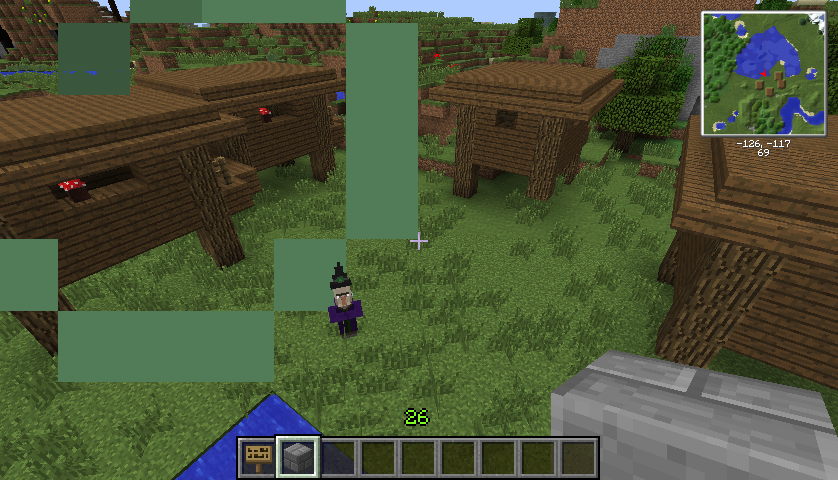
- Witch's Hut
- Nether Fortress Complex
Structures are generated at the current player's location and in some cases can be bounded to a maximum radius. Structure generation uses the internal Minecraft routines directly.
Credits
TheHUTMan, the real author of the project. He has since taken a break from the project but he is the brains behind it. Paxination, another plugin dev who helped correct some major compatibility issues we encountered between new releases of CB. Nisovin and JRArocks for the initial ideas for making villages. This version attempts to be agnostic to the current Bukkit version, and should work for newer releases so long as the basic API doesn't change (which it usually doesn't).
Sample Pictures
Here is a sample of generating a Desert Temple in grasslands :)
This may freak some people out ... a coven of witches! I generated 4 huts in close proximity. Might make a nice arena :)
More pictures can be found on the Images page.
Installation
Simply copy the WorldGen.jar into your Bukkit plugins folder. There currently are no configuration files for this plugin.
Commands
/worldgen [type] [radius=50]
[type] must be one of: village, witch, jungletemple, deserttemple, well, stronghold, mineshaft, shportal
[radius] defaults to 50, and for some items isn't used.
For more details, please see Commands
Note that the actual position of the generated structure may vary slightly from the users position due to chunk alignment requirements and how the underlying Minecraft generation methods actually operate. There is a bit of randomness involved as well.
Also, when generating some structures on flat worlds (or in worlds where there isn't sufficient land under your position) you may end up with structures floating above ground. This is a side-effect of how the minecraft objects generate the structures and mostly impacts things like mineshafts, strongholds, and nether fortresses. Desert temples also require a minimum amount of space under them to form the "trap" area.
Permissions
WorldGen supports the SuperPerms permission settings. The following permissions are available:
- worldgen.command: Allow user to run the worldgen command
- worldgen.command.deserttemple: Allow user to generate a desert temple
- worldgen.command.jungletemple: Allow user to generate a jungle temple
- worldgen.command.mineshaft: Allow user to generate a mineshaft complex
- worldgen.command.nether: Allow user to generate nether type complexes
- worldgen.command.stronghold: Allow user to generate a stronghold complex and rooms
- worldgen.command.village: Allow user to generate a village complex
- worldgen.command.witch: Allow user to generate a witch's hut
By default, ops are given worldgen.* permissions.
Jak zainstalować WorldGen
A server on Paper or Spigot
The plugin runs on the server core for Minecraft 1.8; players do not need to install anything.
File goes into the plugins folder
Download the file WorldGen.jar (39 KB) and put it into the server’s plugins folder.
Restart the server
On startup the plugin creates its own settings folder in plugins.
Or use the “To hosting” button
On Millida Hosting, the button at the top of the page uploads the file to your server and restarts it for you.
Minecraft 1.8 runs on Java 8: with a different Java version the game may close right after launch.
Wersje
Z zależnościami
| Minecraft | Loader | Plik | Data | Akcje |
|---|---|---|---|---|
| 1.8 | — | Worldgen 1.839.4 KB |
FAQ
Which Minecraft versions does WorldGen work on?
Only Minecraft 1.8: there are no files for other versions.
Which Java does WorldGen need?
Minecraft 1.8 runs on Java 8. If the game closes right after launch, the usual cause is the wrong Java version in the profile settings.
Where can I download WorldGen safely?
On this page: the file WorldGen.jar (39 KB) is stored on Millida’s server, with no link shorteners. SHA-1 checksum: 4dcea870d2f3bae37155432d50f7415167849383.
Opinie
Oceń WorldGen jako pierwszy


