

O pluginie Ultra Hardcore 1.8
HOME SETUP CMD & PERM CONFIG.YML GITHUB
If you are looking for a simple and automatic setup for Ultra Hardcore Game? This plugin is right for you.
What can this UHC plugin do for you:
- Disabled / Edit Mode
- Load / generated all chunks in the UHC arena by specific arena size.
- Private / Friends Mode
- Create health bar on player list.
- Select between hearts or number in the player tablist.
- Select between solo / team mode. (If team mode, it will create all 16 different color teams)
- Custom team names and colors. (Team Mode) [NEW]
- Custom tablist header & footer. (optional)
- Custom UHC book. (optional)
- Damage logger. (optional)
- Freeze inGame player when the game is starting / countdown. (optional)
- Golden Head Apple. (2 different apples) (optional)
- Auto teleport players / teams to UHC arena. (Teleport-ed have a cooldown on 1.5 sec)
- Countdown before the game starting.
- Offline kicker. (Remove inGame player if that player has not come back to the game by specific timeout)
- Set Worldborder size and shrink.
- Set marker message and time.
- Set Gamerule. (Example: if you want to have eternal day or not)
- Use the old Minecraft combat mode. (optional)
- Change global chat format for spectator.
- Change global chat format for solo mode.
- Change global chat format for non-team player.
- Change global chat format for team player.
- Disable all commands for non OP player.
- Disable all commands for OP player when the game is starting.
- Server Mode
- All 'Private / Friend Mode' settings.
- Load / generate all chunks in the UHC arena by startup (optional).
- Game Lobby. (uhc_lobby)
- Select between simple / advanced Motd. (optional)
- BungeeCord Support. (optional)
- Return to main hub / lobby. (If BungeeCord Enabled)
- OP / Permission player can use commands inGame.
- Automatic restart of the server. (Read me)
Note: Remember to remove spawn-protection for non OP players. (If world spawn area are in the UHC arena)
Requirements
- Java 8
- Craftbukkit / Spigot / PaperMC 1.13.2
Screenshot
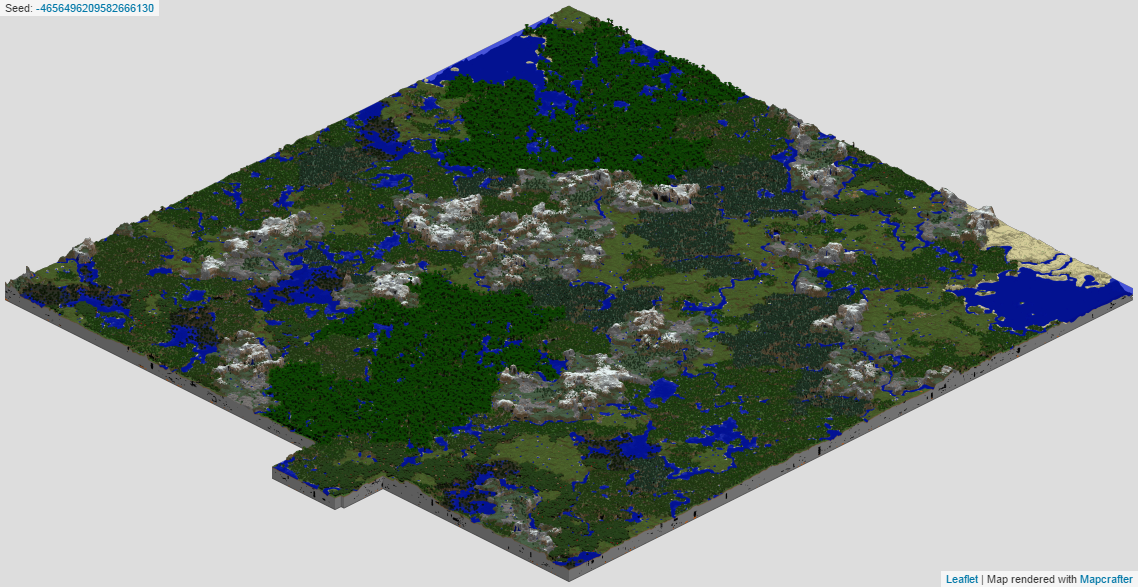
If you want to see more images of this plugin? Click here to see all 31 images.
Jak zainstalować Ultra Hardcore 1.8
A server on Paper or Spigot
The plugin runs on the server core for Minecraft 1.13; players do not need to install anything.
File goes into the plugins folder
Download the file Ultra_Hardcore_1.4.2.jar (213 KB) and put it into the server’s plugins folder.
Restart the server
On startup the plugin creates its own settings folder in plugins.
Use the “To server” button
On Millida Hosting, the button at the top of the page uploads the file to your server and restarts it for you.
Minecraft 1.13 runs on Java 8: with a different Java version the game may close right after launch.
Wersje
Z zależnościami
| Minecraft | Loader | Plik | Data | Akcje |
|---|---|---|---|---|
| 1.13 | — | Ultra Hardcore v1.4.2213 KB |
FAQ
Which Minecraft versions does Ultra Hardcore 1.8 work on?
Only Minecraft 1.13: there are no files for other versions.
Do players need to install Ultra Hardcore 1.8?
No, the plugin goes only on the server, into the plugins folder: players do not need to download anything.
Which Java does Ultra Hardcore 1.8 need?
Minecraft 1.13 runs on Java 8. If the game closes right after launch, the usual cause is the wrong Java version in the profile settings.
Where can I download Ultra Hardcore 1.8 safely?
On this page: the file Ultra_Hardcore_1.4.2.jar (213 KB) is stored on Millida’s server, with no link shorteners. SHA-1 checksum: 62dafb8e833e8a1032811d2f3ace46d6ce01b9b0.
Opinie
Oceń Ultra Hardcore 1.8 jako pierwszy



