

McRPG Plugin do Minecraft 1.11
McRPG zamieni twój serwer w zupełnie nową grę RPG!
Got any questions or bugs you want to report? Please submit them to The Github page as I do not check here very often.
Want your video featured on here? Make a tutorial or review of the plugin in english and link it as a comment and we'll feature it here!
McRPG is a plugin that will make your whole server into a new role playing game! With weapons, armor and items inspired by the enormous RPG World of Warcraft your server will draw forth players who will stay for a long while when enjoying this game-transforming plugin. What this plugin basically does is creating and renaming several items, with new enchantments and recipes with inspiration from World of Warcraft.
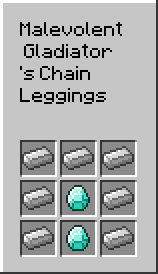
Please use the forum for help/discussions
Forum Leave a suggestion! Crafting recipes GitHub (Includes installation & configuration guide)
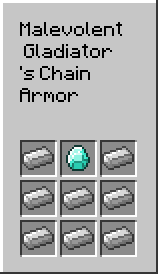
Features
- New items - Inspired from World of Warcraft, craftable and obtainable.
- Private whispers - You can send player private whispers, only visible to the sender and receiver.
- Classes - With different classes, you can choose what your character will become and what powers you will possess
- Factions - With 2 different factions to choose, you can either become one of the fierce bad guys, or the team playing good guys!
- Gold - Trade with players and earn gold by completing custom made achievements!
- Achievements - Earn gold by the custom achievements this plugin offers!
More features will be added as we implement them into the plugin
Commands
- /rpg help - Shows all availible commands
- /w <player> <message> - Sends a whisper to selected player
- /y <message> - Sends out a server-wide yell
- /supply <player> <item> - Give the specified player a item. (Only items that McRPG implements)
- /heal <player> - Heals specified player, just typing /heal will automatically set you as target.
- /class <mage/paladin/warrior> - Selects your class.
- /class deluser <player> - Removes the player from the class he/she chose.
- /ci <player> - Clears inventory of selected player.
- /gm <0/1/survival/creative> <player> - Sets players gamemode.
- /setspawn - Sets server-spawn.
- /spawn - Teleports you to spawn.
- /faction <Horde/Alliance> - Choose which faction you want to fight for!
- /faction deluser <player> - Removes the player from his/her faction.
- /vanish - Toggles your invisibility.
- /balance - Shows how much gold you have.
- /achievement - Opens up the achievement-list.
Classes
Available classes:
- Warrior - Fight as a warrior and slay your enemies with no mercy!
- Mage - Play as a Mage, a wise wizard with magical powers.
- Paladin - Follow the light's guidance and fight off your enemies with the power of the light!
Factions
- Horde - Fight with brutality for the horde, for the magestive warchief Orgrim Doomhammer
- Alliance - Fight honorably for the allmighty king Varian Wrynn
Permissions
Node Gives
mcrpg.admin Access to admin-related commands
mcrpg.moderator Access to moderator-related commands (Currently not in use)
Auto-Updating
Auto updating is a new feature in McRPG, first introduced in version beta 1.1! What it basically is, is a function that can either download the new file automatically when there's a new file available on BukkitDev. Or it can only send you a message upon login if there's a new version available, or you can just shut it off completely! How to configure this is very easy, you simply need to open the Config.yml, then look for auto_updater and set it to one of these variables, depending on what you want:
- notify (Default!) - It will send you a notification message upon login and on startup!
- disabled - It will not do anything! Not even initialize and connect to the server.
- auto - It will automatically download the latest file and install it, if there is one available.
How to update manually
This is the best way to update, follow these steps to update the plugin:
- Download the latest .jar file
- Copy everything inside your config.yml
- Place the new .jar file inside your <server-folder>\plugins\ folder and replace the old one
- Delete the current config.yml file
- Run the server (the plugin will now generate a new config-file that's up to date)
- Paste the copied (old) config.yml into a new notepad file
- Change the settings that's in the old to the new config file.
Q: Why is it so complicated? A: Well since the plugin is still in development, we add a bunch of new things to the config-file almost after every update. The config file doesn't automatically update when the plugin does, therefor these steps are required to maintain the plugin in full capabilitiy
To-Do
- Implement factions
- Different spawn for each faction
- Powers for classes (Perhaps)
- Add classes
- Add gold (Currency)
If you enjoy my plugins, please do consider donating! I do this on my spare time and a single dollar helps alot!
Official twitter • Development blog • Support forum • Github
Jak zainstalować McRPG
A server on Paper or Spigot
The plugin runs on the server core for Minecraft 1.11; players do not need to install anything.
File goes into the plugins folder
Download the file McRPG.jar (51 KB) and put it into the server’s plugins folder.
Restart the server
On startup the plugin creates its own settings folder in plugins.
Use the “To server” button
On Millida Hosting, the button at the top of the page uploads the file to your server and restarts it for you.
Minecraft 1.11 runs on Java 8: with a different Java version the game may close right after launch.
Wersje
Z zależnościami
| Minecraft | Loader | Plik | Data | Akcje |
|---|---|---|---|---|
| 1.11 | — | McRPG v1.350.9 KB | ||
| — | — | McRPG v0.1.221.2 KB |
FAQ
Which Minecraft versions does McRPG work on?
Only Minecraft 1.11: there are no files for other versions.
Do players need to install McRPG?
No, the plugin goes only on the server, into the plugins folder: players do not need to download anything.
Which Java does McRPG need?
Minecraft 1.11 runs on Java 8. If the game closes right after launch, the usual cause is the wrong Java version in the profile settings.
Where can I download McRPG safely?
On this page: the file McRPG.jar (51 KB) is stored on Millida’s server, with no link shorteners. SHA-1 checksum: d656235fd24d0566c4385057825f0840b7a23f1e.
Opinie
Oceń McRPG jako pierwszy


