

MC:PS1 - Modpack do Minecraft 1.19.2
Modpack eksploracyjny z grafiką w stylu PS1!
- wyświetleń
- 34 wyświetleń
- Zaktualizowano
- Zaktualizowano 03.09.2026
- 1.19.2
 Forge
Forge- Klient i serwer
An exploration style modpack with ps1 style graphics!
Do you miss the old days of Minecraft, when everything was mysterious and spooky? Do you want to experience the game with retro graphics and sounds? Then this modpack is for you! It will emulate the beta version of Minecraft, with PS1-style(Playstation 1-Style) visuals and creepy atmosphere. You better watch out..there might be someone watching beyond the fog.

📝 | From the Modpack Creator
This mod was made because other "scary" mods were just plain ol' annoying. You would be damaged until you were killed randomly without any reason. While it was scary at first, the longer you played and actually progressed, the more annoying it became just dying randomly. This mod aims to fix those issues and instead will damage you for a lower amount of health reducing the chances you die.
Why not just remove the damage part overall? Well I've tried this, and it was just not scary. The fact that you had no reason to run away from them killed away the scariness. Thats why I decided to just reduce the damage output so it would lower the chances of you dying.
Please leave a feedback or report issues by clicking this link or clicking the issues tab located the left side (On the "Links" Tab)

📌 | Legend
Incase there are some abbreviations that you didn't understand, here they are!
- MC = Minecraft
- PS1 = Playstation 1
- FTF = From the Fog
- This is a mod that is included in the modpack. It is recommended to configure it before starting your playthrough, scroll down till you see FTF for the recommended configuration.
🚨 | Important
©️ | Crediting
- You may include this modpack in your video/foto/post just put a link in the description that links it back to this page!
- Forking is modpack is also allowed but just clarify its a fork!
Example Description:
Modpack I used: https://modrinth.com/modpack/mcps1
⚙️ | Setting Up Notes
- When installing the modpack via a launcher double check the version you want to install.
- When first launching the modpack please check the shaders and the resourcepack menu. Make sure the shaders are enabled and also make sure the Golden Days resourcepack is enabled.
- When your using the 1.0a modpack make sure to install optifine (located below this message)
Optifine for version 1.0a
🔍 | Optifine (Required ONLY in alpha 1.0a)
This modpack requires optifine. Because of copyright I can't include it here. Please download it here and place it in the Mods folder. Just drag and drop it, you do not need to install it.
PS: If you do not know how still, just search(on google) "Installing Optifine for Forge"
PS: This is only for version 1.0a future versions will already have oculus built in
📝 | FAQ
- Finding the server files? (This has been merged with the client to prevent confusion)
- Click on the version you want to download. Then scroll down until you find a file labeled [VERSION - Server] MC:PS1. That will be the server file.
- Note if the server file stays the same in one release it probably is still compatible with the one you downloaded. (Example, You downloaded client ver. 1.1.0b and server 1.0.5b on the same release. Then you want to upgrade the client side to 1.1.1b but when you scroll down the server is still on ver 1.0.5b. That means it's fine to just update on the client side.)
- The game feels laggy/Why is the fps capped at 30?
- This is intentional meant to capture the feeling of old consoles where you are forced on lower graphics,
- You may turn up the fps cap, but this is not recommended(as always, it'll ruin the immersion)
🔄 | Version Support
Version - Support?
1.13-1.19.1 - ❌ Not Planned 1.19.2 - ✔️ Supported (EOL) 1.20.1 - ✔️ Supported 1.21.x - ⌛ Planned
EOL (End Of Life) = It will no longer recieve updates, bugfixes, or any patches
WARNING: 1.21.x Might not be possible. I will push a major update to 1.20.1 Instead if it isn't possible WARNING2: 1.21.x Seems to not be possible.. I might have to migrate to fabric. Stay tuned!
🤫 | What's Inside?
What the mod looks like. Spoilers will be marked as spoilers, You'll know when it's a spoiler when you see one.
You can see more images in the Gallery tab.
WARNING: The spoiler images will be marked as [SPOILER] in the gallery tab. Watch out!
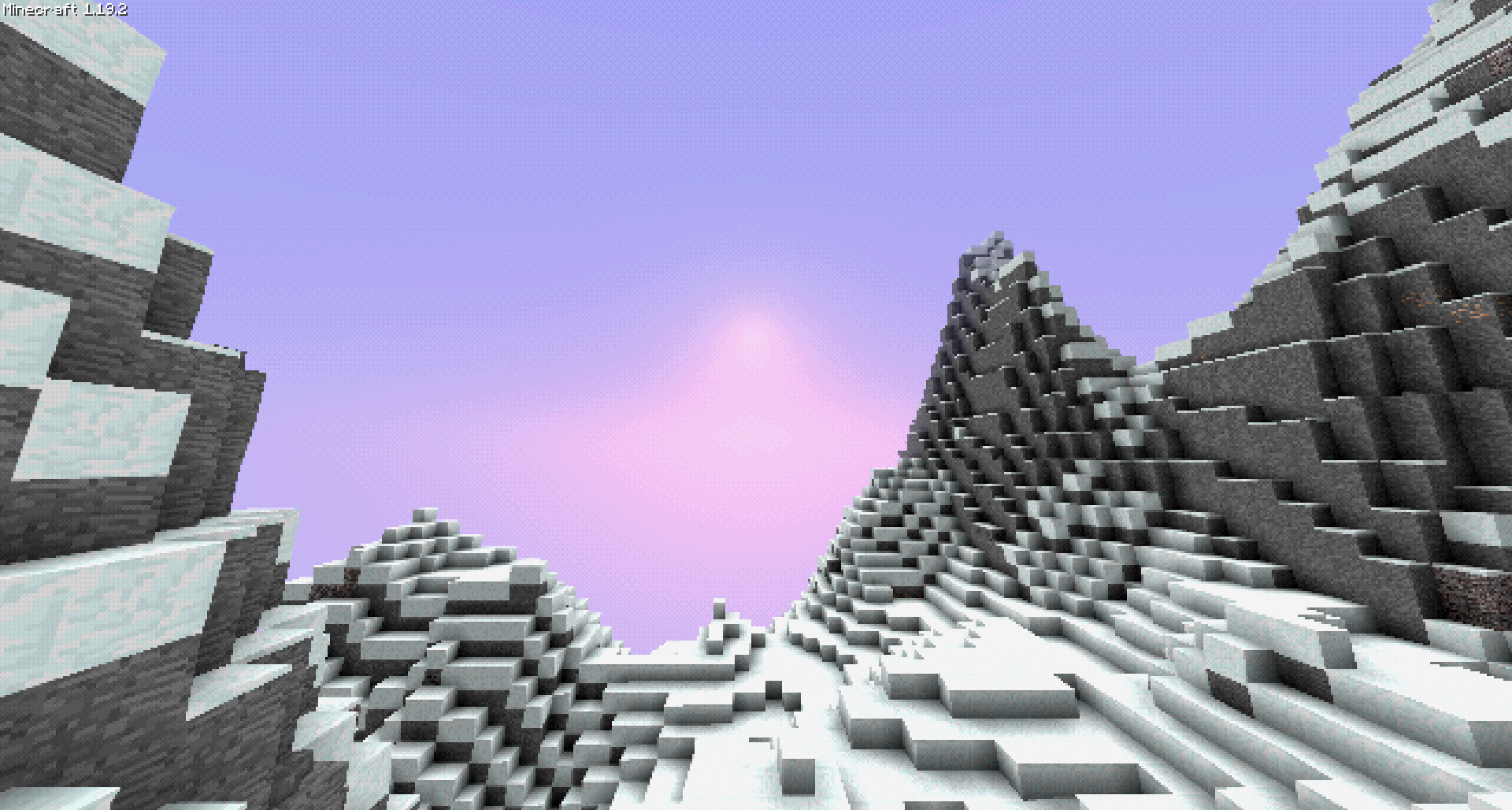
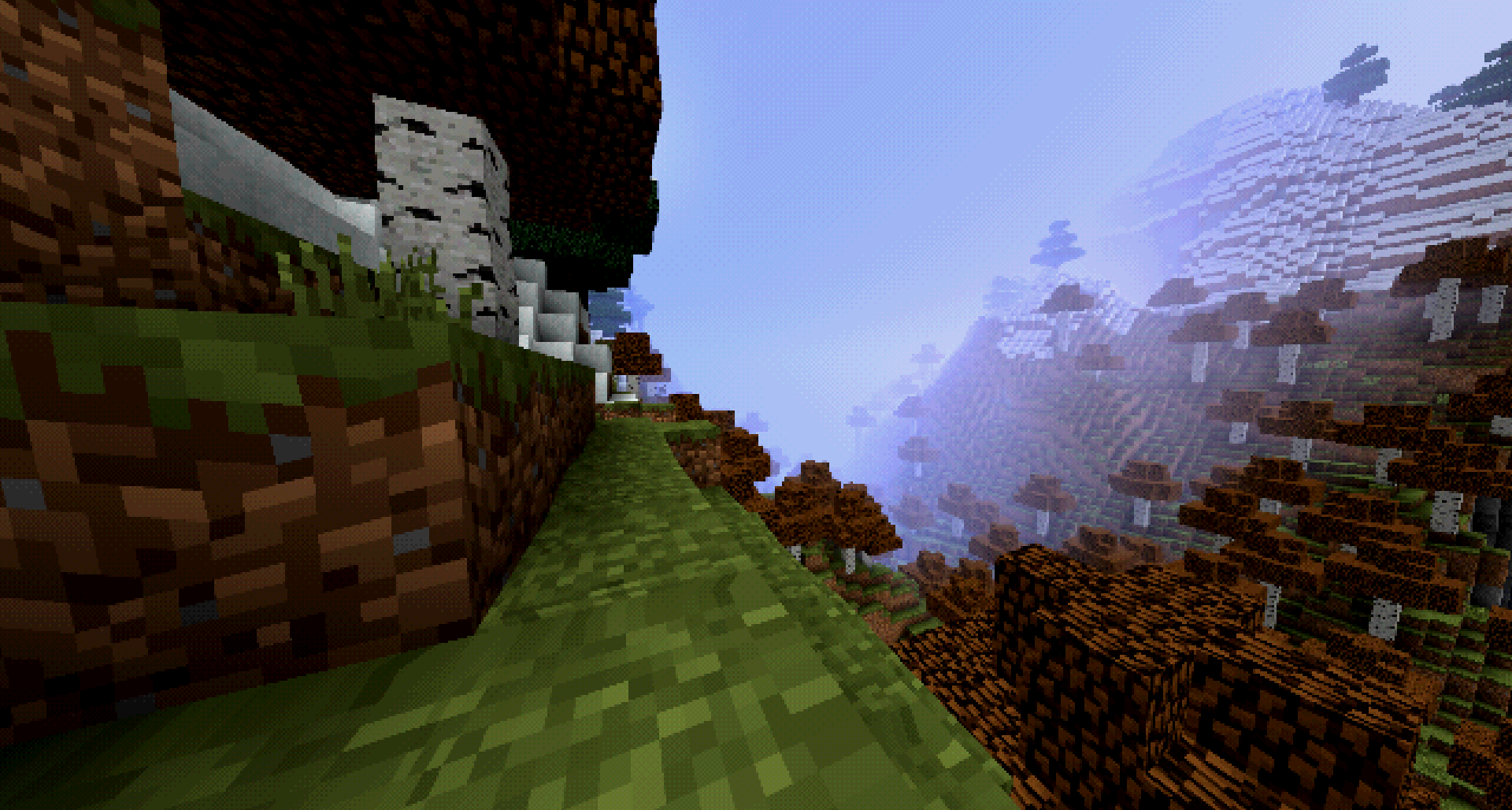
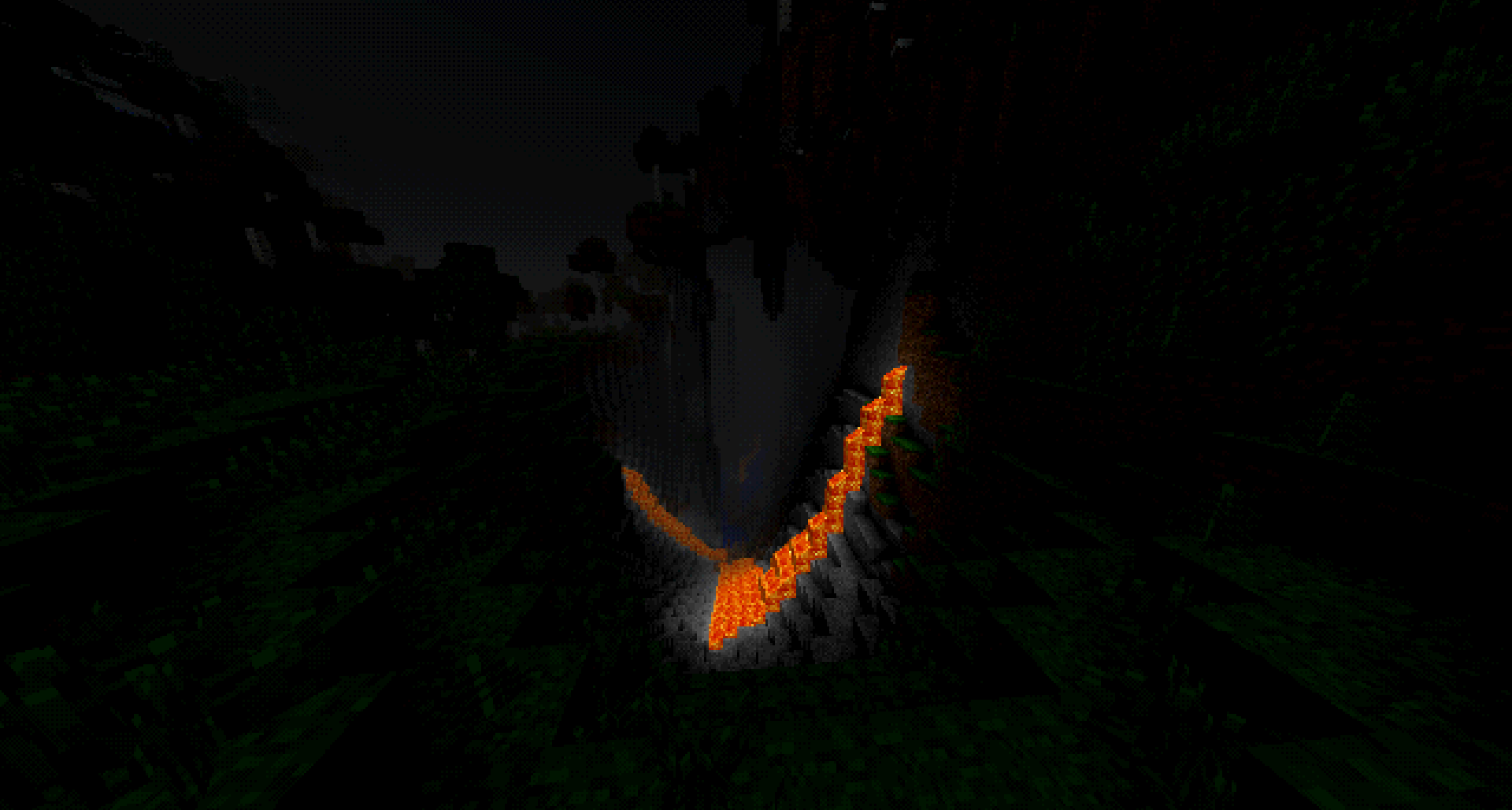
SPOILER - IMG1

SPOILER - Video Showcase
☑️ | Recommended Configuration
Some of the mods here do not have a dedicated config file available. Thus I will put it here for the recommended configs.
1. 🖥️ | System Requirements
Yes I know this is not a mod.. but its for you to have a good time with this mod.
The default config set by your launcher is usually good enough.
WARNING: Technical (Maybe confusing)
Depending on how you play. Your performance may vary. This is used just as a baseline of the system requirements
On the bottom of this spoiler you can see the notes I placed for more information
Client Side System Requirements - Minimum - Recommended
CPU - - - - GPU - Integrated - integrated RAM - 2.5GB - 4GB Storage - 2GB - 5GB
Server Side System Requirements - Minimum (2-5 Players) - Recommended (6-10 Players)
CPU - Intel i5 Gen 4 - - GPU - Integrated - integrated RAM - 2GB or 4GB - 6GB Storage - 5GB - 10GB
*Server: Note that you and your players playstyle may vary. Just remember minecraft hogs so much ram, so the more you give it the better. If your server is crashing try increasing the ram (that usually helps)
*Storage: For storage it depends whether you like exploring or not (or your players). The more you explore the bigger size the world will be. Keep that in mind
2. FTF(From the Fog)
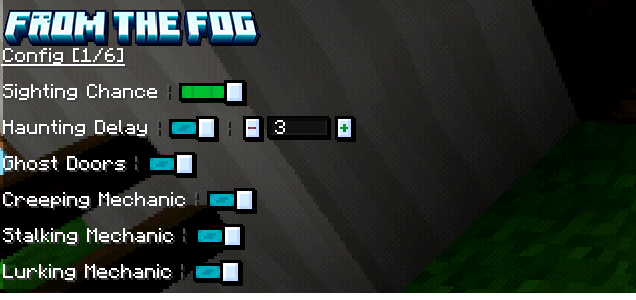
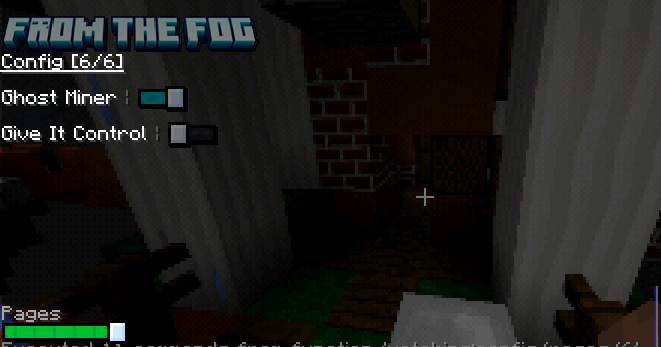
This is the recommended config for From the Fog.
Click below to see the table (it is pretty long)
FTF - Table
Enabled = ✔️
Disabled = ❌
Something Else = Read
Config Name - Option
Page 1 Sighting Chance - Uncommon Haunting Delay - 3 Days Ghost Doors - ✔️ Creeping Mechanic - ✔️ Stalking Mechanic - ✔️ Lurking Mechanic - ✔️ Page 2 Disappearing Torches - ❌ Burning Base - ❌ Sighting Noise - ✔️ Emissive Layers - ✔️ Herobrine Skin - Randomize & Custom Skins Off Lurking Language - User Choice Page 3 Jumpscare Mechanic - ✔️ Crash Mechanic - ❌ Creeping Vanishing Delay - None Stalking Vanishing Delay - 0.5s or None No Sleep - ❌ Dreadful Donation - ✔️ Page 4 Crimson Curse - ❌ OG Shrine Mechanic - ❌ Nightmare Mechanic - ✔️ Window Watcher - ✔️ Chilled Candles - ❌ Sinister Signs - ✔️ Page 5 Sighting Sense - ✔️ Nametag - Off Rekindling Shrine - ❌ Advancements - ✔️ Fearful Footsteps - ✔️ Shrine Surprise - ❌ Page 6 Ghost Miner - ✔️ Give it Control - ❌
Images (if your confused with the table)
Page 1
Page 2
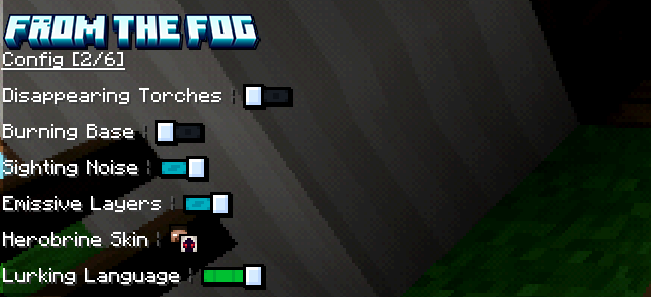
Page 3
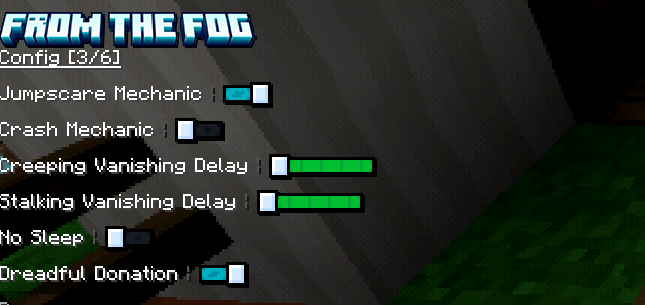
Page 4
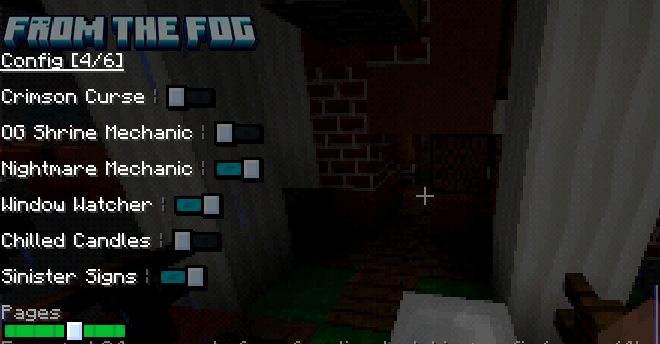
Page 5
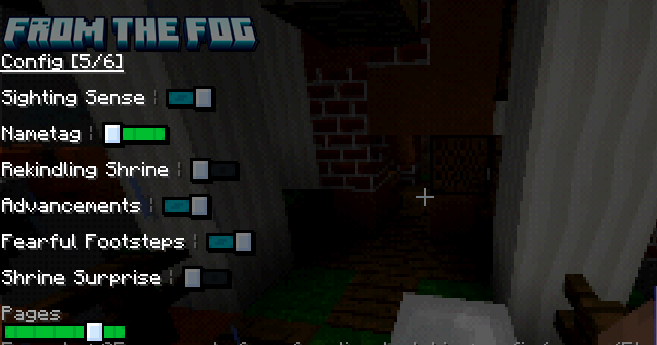
Page 6
📄 | Crediting
There are some of the mods here that require crediting.
- Uses Corpse
- Shaders MCSX
- Shaders Used (Versions 1.20.1 and above) MCSX
- Uses Serene Seasons above version 1.0a
Jak zainstalować MC:PS1 - Modpack
With Millida Launcher
Install Millida Launcher
The launcher is free: download it at millida.net/launcher and sign in with any nickname.
Click “Install” on this page
The launcher opens and installs the modpack for Minecraft 1.19.2 on Forge automatically.
Launch the game
A profile with it appears in the launcher: click “Play”.
Manually
Download the modpack archive
In the version list above, pick the file [V1.1.0 - Client] MC-PS1.mrpack (5.0 MB).
Import it into a launcher
A launcher that supports modpacks (Millida Launcher, Prism) takes the archive via “Add modpack”, then “From file”. No need to unpack it yourself.
Allocate memory
Modpacks need more memory than the plain game: set 4–6 GB in the profile settings.
On a server
Use the “To server” button
On Millida Hosting, the button at the top of the page uploads the file to your server and restarts it for you.
Invite friends: they install the same modpack
To join the server, every player needs the same modpack version.
Minecraft 1.19.2 runs on Java 17: with a different Java version the game may close right after launch.
Wersje
Z zależnościami
| Minecraft | Loader | Plik | Akcje |
|---|---|---|---|
| 1.19.2 | Forge | 1.19.25 MB |
Co jest potrzebne do działania
- Dependencyjuż w środku
- Geckolibjuż w środku
- Memory Leak Fixjuż w środku
- CreativeCorejuż w środku
- Dependencyjuż w środku
- Dependencyjuż w środku
- FPS Reducerjuż w środku
- Architectury APIjuż w środku
- From The Fogjuż w środku
- No Chat Reportsjuż w środku
- Dependencyjuż w środku
- Controllingjuż w środku
FAQ
Which Minecraft versions does MC:PS1 - Modpack work on?
Only Minecraft 1.19.2: there are no files for other versions.
Is MC:PS1 - Modpack for Forge or Fabric?
Only for Forge: 1.19.2.
Which mods are in the MC:PS1 - Modpack modpack?
Mods in the modpack include Dependency, Geckolib, Memory Leak Fix, CreativeCore, FPS Reducer, Architectury API, From The Fog, No Chat Reports and 1 more.
Which Java does MC:PS1 - Modpack need?
Minecraft 1.19.2 runs on Java 17. If the game closes right after launch, the usual cause is the wrong Java version in the profile settings.
Where can I download MC:PS1 - Modpack safely?
On this page: the file [V1.1.0 - Client] MC-PS1.mrpack (5.0 MB) is stored on Millida’s server, with no link shorteners. SHA-1 checksum: c7e75dd6dd164dd5bee88cf454ec65e1c75223be.
Opinie
Oceń MC:PS1 - Modpack jako pierwszy


