

 Fabric
 Forge
O modpacku Light Craft - FPS Boost Max
⚠️ Requires launcher that supports CurseForge Modpacks » Download CurseForge App
Light Craft | The best FPS Boost Modpack by MoonPlay Team

Increase your FPS in-game (more FPS than OptiFine & other modpacks) and add useful extras!
Latest Version » 26.3 - 9.1.1 (Recommended)
We are working on creating the most optimized client with various add-ons based on Light Craft.
Don't need OptiFine add-ons for LightCraft? Do you only care about a basic FPS Boost? You can download the Light Craft Lite!
Do you want to set up your own server? Try our Server Pack! Fabric Server optimized as much as possible.
Why should you choose Light Craft instead of OptiFine and other modpacks?
» That modpack is much faster than OptiFine 📈
» Support for capes (including OptiFine capes), which you can also get for FREE!
» All major features from OptiFine such as Shaders, Zoom, Dynamic Lights, Resource Packs, etc. are included in this Modpack.
» Bug Fixes 🐞
» Weekly Updates
» You can play using a Controller 🎮
» You can add mods by yourself (for ex. in game voice chat, map, essentials etc.)
» Clean UI
» Huge FPS Boost !
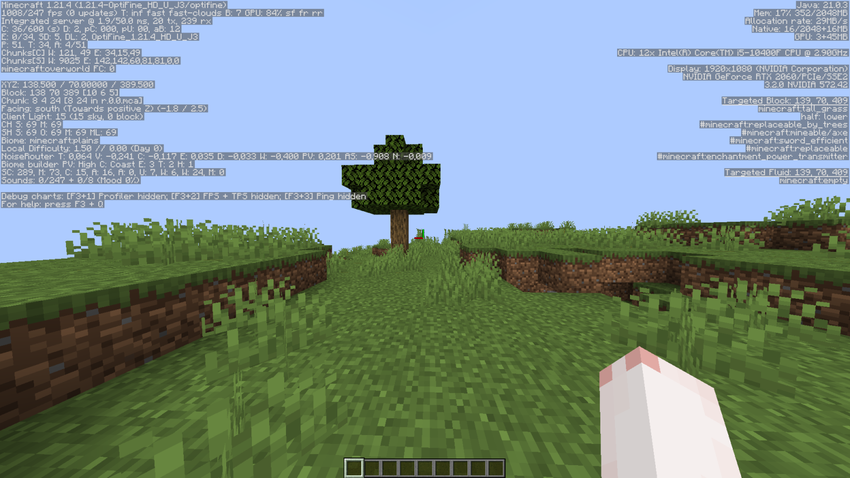
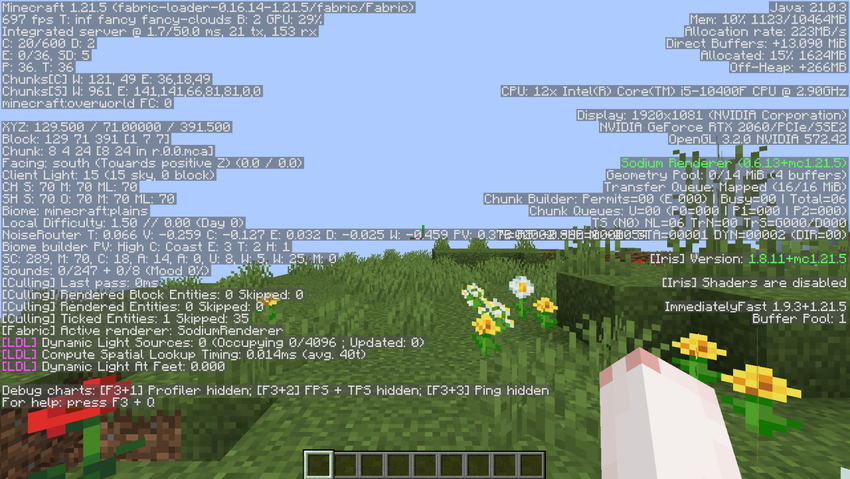
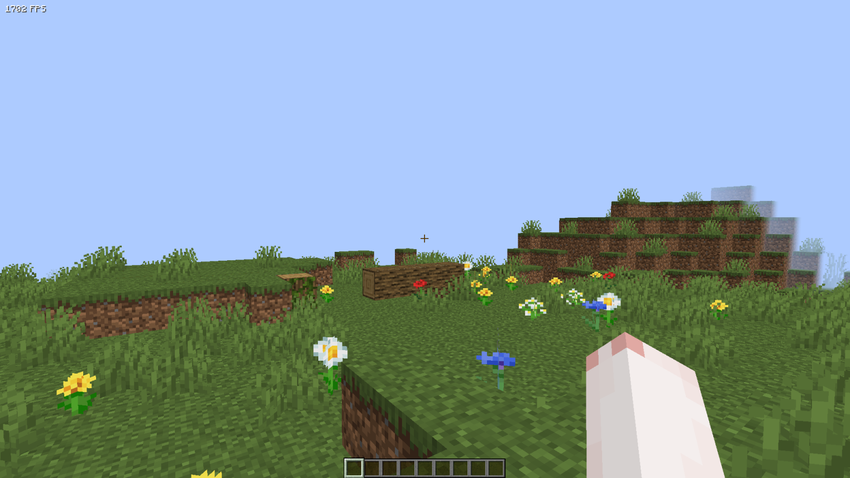
NVIDIA RTX 2060 - Intel Core I5 10400F - SEED: "test" - 2 chunks - (Test date: 13.05.2025)
⚠️Please remember that the results may vary for each individual depending on drivers version, the graphics card brand and its version, the installed operating system, processor, etc.⚠️
Vanilla » 984 FPS
Optifine (HD_U_J3) » 1008 FPS
Fabously Optimized (9.0.0-beta.1) » 697 FPS (Probably a bug in the modpack?)
Light Craft (6.1.0) » 1702 FPS <- WINNER
Q: Why does Light Craft disable features like Dynamic Lights, Particles, Better Grass by default? A: To maximize FPS. You can enable them anytime in the settings.
Q: Do I need OptiFine? A: No! Light Craft is powered by a modern Fabric/Sodium base - no OptiFine needed.
Q: Can I add other mods? A: Yes. Light Craft is compatible with most popular utility mods. You can also create your own modpack for yourself based on Light Craft.
Minimum Server RAM: 2GB - Recommended Server RAM: 3GB - Minimum Allocated RAM: 1GB

Jak zainstalować Light Craft - FPS Boost Max
With Millida Launcher
Install Millida Launcher
The launcher is free: download it at millida.net/launcher and sign in with any nickname.
Click “Install” on this page
The launcher opens and installs the modpack for Minecraft 1.20–26.3 on Fabric or Forge automatically.
Launch the game
A profile with it appears in the launcher: click “Play”.
On a server
Use the “To server” button
On Millida Hosting, the button at the top of the page uploads the file to your server and restarts it for you.
Invite friends: they install the same modpack
To join the server, every player needs the same modpack version.
Wersje
Z zależnościami
| Minecraft | Loader | Plik | Data | Akcje |
|---|---|---|---|---|
| 26.3 | Fabric | Light Craft - 26.3 - 9.1.045.6 KB | ||
| 1.20.1 | Forge | Light Craft [ ReForged ] - 1.20.1 - 2.2.210.7 MB | ||
| 1.20.1 | — | Light Craft [ ReForged ] - 1.20.1 - 2.2.110.7 MB | ||
| 1.20.1 | Forge | Light Craft [ ReForged ] - 1.20.1 - 2.1.0b10.8 MB | ||
| 1.20 | — | Light Craft [ReForged] - 1.20 - 2.0.1b225 KB | ||
| 1.20 | Forge | Light Craft [ ReFORGED ] - 1.20 - 2.0.0a225 KB |
FAQ
Which Minecraft versions does Light Craft - FPS Boost Max work on?
There are files for 26.3, 1.20.1, 1.20. The newest is 26.3.
Opinie
Oceń Light Craft - FPS Boost Max jako pierwszy


