

Wrong Yellow Paczka danych do Minecraft 1.21.11
Vanilla datapack, który dodaje ukryty wymiar inspirowany Backrooms, generowany przez własną logikę Minecrafta.
Wrong Yellow
Minecraft has places it forgot to generate correctly.
Wrong Yellow is a vanilla Java datapack that adds a hidden liminal dimension inspired by the Backrooms - not as a direct copy, but as something the game itself could have generated by mistake.
No mods. No resource pack. Just vanilla Minecraft, bent into a strange yellow place behind the walls of the world.
Wrong Yellow .1
Current build
v1.0.0-rc3 - The Missing Walls Update
The Yellow has grown beyond rooms.
RC3 adds massive architectural anomalies, giant fractures called splits, new survival systems, and two threats that make walls and other players less reliable.
Some walls are missing, others are still there.
Wrong Yellow .2
Features
The Yellow Layer
- A hidden Backrooms-inspired dimension
- 20+ interconnected labyrinth floors
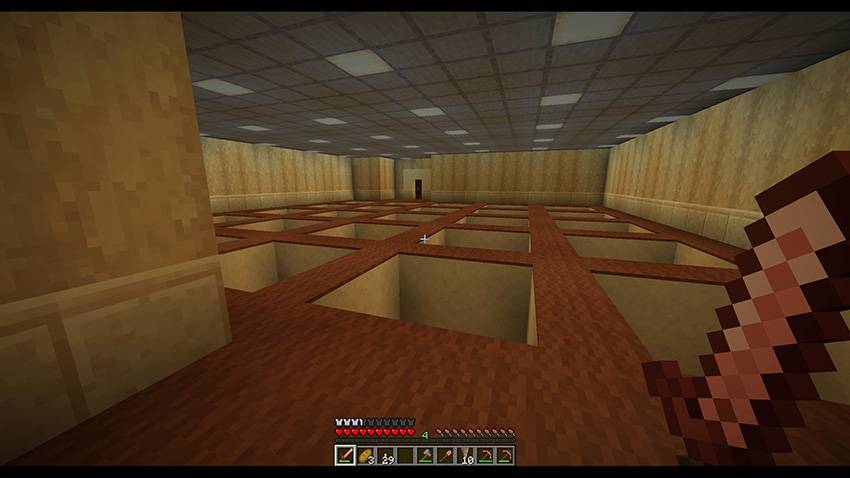
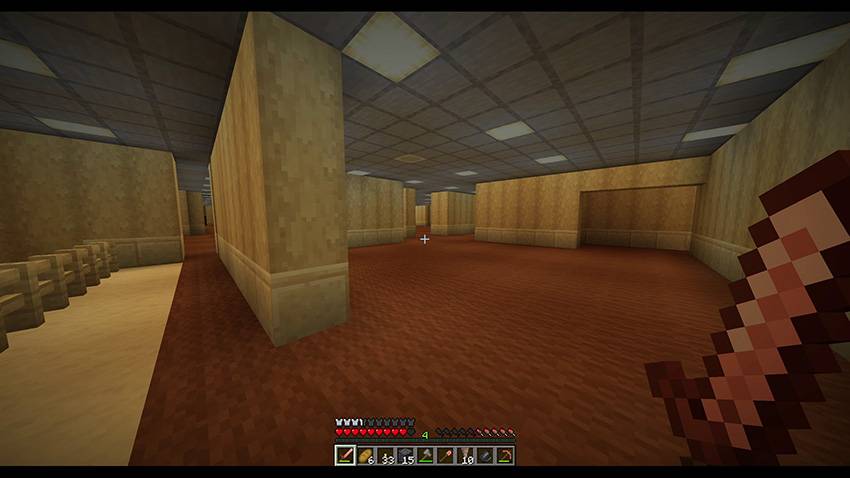
- Procedural generation built from rooms, corridors, wells and impossible architecture
- A final roof layer offering a route back to the Overworld
- Designed to feel native to Minecraft rather than pasted on top of it
Gigastructures
Wrong Yellow can now construct architectural anomalies far larger than ordinary rooms.
The dimension is divided into large generation cells, allowing the datapack to inject massive structures while keeping their placement controlled and repeatable.
Splits
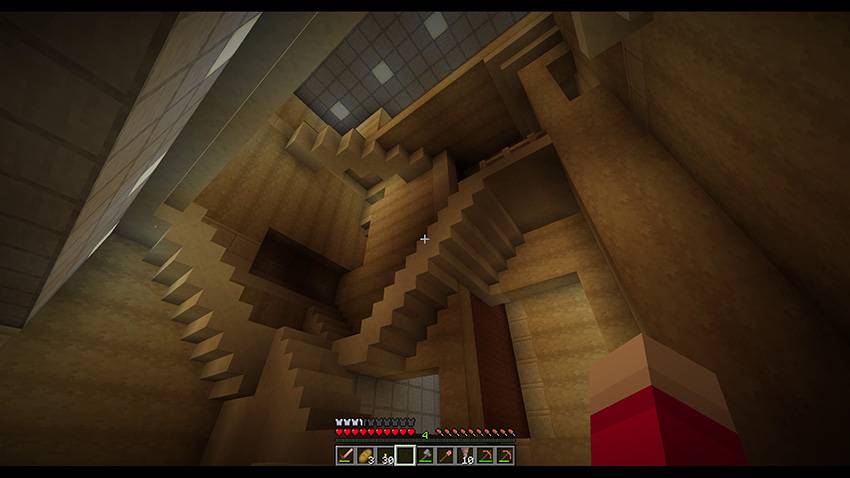
Some parts of the Yellow have opened into enormous vertical fractures.
Splits cut through multiple floors and expose the internal structure of the dimension, creating places too large to behave like rooms.
C-wall
The C-wall is a wall-shaped hostile that can pursue nearby players through the Yellow.
If it reaches its target, it closes around the player.
Player imitation
Another hostile can copy the appearance of a real player, including:
- Player skin
- Equipped armor
- Held item
Nametags are hidden inside the Yellow, making multiplayer identification less reliable.
Tension and pacing
Wrong Yellow uses a dynamic pacing system rather than spawning every threat at a fixed rhythm.
Danger changes between floors, while large events are controlled to avoid turning the experience into constant noise.
Living lights
Ceiling lights can blink dynamically throughout the Yellow.
Blink locations are selected at runtime, with additional controlled events when players arrive, die or disappear from the layer.
Survival-compatible exploration
- Rebalanced loot
- Edible Backrooms brown mushrooms
- Natural exploration and escape loop
- Multiplayer-compatible systems
- No required commands during normal play
Overworld anomalies
The entrance to the Yellow is hidden behind rare faults in ordinary Minecraft terrain.
Follow the dust deep underground.
Want to test the Yellow immediately? Use: /function backrooms:enter
Current status
This is the first release candidate of Wrong Yellow.
It is playable, but still needs public testing. Please consider it a near-v1.0 build: the core experience is here, but small fixes and performance adjustments may follow quickly.
Recommended settings
- Minecraft Java 1.21.11
- Server RAM: 6-8 GB recommended
- view-distance: 8-10 recommended
- simulation-distance: 4-6 recommended
For stronger machines or recording, you can try:
- view-distance: 12
- simulation-distance: 6
Installation
Singleplayer
Download the .zip.
Create or select a Minecraft Java world.
Click Edit.
Click Open World Folder.
Put the .zip into the datapacks folder.
Start the world.
Run /reload if needed.
Server
Stop the server.
Open your world folder.
Put the .zip into:
world/datapacks/
Start the server.
Run /datapack list to check that Wrong Yellow is enabled.
Known limitations
- This is still a release candidate, not a fully tested stable release.
- World generation can still be heavy on modest machines.
- Feedback is very welcome before the stable v1.0.0 release.
Support
Wrong Yellow is meant to be playable by everyone.
If you enjoy it and want to support development - future layers, performance improvements, experimental mechanics and devlogs - you can support the project here:
- Modrinth: https://modrinth.com/datapack/wrongyellow
- Patreon: https://www.patreon.com/c/WrongYellow
- Ko-fi: https://ko-fi.com/wrongyellow
- itch.io: https://wrongyellow.itch.io/wrongyellow
Jak zainstalować Wrong Yellow
With Millida Launcher
Install Millida Launcher
The launcher is free: download it at millida.net/launcher and sign in with any nickname.
Click “Install” on this page
The launcher opens and installs the data pack for Minecraft 1.21.11 automatically.
Launch the game
A profile with it appears in the launcher: click “Play”.
Manually
Download the archive
Pick the file Wrong_Yellow_v1.0.0-rc3.zip (2.3 MB) for your game version.
New world: “Data Packs”
When creating a world, click “Data Packs”, drag the archive into the window, then move it to “Selected”.
Existing world: the datapacks folder
Put the archive into saves/<world>/datapacks and type /reload in game.
On a server
Archive goes into the server world’s datapacks
The world/datapacks folder on the server; players do not need to install anything.
Reload the data
Type /reload in the server console or restart the server.
Use the “To server” button
On Millida Hosting, the button at the top of the page uploads the file to your server and restarts it for you.
Wersje
Z zależnościami
| Minecraft | Loader | Plik | Data | Akcje |
|---|---|---|---|---|
| 1.21.11 | — | Wrong_Yellow_v1.0.0-rc3.zip2.3 MB |
Opinie
Oceń Wrong Yellow jako pierwszy


