

Still Life Paczka danych do Minecraft 1.20.1, 1.21.1
Still Life zastępuje domyślny Overworld Minecrafta bardziej realistyczną alternatywą!
- pobrań
- 1 pobrań
- wyświetleń
- 91 wyświetleń
- Zaktualizowano
- Zaktualizowano 26.09.2026
- 1.20 — 1.21.8
 Paczka danych
- Klient i serwer
O pakiecie danych Still Life
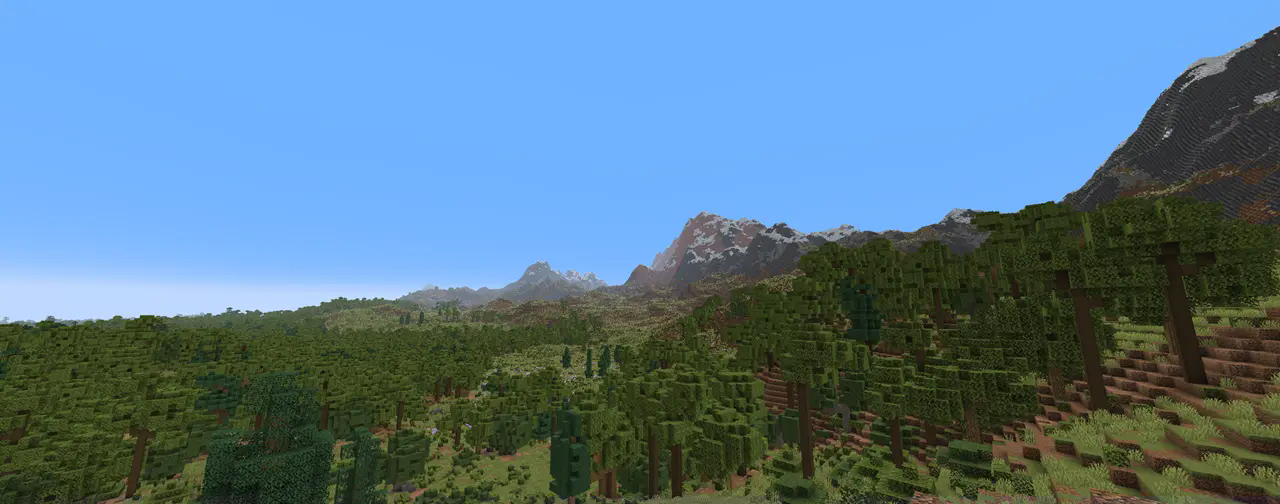
Still Life is a full rework of the overworld dimension, with the aim of giving minecraft a more natural and realistic look!

Features
New biomes and better transitions
All vanilla surface biomes have been replaced with more natural counterparts, along with many transitional biomes.
More detail per biome
All biomes added by Still Life have a higher density of shrubs, flowers, and trees, while maintaining a simplistic appearance without any new blocks or items.
More cave biomes
You can expect to find varied and fantasy-based cave biomes, in contrast to the more realistic surface biomes.

Installation
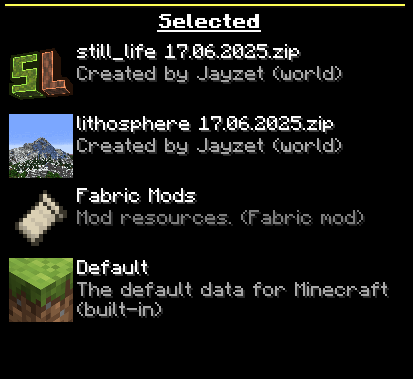
You need to have Lithosphere installed as a datapack or mod if you want to use Still Life.
Also, make sure that Still Life is loaded above Lithosphere in the "Data Packs" world settings!
Compatibility
- Still Life has build-in compatability for Dungeons and Taverns and Towns and Towers.
- Still Life should not be used together with other biome datapacks or mods (such as Terralith or Biomes O’ Plenty).
Known Issues
Still Life is still in beta, so please report any bugs or issues on my Discord server!
- Worldgen performance can be very slow in some cases, be sure to install performance mods such as C2ME, Nvidium or Ferrite Core.
Jak zainstalować Still Life
With Millida Launcher
Install Millida Launcher
The launcher is free: download it at millida.net/launcher and sign in with any nickname.
Click “Install” on this page
The launcher opens and installs the data pack for Minecraft 1.20–1.21.8 automatically, together with its dependencies: Dependency, Lithosphere.
Launch the game
A profile with it appears in the launcher: click “Play”.
Manually
Download the archive
Pick the file still_life 0.3 23.09.2026.zip (1.0 MB) for your game version.
New world: “Data Packs”
When creating a world, click “Data Packs”, drag the archive into the window, then move it to “Selected”.
Existing world: the datapacks folder
Put the archive into saves/<world>/datapacks and type /reload in game.
On a server
Archive goes into the server world’s datapacks
The world/datapacks folder on the server; players do not need to install anything.
Reload the data
Type /reload in the server console or restart the server.
Use the “To server” button
On Millida Hosting, the button at the top of the page uploads the file to your server and restarts it for you.
Wersje
Z zależnościami
| Minecraft | Loader | Plik | Data | Akcje |
|---|---|---|---|---|
| 1.21.8 | Paczka danych | 1.21.81 MB | ||
| 1.21 | Paczka danych | 1.21763 KB | — | |
| 1.20.1 | Paczka danych | 1.20.1747 KB | — |
Co jest potrzebne do działania
- Dependencywymagane
- Lithospherewymagane
FAQ
Which Minecraft versions does Still Life work on?
There are files for 1.20–1.21.8, 13 versions in total. The newest is 1.21.8.
Does Still Life work on a server?
Yes: the data pack goes into the datapacks folder of the server world, and players do not need to install anything.
What does Still Life need to work?
Required: Dependency, Lithosphere. Without them the data pack will not start.
Where can I download Still Life safely?
On this page: the file still_life 0.3 23.09.2026.zip (1.0 MB) is stored on Millida’s server, with no link shorteners. SHA-1 checksum: 706abe42c498ace7873304b7379bbeac6743f7c0.
Opinie
Oceń Still Life jako pierwszy


