

Pocket Dimensions Paczka danych do Minecraft 26.2
Ten projekt wprowadza do gry fascynujący przedmiot. Jest podobny do sakwy, ale ma w środku POKÓJ. Możesz w nim zbudować, co chcesz, i zabrać go ze sobą!
- pobrań
- 4 pobrań
- wyświetleń
- 75 wyświetleń
- Zaktualizowano
- Zaktualizowano 28.07.2026
- 1.21.9 — 26.2
 Paczka danych
- Klient i serwer
Pocket Dimensions
This project introduces a fascinating item to the game. It's similar to a bundle, but with a room inside. You can build whatever you want inside and take it with you!
How to use it
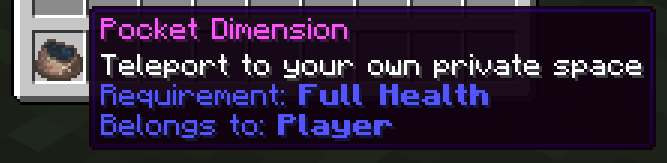
After creating the item, right-click to activate and enter it. There is only one room per player. So, if you craft another one, it will take you to the same room. You can identify the room by the player name in the description. Any player with that item can join the room that the item is bound to.
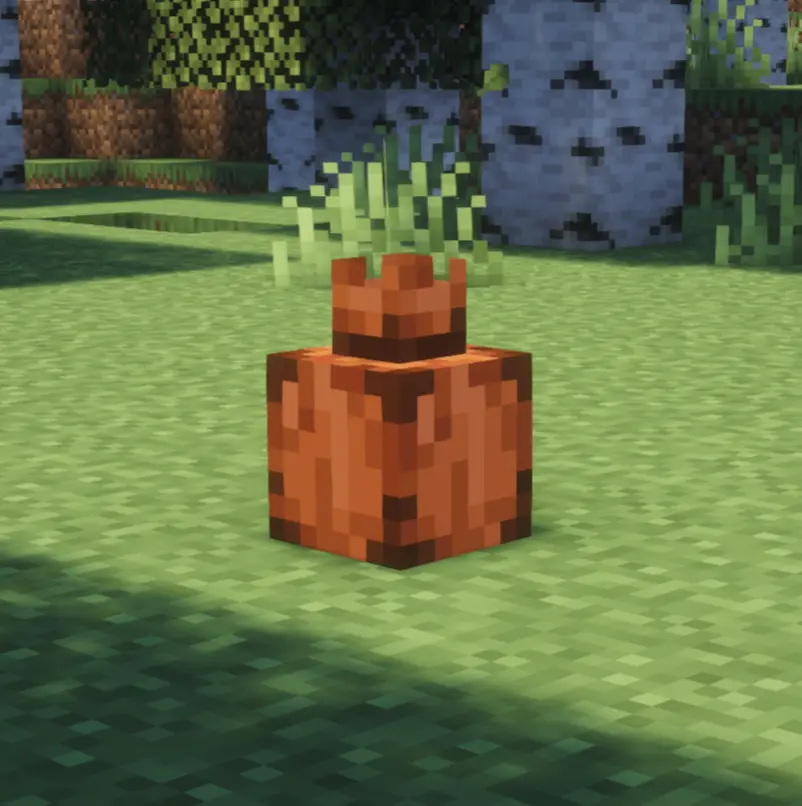

Once you have activated your room, you can place it in the Overworld. Don't worry — if someone tries to destroy it while you're inside, you'll feel it. However, other players can also enter it as long as it is placed. If it gets destroyed, everyone inside will leave the pocket instantly.
[NEW] Pocket Locator Compass
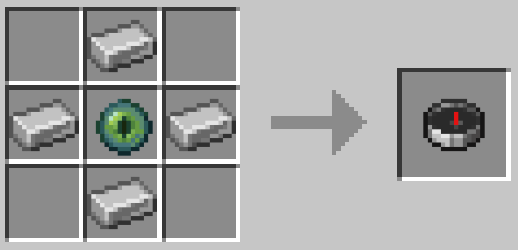
There's now a new item to help you locate your placed pocket! Once obtained, simply right-click to bind it to your placed pocket. You can rebind it at any time. You can craft it using this recipe:
Installation
Please make sure to install the resource pack as well when using the datapack. It is mandatory to see any textures.
When using the mod, it's not necessary.
If you are installing the datapack on a server, you can also install it as an server side pack.
Help
In case you encounter some problems, have some questions, or just want to learn more about the pack, feel free to read the Documentation. If you still have questions, feel free to open an Issue and help me to improve my pack!
Expansions
If you would like to use alternative textures with this pack, you can install to enhance your experience even further!
Customization
You can create whatever you can imagine! Start now and build your own pocket dimension!
Jak zainstalować Pocket Dimensions
With Millida Launcher
Install Millida Launcher
The launcher is free: download it at millida.net/launcher and sign in with any nickname.
Click “Install” on this page
The launcher opens and installs the data pack for Minecraft 1.21.9–26.2 automatically.
Launch the game
A profile with it appears in the launcher: click “Play”.
Manually
Download the archive
Pick the file pocket_dimension-26.2.3.2.zip (133 KB) for your game version.
New world: “Data Packs”
When creating a world, click “Data Packs”, drag the archive into the window, then move it to “Selected”.
Existing world: the datapacks folder
Put the archive into saves/<world>/datapacks and type /reload in game.
On a server
Archive goes into the server world’s datapacks
The world/datapacks folder on the server; players do not need to install anything.
Reload the data
Type /reload in the server console or restart the server.
Use the “To server” button
On Millida Hosting, the button at the top of the page uploads the file to your server and restarts it for you.
Wersje
Z zależnościami
| Minecraft | Loader | Plik | Data | Akcje |
|---|---|---|---|---|
| 26.2 | Paczka danych | 26.2133 KB | ||
| 26.1 | Paczka danych | 26.1133 KB | ||
| 1.21.11 | Paczka danych | 1.21.11133 KB 2 |
Opinie
Oceń Pocket Dimensions jako pierwszy


