

Player Corpses Paczka danych do Minecraft 26.3
Wysoce konfigurowalny mod/datapack zwłok, który dodaje przeszukiwalne zwłoki w miejscu śmierci gracza, pozwalając mu odzyskać przedmioty w dowolnym momencie
- wyświetleń
- 38 wyświetleń
- Zaktualizowano
- Zaktualizowano 12.10.2026
- 1.21.9 — 26.3
 Paczka danych
- Klient i serwer





About
A highly configurable mod/datapack that adds lootable corpses where the player died
✨ Now with Trinkets Updated, Trinkets Canary and Trinkets Continued support! ✨

Features
Corpses 💀
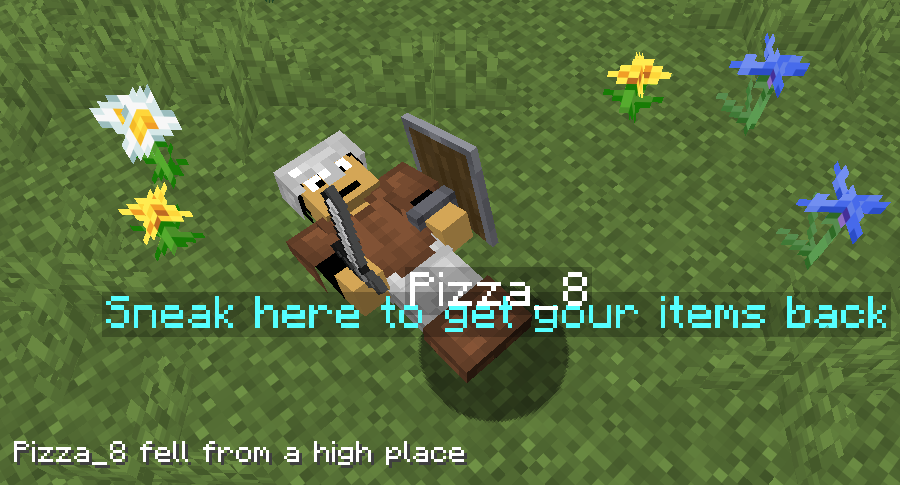
Instead of players dropping their items around randomly, they will now leave behind a corpse with their skin and name from which they can later retrieve their stuff.
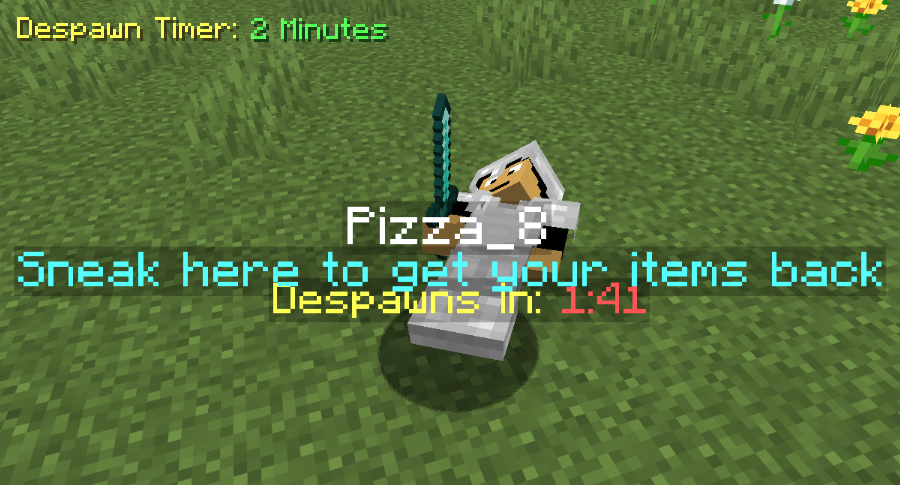
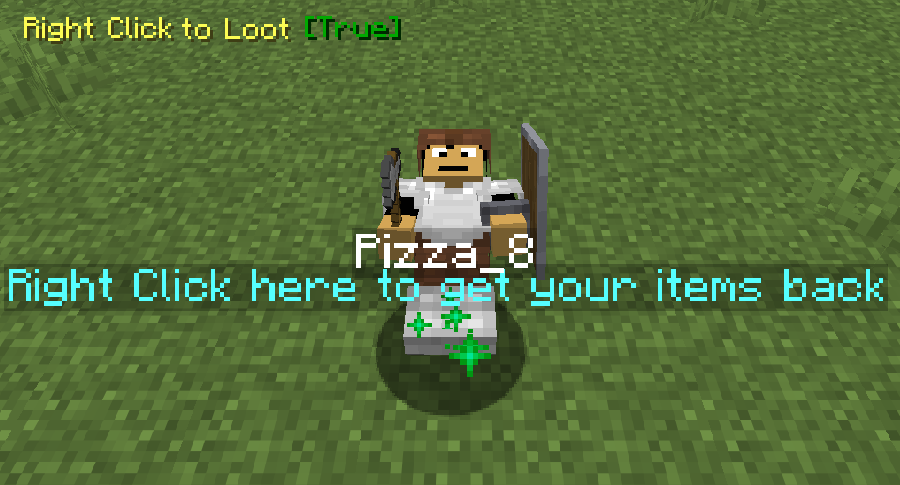
To retreieve the items from the corpse the player must locate where they died and sneak near the corpse (or right click on it if the option is selected) which will make the items appear back in their original slots and the corpse will disappear.
A chat message with the death coordinates will be sent when a player dies
There is no despawn timer unless added via the config screen

Coprse Finder ⚙️
The Corpse Finder Screen allows player to see all currently loaded corpses and their coordinates
It can be accessed by typing: /trigger corpse_finder

Configeration ⚙️
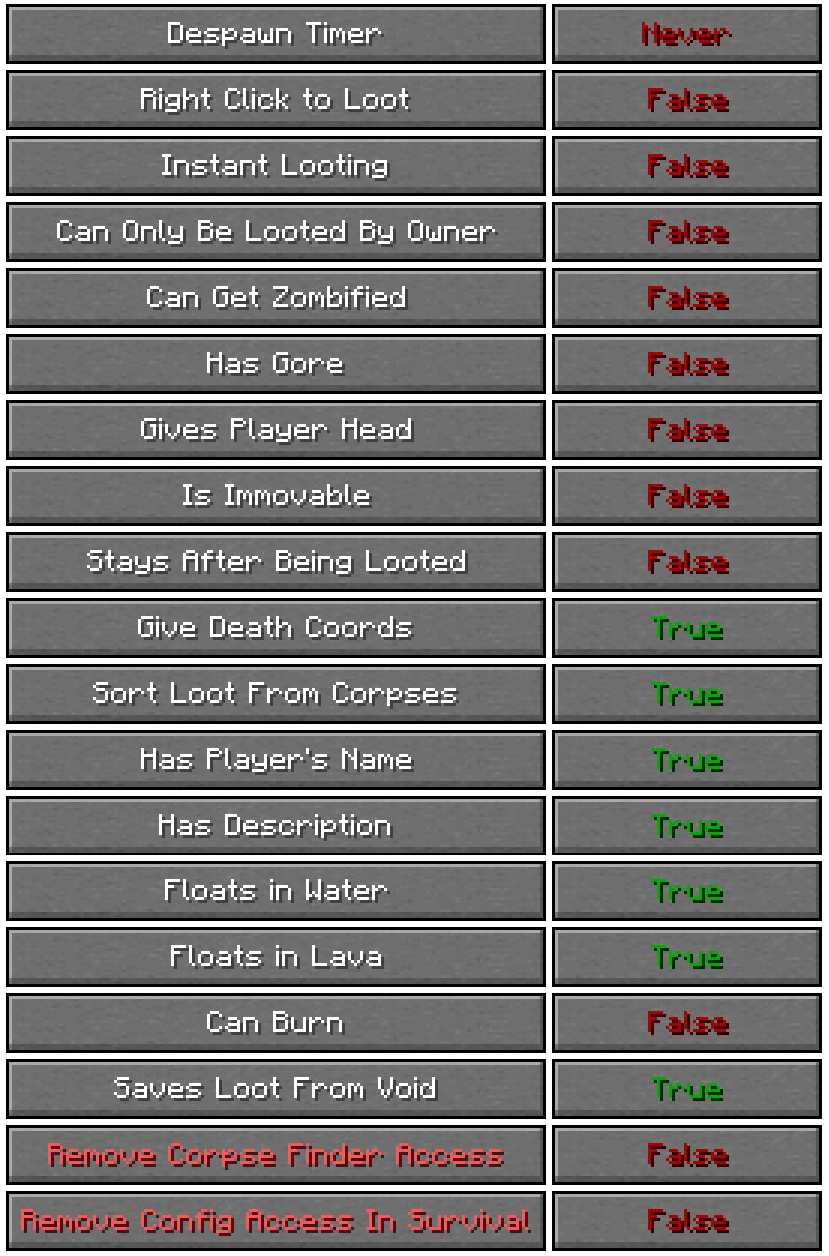
The Config Screen offers many options for players to choose how they want the pack to work to match their playstyle.
It can be accessed by typing: /trigger config
List of all Config Options
- Despawn Timer:
Corpses spawned when a player dies will despawn after that amount of time passes
- Right Click to Loot:
Corpses will be able to be looted by right clicking on it rather than sneaking
- Instant Looting:
Corpses will be able to be looted instantly after sneaking near them
- Can Only be Looted by Owner:
Corpses spawned when a player dies will only be able to be looted by that same player
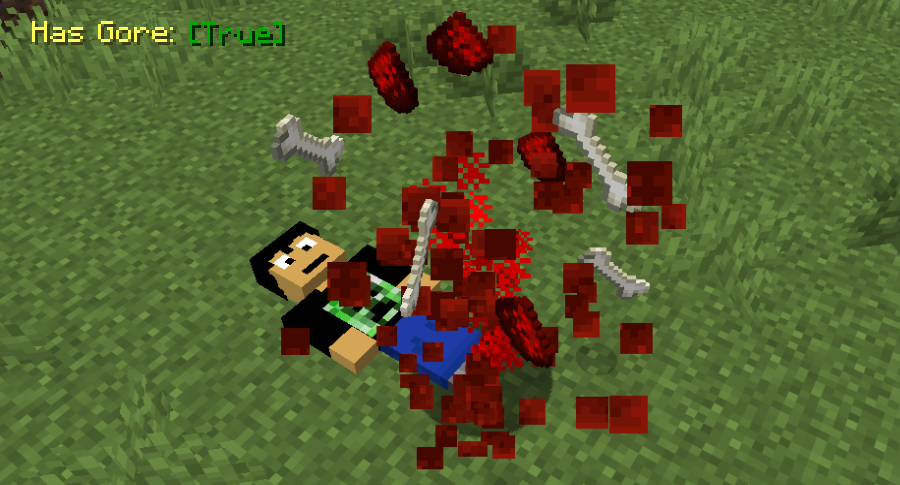
- Has Gore:
Corpses spawned when a player dies will have blood and bone particles and sounds
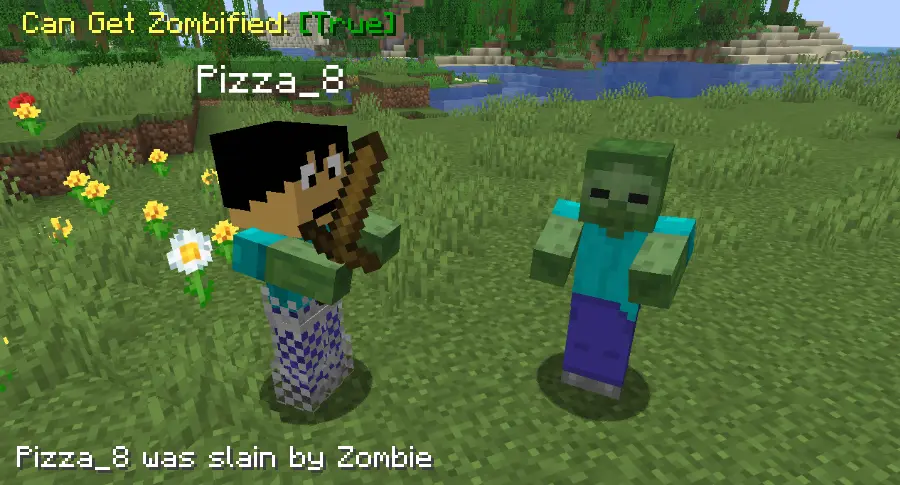
- Can Get Zombified:
When a player dies to a zombie a corpse wont spawn, instead a zombie with that player's head will spawn with all of the player's items, to get them back they must kill it
- Gives Player's Head:
Looting a player's corpse will give that player's head along with the rest of the items
- Is Immovable:
Corpses will be completely immovable when doing actions like punching them, pushing them or even using a fishing rod on them. They will also float in midair
- Stays After Being Looted:
Corpses spawned when a player dies will stay forever, even after they have been looted by a player
- Gives Death Coords:
Players will get a message with their death coordinates in chat after they die
- Sorts Loot From Corpses:
When a player loots a corpse, the items from it will be put in the slots the player had them in when they died
- Has Player's Name:
Corpses spawned when a player dies will have their name
- Has Description:
Corpses spawned when a player dies will have a description explaining how to loot them
- Floats in Water:
Corpses spawned when a player dies will float in water
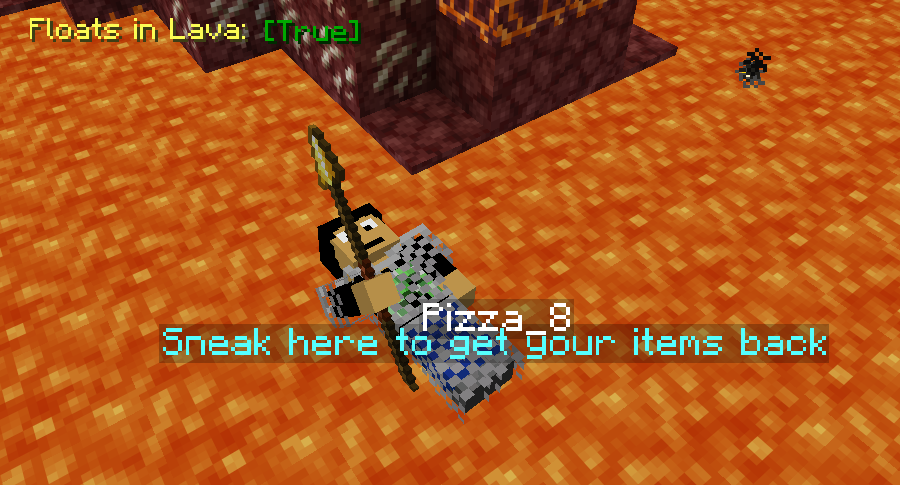
- Floats in Lava:
Corpses spawned when a player dies will float in lava
- Can Burn:
Corpses spawned when a player dies will burn when in lava or fire
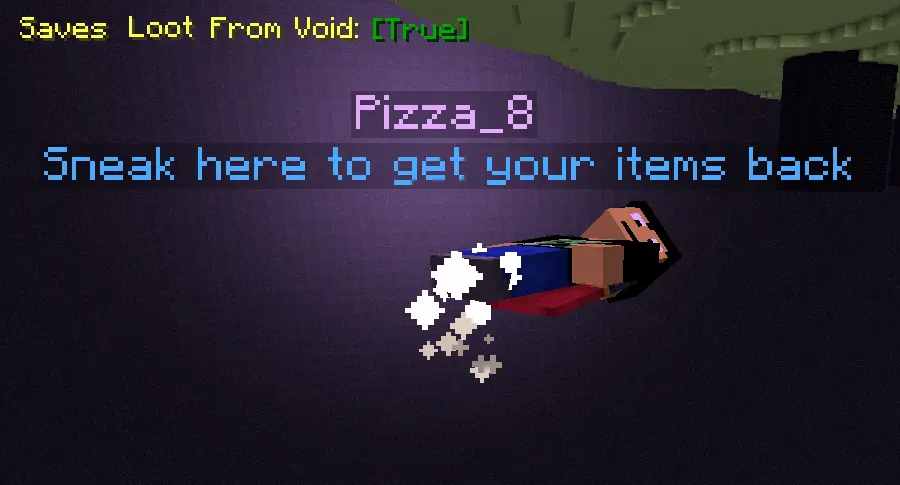
- Saves Loot From Void:
Corpses spawned when a player dies in the void will float before the damage zone, able to be looted
- Remove Corpse Finder Screen Access:
No one will be able to access the corpse finder screen, even after typing /trigger corpse_finder
- Remove Config Screen Access in Survival:
No one will be able to access this config screen in survival mode, even after typing /trigger config
Jak zainstalować Player Corpses
With Millida Launcher
Install Millida Launcher
The launcher is free: download it at millida.net/launcher and sign in with any nickname.
Click “Install” on this page
The launcher opens and installs the data pack for Minecraft 1.21.9–26.3 automatically.
Launch the game
A profile with it appears in the launcher: click “Play”.
Manually
Download the archive
Pick the file Player Corpses 3.8 [1.21.9+].zip (183 KB) for your game version.
New world: “Data Packs”
When creating a world, click “Data Packs”, drag the archive into the window, then move it to “Selected”.
Existing world: the datapacks folder
Put the archive into saves/<world>/datapacks and type /reload in game.
On a server
Archive goes into the server world’s datapacks
The world/datapacks folder on the server; players do not need to install anything.
Reload the data
Type /reload in the server console or restart the server.
Use the “To server” button
On Millida Hosting, the button at the top of the page uploads the file to your server and restarts it for you.
Wersje
Z zależnościami
| Minecraft | Loader | Plik | Data | Akcje |
|---|---|---|---|---|
| 26.3 | Paczka danych | 26.3183 KB | ||
| 26.3 | Paczka danych | 26.3183 KB | ||
| 26.2 | Paczka danych | 26.2171 KB | — | |
| 26.1 | Paczka danych | 26.1171 KB | — | |
| 1.21.11 | Paczka danych | 1.21.11171 KB | — |
Opinie
Oceń Player Corpses jako pierwszy


