

Infinity Cave Paczka danych do Minecraft 1.21.1, 1.21
Infinity Cave dodaje pozornie nieskończony system jaskiń pod warstwą bedrocku, zwiększając go z -64 do -128. Wiąże się z tym wiele nowych wyzwań i ogólnie inny sposób doświadczania PvE.
- pobrań
- 10 pobrań
- wyświetleń
- 97 wyświetleń
- Zaktualizowano
- Zaktualizowano 04.09.2026
- 1.21 — 26.2
 Paczka danych
- Klient i serwer

WIKI HERE
Introduction
Infinity Cave changes the world height from -64 to -128 and adds a new type of cave generation where it all interconnects into an absurdly giant cave system. There are 5 new cave biomes and additions to the Deep Dark biome, making it possible to explore 6 different biomes. Each biome has at least 1 structure with the help from Viavir who is a fantastic builder. However, regular Minecraft mobs do not spawn in these caves. Instead, there is a custom mob-spawning system which is very difficult compared to normal mobs. Infinity Cave is designed for later stages of the game and introduces roguelike mechanics to explore and conquer the caves. Be warned, due to its difficulty, it is suggested to play on Easy mode the first time playing.
Mobs come in 5 different tiers: Common, Uncommon, Rare, Epic and Legendary. Each mob has randomized stats making all of them unique to each other. Each mob will be assigned a random offhand item. These items have different mechanics that affect the mob's stats or behaviour. It is not possible for higher tiers to spawn right away as the player must defeat Common mobs and Uncommon mobs in order to progress. Infinity Cave has a progressive point system which is designed around groups, meaning if you play with your friends they will also progress with you while fighting in the caves. With this in mind there are several different items one can obtain and utilise to snowball into defeating higher tiers. When the Rare tier is unlocked, more custom mobs will spawn, such as the Magician and the Alchemist which differs from normal mobs, and more difficult. At last, probably the strongest mob; the Bomber. The Bomber can only spawn as an Epic or above, be careful when fighting it. Legendaries have their own bossbar and has a randomly assigned element to them which can be extremely deadly and requires good maneuverability.

Configuration
/function infinity_cave:settings shows a menu which give options such as disabling mob-spawning, tweaking the difficulty and mob behaviour. Difficulty is set to easy as default due to the difficulty this provides.
/scoreboard players set [PLAYER] ic.progression [AMOUNT] sets the progression stage of the user. Legendaries start spawning at 1000 progression for example.
/scoreboard objectives setdisplay list ic.progression will display a player's progression in tab, you can modify this to your will.

Custom Items
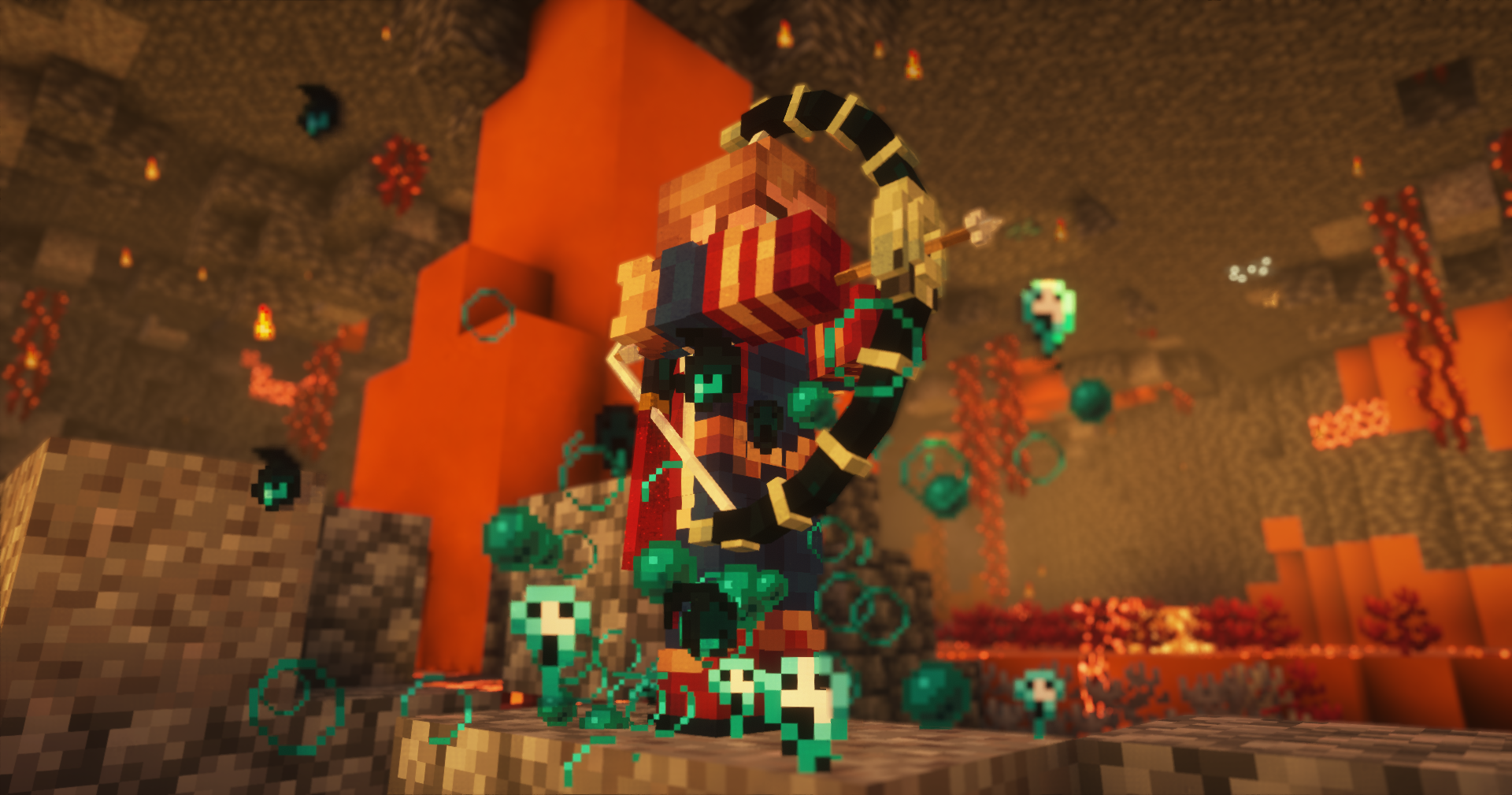
There are a plethora of custom items to be obtained with tons more items being planned in the future. Custom weapons and armor with special abilities are dropped from legendaries-only. Another custom item which is essential to Infinity Cave is Enchantlets. Enchantlets can enchant items with enchants which are not obtainable in vanilla Minecraft.
For more information, read the guidebook which is obtained by spawning a custom mob for the first time.
Compatibility (FOR TERRALITH COMPATIBILITY, USE THE MOD VERSION!!!!!!)
Infinity Cave is in early beta, it is probably incompatible with a lot of world generation mods and data pack which uses resource packs.
Credits
Supercrafter100, Sackred, PyroStunts, Daridon (for their awesome dynamic bossbars library https://github.com/Daridon6024/dynamic_bossbars) and Apollo (for the worldgen method under -52)
Jak zainstalować Infinity Cave
With Millida Launcher
Install Millida Launcher
The launcher is free: download it at millida.net/launcher and sign in with any nickname.
Click “Install” on this page
The launcher opens and installs the data pack for Minecraft 1.21–26.2 automatically.
Launch the game
A profile with it appears in the launcher: click “Play”.
Manually
Download the archive
Pick the file infinity-cave-0.92.zip (1.8 MB) for your game version.
New world: “Data Packs”
When creating a world, click “Data Packs”, drag the archive into the window, then move it to “Selected”.
Existing world: the datapacks folder
Put the archive into saves/<world>/datapacks and type /reload in game.
On a server
Archive goes into the server world’s datapacks
The world/datapacks folder on the server; players do not need to install anything.
Reload the data
Type /reload in the server console or restart the server.
Use the “To server” button
On Millida Hosting, the button at the top of the page uploads the file to your server and restarts it for you.
Wersje
Z zależnościami
| Minecraft | Loader | Plik | Akcje |
|---|---|---|---|
| 26.2 | Paczka danych | 26.21.8 MB 2 | |
| 1.21.11 | Paczka danych | 1.21.111.8 MB 3 | |
| 1.21 | Paczka danych | 1.211.8 MB 3 |
FAQ
Which Minecraft versions does Infinity Cave work on?
There are files for 26.2, 1.21.11, 1.21.1, 1.21. The newest is 26.2.
Does Infinity Cave work on a server?
Yes: the data pack goes into the datapacks folder of the server world, and players do not need to install anything.
Where can I download Infinity Cave safely?
On this page: the file infinity-cave-0.92.zip (1.8 MB) is stored on Millida’s server, with no link shorteners. SHA-1 checksum: cc5fa5c170d019ba954386192b14c46c0814d3fc.
Opinie
Oceń Infinity Cave jako pierwszy


