
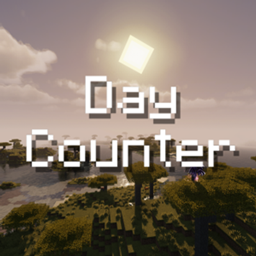
Avies Day Counter
This datapack adds a simple day counter above the hotbar to the game.
The Day Counter automatically counts the number of days played in a world and requires no configuration whatsoever. Once installed, it is ready to use straight away and is fully optimised for survival gameplay. The display is deliberately minimalist and blends seamlessly into the game, allowing players to focus entirely on survival whilst keeping track of their progress. This makes Day Counter the perfect addition to hardcore worlds, where every day survived really counts.
You can change the visibilty of the day counter with /trigger dc_toggle. Since version 3-26.x: Personal display mode: DAY or DAY + progress /trigger dc_mode_toggle. Sunrise and sunset titles, per player /trigger dc_sun_toggle. Settings menu in the pause screen and via /trigger dc_menu.
Requires Resourcepack:
Optional bed indicator when you can sleep, needs the resource pack /trigger dc_bed_toggle. Optional custom font for the counter, needs the resource pack /trigger dc_font_toggle.

License
This mod is under the Creative Commons Attribution-NonCommercial 4.0 International license.
Jak zainstalować Day Counter
With Millida Launcher
Install Millida Launcher
The launcher is free: download it at millida.net/launcher and sign in with any nickname.
Click “Install” on this page
The launcher opens and installs the data pack for Minecraft 26.1–26.3 automatically.
Launch the game
A profile with it appears in the launcher: click “Play”.
Manually
Download the archive
Pick the file day_counter-2-26.3.zip (111 KB) for your game version.
New world: “Data Packs”
When creating a world, click “Data Packs”, drag the archive into the window, then move it to “Selected”.
Existing world: the datapacks folder
Put the archive into saves/<world>/datapacks and type /reload in game.
On a server
Archive goes into the server world’s datapacks
The world/datapacks folder on the server; players do not need to install anything.
Reload the data
Type /reload in the server console or restart the server.
Use the “To server” button
On Millida Hosting, the button at the top of the page uploads the file to your server and restarts it for you.
Wersje
Z zależnościami
| Minecraft | Loader | Plik | Data | Akcje |
|---|---|---|---|---|
| 26.3 | — | 2-26.3111 KB 10 | ||
| 26.1 | — | day_counter_26.2-release+1.zip101 KB |
FAQ
Which Minecraft versions does Day Counter work on?
There are files for 26.3, 26.2, 26.1.2, 26.1.1, 26.1. The newest is 26.3.
Does Day Counter work on a server?
Yes: the data pack goes into the datapacks folder of the server world, and players do not need to install anything.
Where can I download Day Counter safely?
On this page: the file day_counter-2-26.3.zip (111 KB) is stored on Millida’s server, with no link shorteners. SHA-1 checksum: 677faad44c11c2086403b28efba8927034a15a00.
Opinie
Oceń Day Counter jako pierwszy


