

CobbleTowns Paczka danych do Minecraft 1.20.1
Datapack, który doda do Minecrafta naturalnie generowane miasta oparte na wcześniejszych grach Pokémon. Wymaga moda Cobblemon dla Forge lub Fabric.
- wyświetleń
- 29 wyświetleń
- Zaktualizowano
- Zaktualizowano 03.09.2026
- 1.20.1
 Paczka danych
- Klient i serwer
CobbleTowns
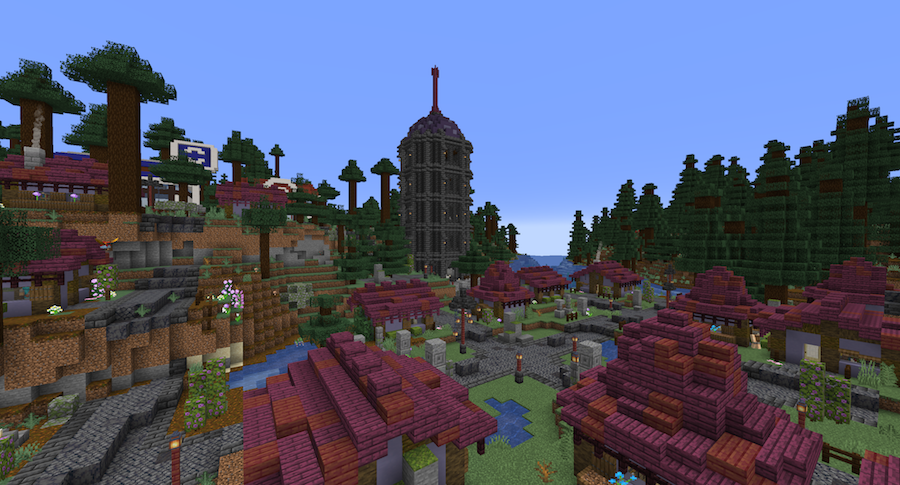
CobbleTowns is a datapack that adds randomly generated minecraft villages based on towns from the Pokémon franchise. The towns consists of houses, roads, villagers and decor, as well as some custom functional structures like Pokécenters and Pokémarts (this is a continuation of one of my previous datapacks, PokéBuildings).
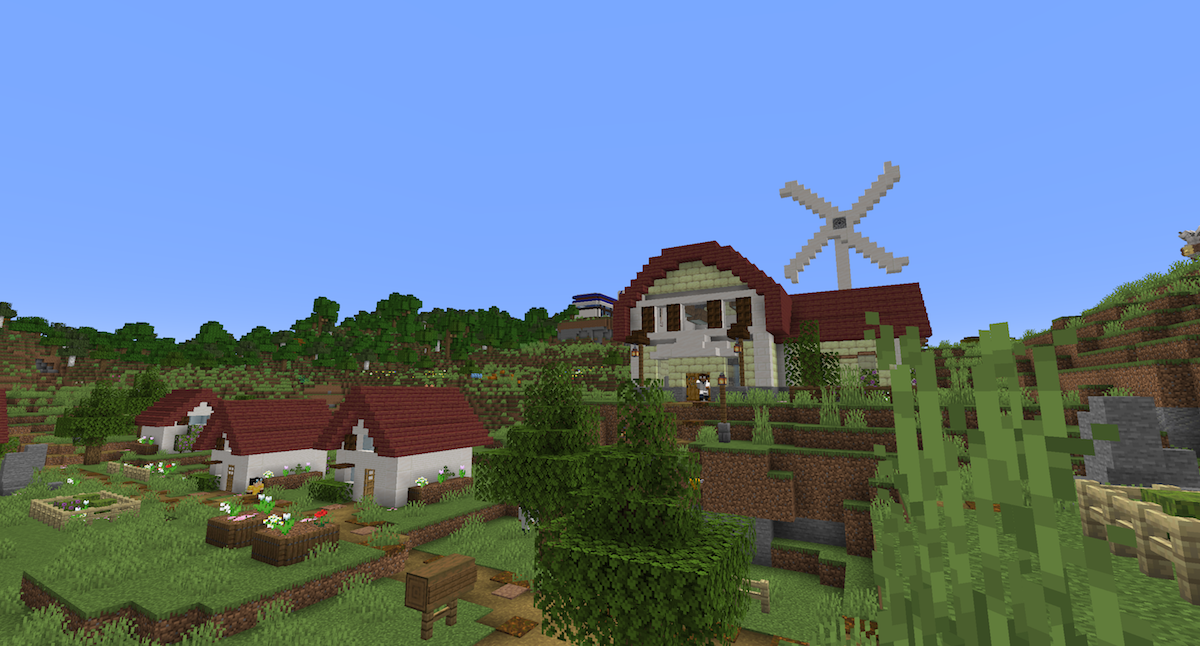
Currently, the following seven towns and cities are available in the pack:
- Pallet Town and Lavender Town from the Kanto region.
- Cherrygrove City from the Johto region.
- Pacifidlog Town from the Hoenn region.
- Twinleaf Town and Floaroma Town from the Sinnoh region.
- Lentimas Town from the Unova region.
The pack is compatible with the Terralith mod, and towns will spawn in certain Terralith biomes, if installed.
The pack also adds random Pokécenters and Pokémarts spawning around the world, outside of cities.

Installation:
Just add the zip-file to the datapack-folder in your world to install. It should work for both singleplayer worlds and servers.
To enable custom Pokémon spawns in some of the structures, commands needs to be enabled on your server or singleplayer world.
The Cobble Folk skin pack (resource pack) is completely optional, and will make certain villagers appear as characters from the Pokémon series, like Nurse Joy and Professor Oak. The pack requires Optifine to work, as it uses custom models.

The way forward:
I’ll keep developing this pack with more content and features. At this time, I have focused mostly on smaller towns, but I will add larger cities with gym compatability as soon as trainer battles are introduced in the Cobblemon mod.
As a side note, I’m back from a long hiatus, and will begin work on completely revamp my LegendaryStructures and PokéNests packs (that I unfortunately left to rot, sorry!). I have found a new method for spawning Pokémon that will hopefully fix most problems with these packs, as well as enables Pokémon to respawn, and I will of course update them to the latest versions of Cobblemon. I’ll keep you posted!
Please let me know of any bugs or glitches with the pack. And please back up your world before installing, just in case.
Jak zainstalować CobbleTowns
With Millida Launcher
Install Millida Launcher
The launcher is free: download it at millida.net/launcher and sign in with any nickname.
Click “Install” on this page
The launcher opens and installs the data pack for Minecraft 1.20.1 automatically.
Launch the game
A profile with it appears in the launcher: click “Play”.
Manually
Download the archive
Pick the file CobbleTowns v1.0.2.zip (616 KB) for your game version.
New world: “Data Packs”
When creating a world, click “Data Packs”, drag the archive into the window, then move it to “Selected”.
Existing world: the datapacks folder
Put the archive into saves/<world>/datapacks and type /reload in game.
On a server
Archive goes into the server world’s datapacks
The world/datapacks folder on the server; players do not need to install anything.
Reload the data
Type /reload in the server console or restart the server.
Use the “To server” button
On Millida Hosting, the button at the top of the page uploads the file to your server and restarts it for you.
Wersje
Z zależnościami
| Minecraft | Loader | Plik | Akcje |
|---|---|---|---|
| 1.20.1 | Paczka danych | 1.20.1616 KB |
Co jest potrzebne do działania
- Dependencyopcjonalne
Opinie
Oceń CobbleTowns jako pierwszy


