
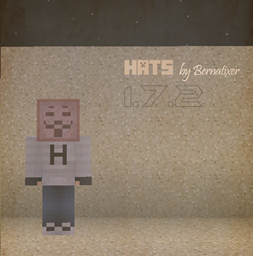
Hats allows you to put any item in your head as a hat, a nice plugin for HUBs, or for VIPs perks.
1. Drop the downloaded file in your bukkit plugins folder.
- Start the server, and wait the plugins to load.
- Stop the server.
- Edit the messages in the file config.yml
Hats Tutorial [English] Hats Tutorial [French] Hats Tutorial [French] Hats Tutorial [Spanish]
Command Description Permission
/hat Puts the item in your hand as a hat hat.hat
/hat [ID] Puts the ID you typed as a hat hat.hatID and hat.[ID]
My web: www.bernatixer.com
Hats 설치 방법
A server on Paper or Spigot
The plugin runs on the server core; players do not need to install anything.
File goes into the plugins folder
Download the file Hats.jar (6 KB) and put it into the server’s plugins folder.
Restart the server
On startup the plugin creates its own settings folder in plugins.
Use the “To server” button
On Millida Hosting, the button at the top of the page uploads the file to your server and restarts it for you.
버전
의존성 포함
| Minecraft | 로더 | 파일 | 날짜 | 작업 |
|---|---|---|---|---|
| — | — | Hats 1.66 KB |
FAQ
Do players need to install Hats?
No, the plugin goes only on the server, into the plugins folder: players do not need to download anything.
Where can I download Hats safely?
On this page: the file Hats.jar (6 KB) is stored on Millida’s server, with no link shorteners. SHA-1 checksum: 85b6b18d23c547b10b90e06e5ffe2cd06eb9da28.
리뷰
Hats의 첫 평가를 남겨 보세요



