
 Fabric
 Forge
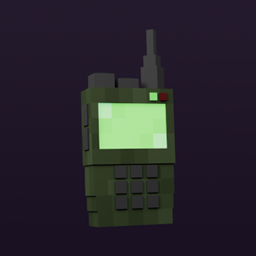
Minecraft 무전기 모드
경고
이것은 공식 애드온이 아닙니다. 지원을 위해 Simple Voice Chat 디스코드 서버에 가지 마세요! 대신 지원을 위해 GitHub 이슈를 사용해 주세요. 최대한 빨리 지원을 제공하려고 노력하겠지만 얼마나 걸릴지는 보장할 수 없습니다.
이 모드는 Simple Voice Chat과 Architectury API가 필요합니다
Fabric을 사용하는 경우 이 모드는 Fabric API가 필요합니다.
이 모드는 다양한 업그레이드가 있는 양방향 무전기를 추가합니다.
Discord
유지 관리되는 버전
Minecraft 버전 Fabric Forge
1.20.4 ✅ ❌
1.20.2 ✅ ✅
1.20.1 ✅ ✅
1.19.4 ❌ ❌
1.19.3 ❌ ❌
1.19.2 ✅ ✅
1.18.2 ✅ ✅
1.16.5 ❌ ✅
사용 방법
무전기:
- 우클릭하여 무전기 메뉴 열기
- 무전기 켜기
- 말하려면 무전기가 손에 있는지 확인하세요
- 듣려면 무전기가 핫바에 있는지 확인하세요
스피커:
- 스피커를 우클릭하여 메뉴 열기
- 스피커 켜기
기능
- 무전기를 구성하기 위한 인터페이스
- 무전기 채널 선택
- (무전기의) 마이크 끄기
- (무전기의) 마이크 끄기
- 제한된 거리
- 제한을 확장하는 업그레이드
- 스피커 블록 추가
- 스피커용 볼륨 카테고리
- 무전기를 활성화/비활성화하는 키바인드
업그레이드
- 나무: 128 블록 거리
- 돌: 256 블록 거리
- 철: 512 블록 거리
- 금: 1024 블록 거리
- 다이아몬드: 2048 블록 거리
- 네더라이트: 4096 블록 거리
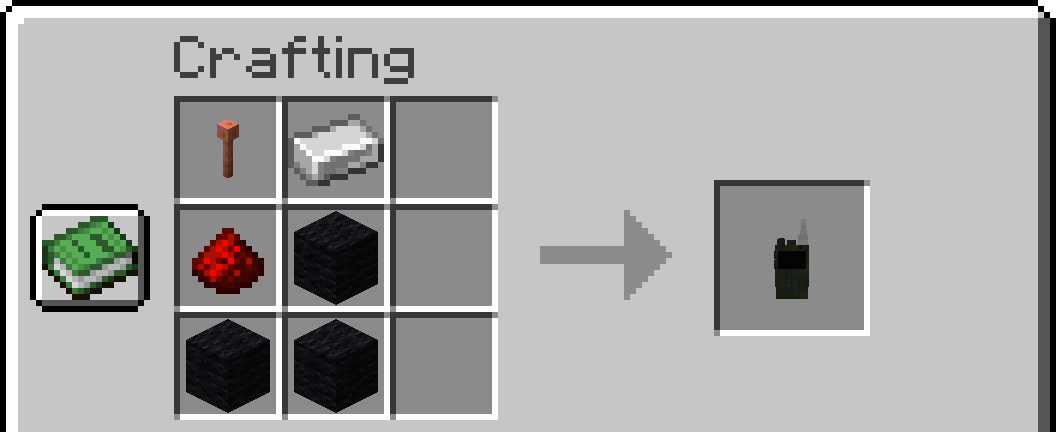
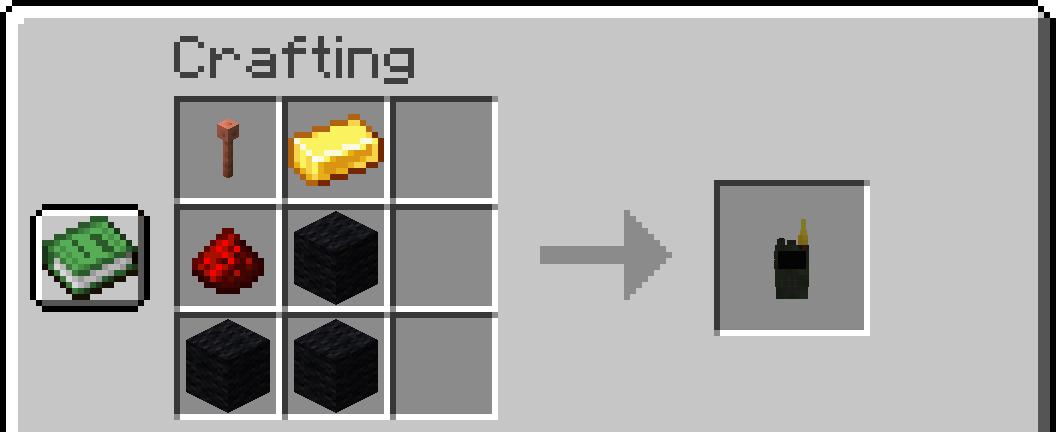
제작:
참고: 모든 종류의 나무와 양털이 허용됩니다. 1.16.5에서는 피뢰침이 철창으로 대체되었습니다
나무 무전기
돌 무전기
철 무전기
금 무전기
다이아몬드 무전기
네더라이트 무전기
스피커
설정
- 최대 채널
- 스피커 거리
- 스피커 음성 복제
- 무전기 범위
- 차원 간 동작
크레딧
텍스처 및 모델 :
- 4irwan
번역자 :
- 러시아어: Heimdallr-1
- 독일어: Kampftroll
효과음 :
- JustinBW
모드 :
- Simple Voice Chat
- Architectury API
LICENSE
Walkie-Talkie 설치 방법
With Millida Launcher
Install Millida Launcher
The launcher is free: download it at millida.net/launcher and sign in with any nickname.
Click “Install” on this page
The launcher opens and installs the mod for Minecraft 1.16.5–1.20.4 on Fabric or Forge automatically.
Launch the game
A profile with it appears in the launcher: click “Play”.
Manually
Install Fabric or Forge
The loader must match the game version of the mod file, for example Minecraft 1.20.4. After installing it, a separate profile appears in your launcher.
Download the file for your version
In the version list above, pick the file walkietalkie-fabric-1.20.4-1.3.0.jar (163 KB) for your game version and loader.
Put it in the mods folder
The folder is inside .minecraft (Windows: %appdata%\.minecraft\mods). If it does not exist, create it.
Launch the loader profile
Open “Mods” in the main menu: Walkie-Talkie should be in the list.
Minecraft 1.20.4 runs on Java 17: with a different Java version the game may close right after launch.
버전
의존성 포함
| Minecraft | 로더 | 파일 | 날짜 | 작업 |
|---|---|---|---|---|
| 1.16.5 | Forge | [FORGE][1.16.5] Walkie-Talkie 1.3.1165 KB | ||
| 1.20.4 | Fabric | [FABRIC][1.20.4] Walkie-Talkie 1.3.0163 KB | ||
| 1.19.3 | Fabric | Walkie-Talkie 0.1.4 1.19.345.8 KB |
FAQ
Is Walkie-Talkie for Forge or Fabric?
There are files for Fabric: 1.19.3–1.20.4 and for Forge: 1.16.5. There are no files for NeoForge: a mod for another loader will not start.
Does Walkie-Talkie need other mods?
The author lists no required dependencies: the Fabric or Forge loader is enough.
Which Java does Walkie-Talkie need?
Minecraft 1.20.4 runs on Java 17. If the game closes right after launch, the usual cause is the wrong Java version in the profile settings.
How do I download Walkie-Talkie?
With Millida Launcher: it installs Walkie-Talkie into a modpack by itself, for the right game version and loader. The launcher is free.
리뷰
Walkie-Talkie의 첫 평가를 남겨 보세요


