
 Fabric
Item Model Fix (Fabric) 모드 정보
개요
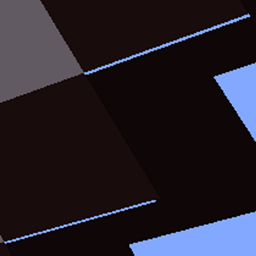
아이템 가장자리에 있는 투명한 선과 틈새 때문에 지치셨나요? 그렇다면 이 모드가 바로 당신을 위한 것입니다! Item Model Fix는 모든 생성된 아이템 모델에서 그 투명한 선을 수정하며, 이는 다른 모드에서 추가한 아이템 모델도 수정된다는 뜻입니다.
가능하다면 버그는 이슈 트래커나 Discord 서버에 신고해 주세요. 다른 피드백이나 요청도 환영합니다.
정보
모드의 설정에 접근하려면 Fabric API, Mod Menu, Cloth Config API를 설치하세요.
Item Model Fix:
- Sodium, Canvas 및 대부분의 다른 렌더링 모드와 호환됩니다.
- 모든 리소스 팩과 호환됩니다.
- Minecraft 1.15 이상에서 작동합니다.
- Fabric API에 의존하지 않으며 없이도 작동합니다.
- 클라이언트 측 전용입니다.
작동 모습
적용 전:
적용 후:

제 모든 모드에 대한 Discord에 참여하려면 여기를 클릭하세요.
Item Model Fix (Fabric) 설치 방법
With Millida Launcher
Install Millida Launcher
The launcher is free: download it at millida.net/launcher and sign in with any nickname.
Click “Install” on this page
The launcher opens and installs the mod for Minecraft 1.15–1.19.2 on Fabric automatically.
Launch the game
A profile with it appears in the launcher: click “Play”.
Manually
Install Fabric
The loader must match the game version of the mod file, for example Minecraft 1.19.2. After installing it, a separate profile appears in your launcher.
Download the file for your version
In the version list above, pick the file item-model-fix-1.0.3+1.19.jar (32 KB) for your game version.
Put it in the mods folder
The folder is inside .minecraft (Windows: %appdata%\.minecraft\mods). If it does not exist, create it.
Launch the loader profile
Open “Mods” in the main menu: Item Model Fix (Fabric) should be in the list.
Minecraft 1.19.2 runs on Java 17: with a different Java version the game may close right after launch.
버전
의존성 포함
| Minecraft | 로더 | 파일 | 날짜 | 작업 |
|---|---|---|---|---|
| 1.19.2 | Fabric | 1.0.3+1.1931.8 KB 1 | ||
| 1.16.1 | Fabric | 0.2.228.9 KB 2 | ||
| 1.16.1 | Fabric | 0.1.044.7 KB |
리뷰
Item Model Fix (Fabric)의 첫 평가를 남겨 보세요


