

 NeoForge
Gaze - A Malum Addon 모드 정보
Gaze deeper into the darkness of the soul
Gaze is an expansion addon for the dark-magic-themed mod Malum. This project builds on Malum’s themes while introducing new progression, systems, and content for players who want to continue their journey into the Arcane.
This addon is actively in development. While some features are unfinished and bugs may occur, Gaze is updated frequently with new mechanics, fixes, and content. Please reach out on the discord for questions or bugs.
Gaze is a fan project for Malum. It's intended for use on the Malice modpacks and has compat planned with other 1.21.1 mods. It is prone to massive overhauls and tone shifts
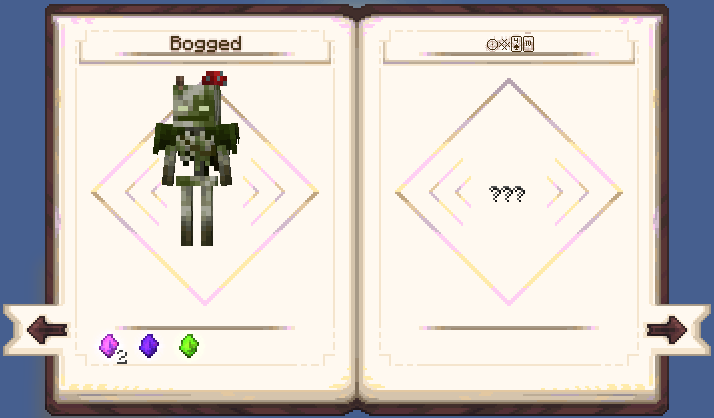
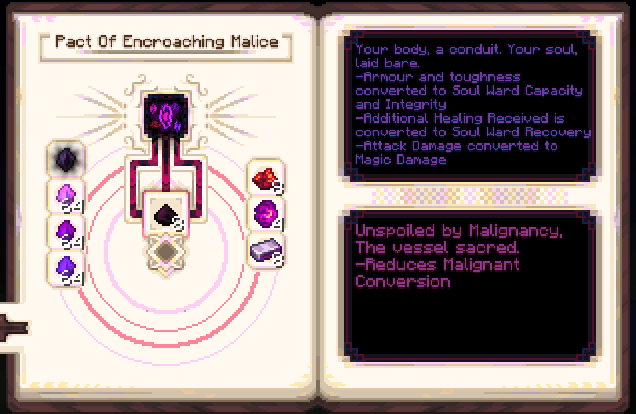
Current Features
A new progression screen Two new Geas A new set of Rites 6 New Weapons 8 New Runes 5 New Curios A new pouch :)
### Planned Additions
Updates to the textures used from an actual artist Compatibility with Irons (Geas and a Structure) At least one decorative block A new friend :)
The goal of Gaze is to fill in niches, add exciting new features, and deepen Malum’s gameplay.
Please consider joining the Malice Discord, where I help moderate a few packs and have a channel for people to add comments, issues and suggestions for Gaze :)
Discord
Gaze - A Malum Addon 설치 방법
With Millida Launcher
Install Millida Launcher
The launcher is free: download it at millida.net/launcher and sign in with any nickname.
Click “Install” on this page
The launcher opens and installs the mod for Minecraft 1.21.1 on NeoForge automatically.
Launch the game
A profile with it appears in the launcher: click “Play”.
Manually
Install NeoForge
The loader must match the game version of the mod file, for example Minecraft 1.21.1. After installing it, a separate profile appears in your launcher.
Download the file for your version
In the version list above, pick the file gaze-1.1.7.1.jar (10 MB) for your game version.
Put it in the mods folder
The folder is inside .minecraft (Windows: %appdata%\.minecraft\mods). If it does not exist, create it.
Launch the loader profile
Open “Mods” in the main menu: Gaze - A Malum Addon should be in the list.
Minecraft 1.21.1 runs on Java 21: with a different Java version the game may close right after launch.
버전
의존성 포함
| Minecraft | 로더 | 파일 | 날짜 | 작업 |
|---|---|---|---|---|
| 1.21.1 | NeoForge | gaze-1.21.1-1.1.7.1.jar10.2 MB 1 | ||
| 1.21.1 | NeoForge | gaze-1.21.1-1.1.0.jar2.8 MB |
FAQ
Which Minecraft versions does Gaze - A Malum Addon work on?
Only Minecraft 1.21.1: there are no files for other versions.
Is Gaze - A Malum Addon for Forge or Fabric?
Only for NeoForge: 1.21.1. There are no files for Forge or Fabric: a mod for another loader will not start.
Does Gaze - A Malum Addon need other mods?
The author lists no required dependencies: the NeoForge loader is enough.
Which Java does Gaze - A Malum Addon need?
Minecraft 1.21.1 runs on Java 21. If the game closes right after launch, the usual cause is the wrong Java version in the profile settings.
Where can I download Gaze - A Malum Addon safely?
On this page: the file gaze-1.1.7.1.jar (10 MB) is stored on Millida’s server, with no link shorteners. SHA-1 checksum: a8cb3190bde157f78160ce65c202ce2d47fb2041.
리뷰
Gaze - A Malum Addon의 첫 평가를 남겨 보세요


