
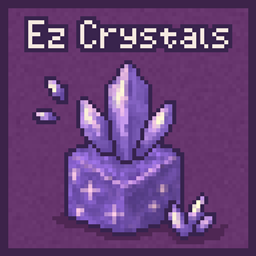
 NeoForge
 Forge
FTB Ez Crystals,
Simplify your crystal harvesting.
FTB Ez Crystals lets you right-click to harvest fully grown budding crystals without breaking the block. After harvesting, the crystal resets to its first growth stage.
Key Features
- Right-click harvesting of fully grown budding crystals.,
- Empty-hand harvesting yields 2 shards.
- Harvesting with a pickaxe yields 4 or more shards, scaling with Fortune.
- Compatible with vanilla amethyst, Applied Energistics 2 crystals, geOre crystals, and more.
- Datapack support for adding additional budding crystal variants.
- FTB Ultimine integration allows mass harvesting of crystals.
Whether you're automating resource gathering or just tired of breaking every cluster manually, FTB Ez Crystals makes it fast, intuitive, and efficient.
Support
- For Modpack issues, please go here: https://go.ftb.team/support-modpack
- For Mod issues, please go here: https://go.ftb.team/support-mod-issues
- Just got a question? Check out our Discord: https://go.ftb.team/discord
Licence
All Rights Reserved to Feed The Beast Ltd. Source code is Visible source, please see our LICENSE.md for more information. Any Pull Requests made to this mod must have the CLA (Contributor Licence Agreement) signed and agreed to before the request will be considered.
FTB Ez Crystals 설치 방법
With Millida Launcher
Install Millida Launcher
The launcher is free: download it at millida.net/launcher and sign in with any nickname.
Click “Install” on this page
The launcher opens and installs the mod for Minecraft 1.20.1–26.1.2 on Forge or NeoForge automatically.
Launch the game
A profile with it appears in the launcher: click “Play”.
Manually
Install Forge or NeoForge
The loader must match the game version of the mod file, for example Minecraft 26.1.2. After installing it, a separate profile appears in your launcher.
Download the file for your version
In the version list above, pick the file ftb-ez-crystals-26.1.2.1.jar (12 KB) for your game version and loader.
Put it in the mods folder
The folder is inside .minecraft (Windows: %appdata%\.minecraft\mods). If it does not exist, create it.
Launch the loader profile
Open “Mods” in the main menu: FTB Ez Crystals should be in the list.
버전
의존성 포함
| Minecraft | 로더 | 파일 | 날짜 | 작업 |
|---|---|---|---|---|
| 26.1 | NeoForge | ftb-ez-crystals 26.1.2.111.7 KB | ||
| 1.20.1 | Forge | FTB EZ Crystals 20.1.316.8 KB | ||
| 1.21.1 | NeoForge | [NEOFORGE] FTB EZ Crystals 21.1.112.6 KB 1 |
리뷰
FTB Ez Crystals의 첫 평가를 남겨 보세요


