

 Forge
[GT5u] GregTech Expert 모드팩 정보
#In the beginning This ModPack has based on IC2 add-on GregTech unofficial version. Make changes if there are simple changes that can be made with the machine GregTech recipe, make there alone. And able to create useful machine added in the other Mod is to proceed with it.
#Challenge of this modpack
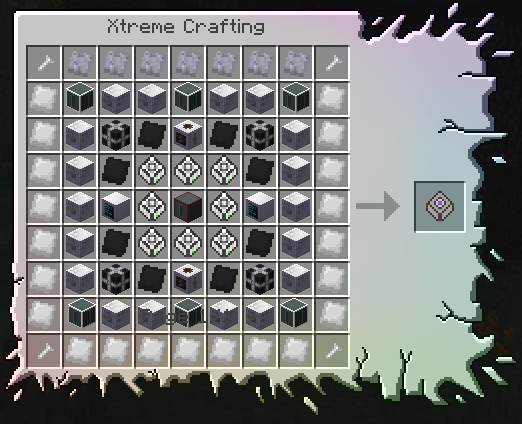
- Making the Torcherino and Quarryplus to run them.
- Making the Ultimate battery.
- Making the UV solar panel.
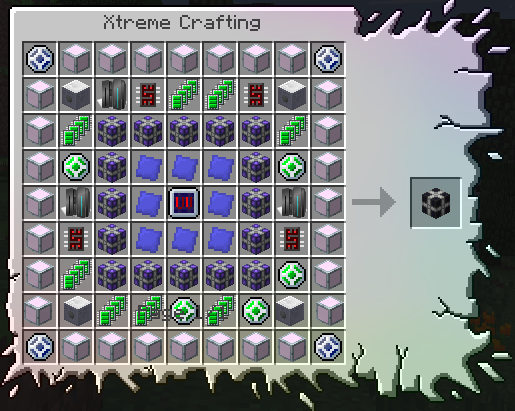
- Making the ME 16384k Storage.
- Making the Creative only items!
#ModList Take a look at the download, make sure!
#初めに このModPackは、IC2のアドオンであるGregTech非公式版をベースにしている。 簡単な変更点だが、GregTechの機械で作れるレシピが存在するならば、そちらだけで作れるように変更を加える。そして、ほかのModで追加される便利な機械は、段階を進めると作成が出来るようにしていく。
#ModPackの挑戦状
- TorcherinoとQuarryplusを作成して動かすこと
- Ultimate batteryを作成すること
- UVのソーラーパネルを作成すること
- MEの16384kストレージを作成すること
- クリエイティブ専用アイテムを作成すること!
#ModList ぜひダウンロードをして確かめて欲しい!
[GT5u] GregTech Expert 설치 방법
With Millida Launcher
Install Millida Launcher
The launcher is free: download it at millida.net/launcher and sign in with any nickname.
Click “Install” on this page
The launcher opens and installs the modpack for Minecraft 1.7.10 on Forge automatically.
Launch the game
A profile with it appears in the launcher: click “Play”.
Manually
Download the modpack archive
In the version list above, pick the file GTExpert-4.4.2-CF_Java_8.zip (6.5 MB).
Import it into a launcher
A launcher that supports modpacks (Millida Launcher, Prism) takes the archive via “Add modpack”, then “From file”. No need to unpack it yourself.
Allocate memory
Modpacks need more memory than the plain game: set 4–6 GB in the profile settings.
On a server
Use the “To server” button
On Millida Hosting, the button at the top of the page uploads the file to your server and restarts it for you.
Invite friends: they install the same modpack
To join the server, every player needs the same modpack version.
Minecraft 1.7.10 runs on Java 8: with a different Java version the game may close right after launch.
버전
의존성 포함
| Minecraft | 로더 | 파일 | 날짜 | 작업 |
|---|---|---|---|---|
| 1.7.10 | Forge | GTExpert-4.4.2(UpdateMods)6.5 MB | ||
| 1.7.10 | Forge | GregTech Expert-4.4.05.3 MB | ||
| 1.7.10 | — | GregTech Expert-4.3.7(UpdateMods)6.7 MB | ||
| 1.7.10 | — | GregTech Expert-4.2.2a11.8 MB | ||
| 1.7.10 | — | GregTech Expert-4.2.113.9 MB |
FAQ
Which Minecraft versions does [GT5u] GregTech Expert work on?
Only Minecraft 1.7.10: there are no files for other versions.
Is [GT5u] GregTech Expert for Forge or Fabric?
Only for Forge: 1.7.10.
Which Java does [GT5u] GregTech Expert need?
Minecraft 1.7.10 runs on Java 8. If the game closes right after launch, the usual cause is the wrong Java version in the profile settings.
Where can I download [GT5u] GregTech Expert safely?
On this page: the file GTExpert-4.4.2-CF_Java_8.zip (6.5 MB) is stored on Millida’s server, with no link shorteners. SHA-1 checksum: 1bd5b6c014f3e09dda13a88b4a33afa0bc0560fb.
리뷰
[GT5u] GregTech Expert의 첫 평가를 남겨 보세요


