🏥 Horror Hospital - Minecraft Map
📖 Story:
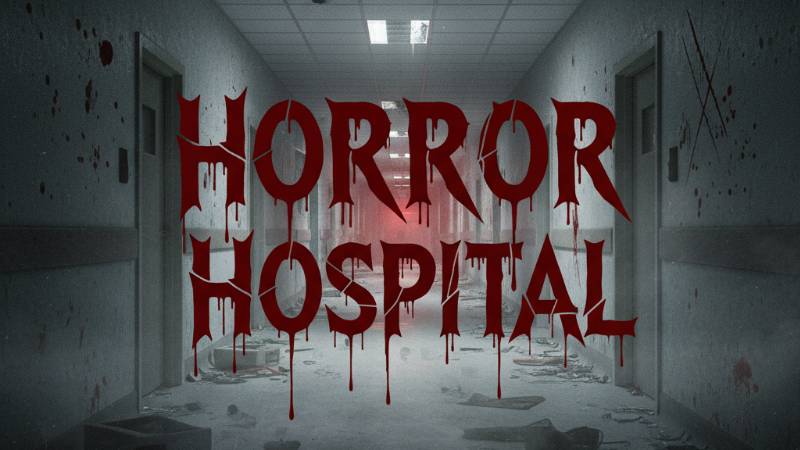
Horror Hospital is a spooky Minecraft map where you explore a creepy hospital. Find out what happened, solve puzzles, and face scary surprises. Can you escape and uncover the secrets of the hospital?
⚠️ Important Info:
Do NOT edit, modify, or look inside the map files.
You are free to make videos, livestreams, or reviews of this map without needing special permission.
If you share the download, please ONLY use the official CurseForge link.
Any other download sources may be outdated or contain malicious changes.
👻 Credits:
Team Lunastra - Creators of Horror Hospital
Gamer hero4668
Marliasummer
Kailly Morgan
Horror Hospital 설치 방법
With Millida Launcher
Install Millida Launcher
The launcher is free: download it at millida.net/launcher and sign in with any nickname.
Click “Install” on this page
The launcher opens and installs the map for Minecraft 1.21.94–1.21.101 automatically.
Launch the game
A profile with it appears in the launcher: click “Play”.
Manually
Download the map archive
Pick the file Horror Hospital V1.3.mcworld (6.5 MB).
Unpack it into the saves folder
The world folder (with level.dat inside) must sit directly in .minecraft/saves.
Open the world
“Singleplayer”: the map will be in your world list.
On a server
Replace the world folder
Stop the server and put the map folder in place of world (or set its name in level-name).
Use the “To server” button
On Millida Hosting, the button at the top of the page uploads the file to your server and restarts it for you.
버전
의존성 포함
| Minecraft | 로더 | 파일 | 날짜 | 작업 |
|---|---|---|---|---|
| 1.21.101 | — | Horror Hospital V1.36.5 MB 20 |
리뷰
Horror Hospital의 첫 평가를 남겨 보세요