

[ Warning ]
I would recommend turning off Player and Mob dithering and Changing skins on mobile will crash your game!
This pack has many colors to choose from including some being animated. Players can be seen through walls and even if they crouch, they can be seen. Invisibility can't save you if you had the idea.
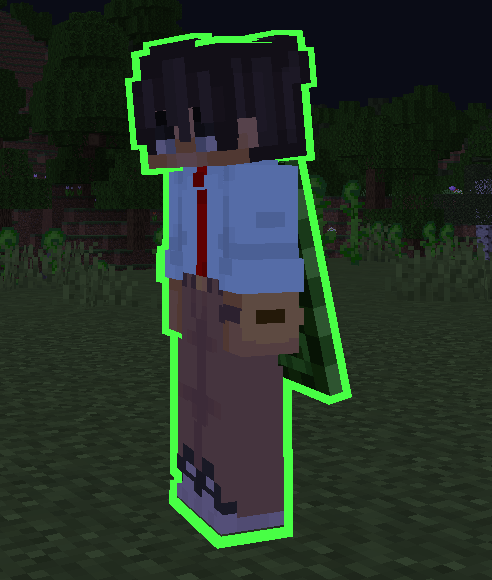
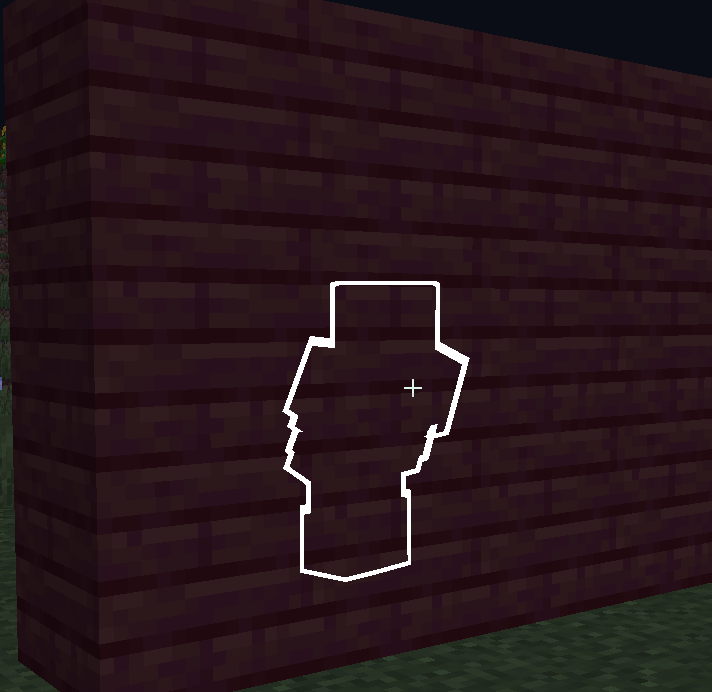
It shows the outline on capes, armor, and elytra. It supports wide and slim skins.
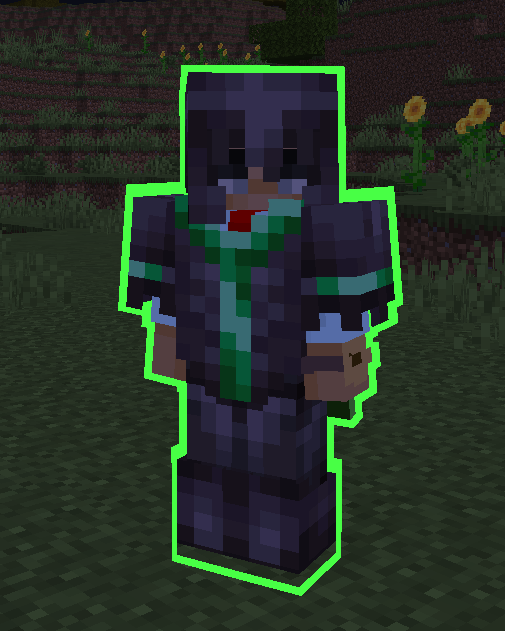
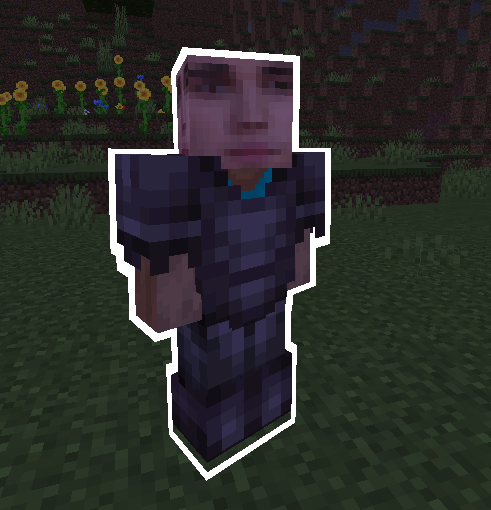
You can be seen through walls making it difficult to escape a fight situation or you can use it for events; However, in the events there's a no esp one but it only uses color black at the moment.
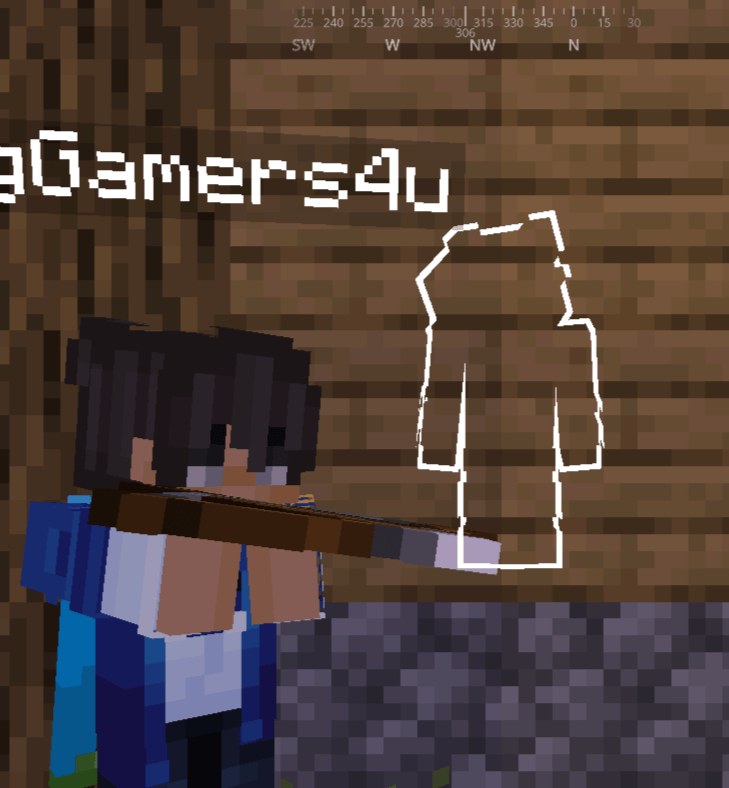
There are three custom commands to use. Two of them fixes a bug while the other one is the color adjustment

The glow:customize is the only command you must have command permissions to use. Once opened, I opens a UI where you can change/make your color. But this will do it globally. For you to have a glow, you need to either run the evnet /event entity @s glow:customized or have tag glow:customized to apply the globally color
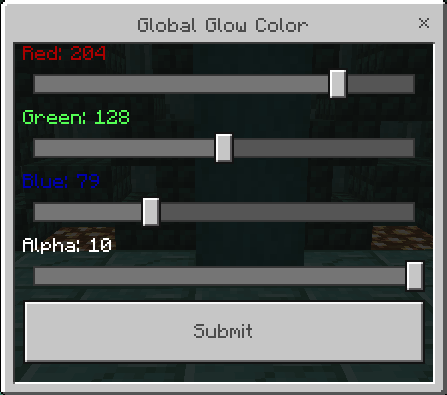
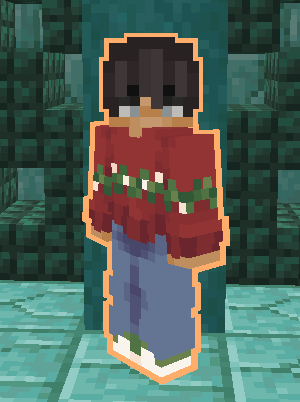
The event item(s) can use this command. This only works for one glow, you'll need to change your command a bit for muiltple glows.
Give glow (part 1): /execute as @a at @s[hasitem={item=mace,quantity=1}] run event entity @s glow:customized
Give glow (part 2): /execute as @a at @s[hasitem={item=mace,quantity=1}] run tag @s add glow:customized
Remove glow: /execute as @a at @s[hasitem={item=mace,quantity=0}] run event entity @s glow:no_glow
Here's the options you have using the event.
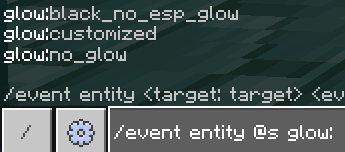
Tags
Instead of a crazy amount of colors to pick in the event, I took a more easier and faster way. The glow requires to have a tag so it can preform the glow but the event glow:customized does need to be run on the player for it to work. The tags are stackable but depending which tag is above another will override it. Here are the tags you can use:
- glow:red
- glow:orange
- glow:yellow
- glow:green
- glow:lime
- glow:cyan
- glow:light_blue
- glow:blue
- glow:purple
- glow:magenta
- glow:pink
- glow:brown
- glow:black
- glow:gray
- glow:light_gray
- glow:white
- glow:rgb
- glow:red_flash
- glow:orange_flash
- glow:yellow_flash
- glow:green_flash
- glow:lime_flash
- glow:cyan_flash
- glow:light_blue_flash
- glow:blue_flash
- glow:purple_flash
- glow:magenta_flash
- glow:pink_flash
- glow:brown_flash
- glow:black_flash
- glow:gray_flash
- glow:light_gray_flash
- glow:blurry
- glow:customized
- glow:none
What it Includes!
- Tag glow_effect will make player glow for 10 seconds
- Supports wide and slim skins (if buged, use glow:switch to fix it)
- Item fix command (fixes the 1st pov view for 3D items)
- Blurry's Java PvP supports player glowing
What it Can be Used For!
Use it to host minigames, mark whos on your team, set certain colors for certain players, use it in your own addons, etc. The addon is licensed as Public Domain so have fun with it and your crazy ideas too.
Discord
If you want latest versions of my packs, including some I haven't uploaded, you can join my discord! Plus getting other packs that aren't yet published.
⊏ MCBE BigG's Creations ⊐
https://discord.gg/5s9JuQDASw
버전
| Minecraft | 로더 | 파일 | 날짜 | 작업 |
|---|---|---|---|---|
| 1.20 | — | Glowing Player Outline V25.0.1.3.mcaddon1.9 MB |
FAQ
Which Minecraft versions does Glowing Player Outline work on?
Only Minecraft 1.20: there are no files for other versions.
Where can I download Glowing Player Outline safely?
On this page: the file Glowing Player Outline V25.0.1.3.mcaddon (1.9 MB) is stored on Millida’s server, with no link shorteners. SHA-1 checksum: 6dc635052349c685d1a6dddece6565924ef20c09.
리뷰
Glowing Player Outline의 첫 평가를 남겨 보세요
