

Golden Visuals
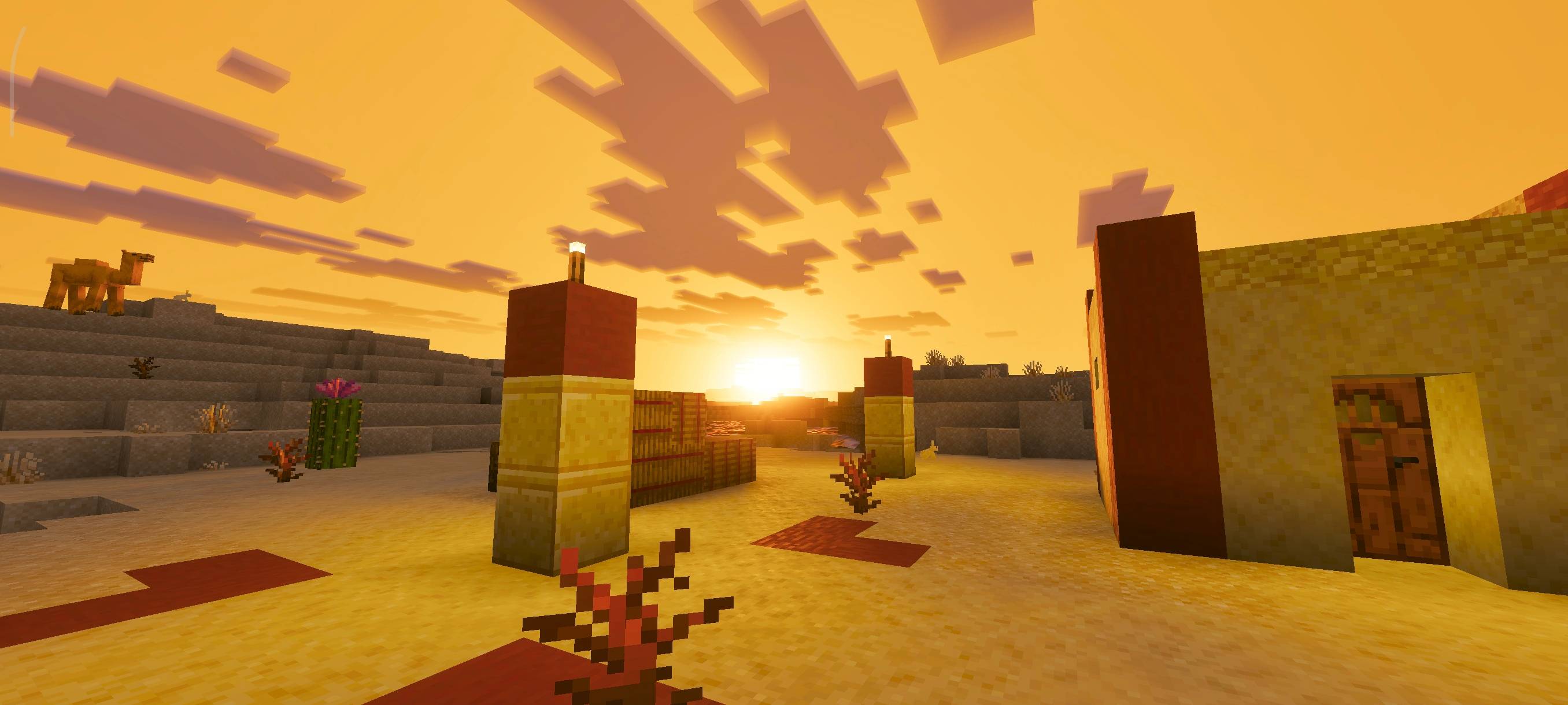
Golden Visuals adds a warm, golden-hour atmosphere to your world. It enhances sunlight, softens shadows, and boosts warm tones to create a bright, glowing, sunset-like look across every biome.
Important: For the shader to work properly, make sure to turn ON Vibrant Visuals in your game settings.
Golden Visualsのインストール方法
With Millida Launcher
Install Millida Launcher
The launcher is free: download it at millida.net/launcher and sign in with any nickname.
Click “Install” on this page
The launcher opens and installs the resource pack for Minecraft 26.20 automatically.
Launch the game
A profile with it appears in the launcher: click “Play”.
Manually
Download the archive
Pick the file Golden-Visuals.mcpack (2.2 MB) for your game version. No need to unpack it.
Put it in the resourcepacks folder
The easiest way: “Options”, then “Resource Packs”, then “Open Pack Folder”, and drag the archive there.
Enable the pack
In the same window, move the pack to the right-hand “Selected” column and click “Done”.
バージョン
依存関係あり
| Minecraft | ローダー | ファイル | 日付 | 操作 |
|---|---|---|---|---|
| 26.20 | — | Golden-Visuals.mcpack2.2 MB |
レビュー
Golden Visualsの最初の評価を書きませんか


