
Cubix リソースパックについて
Cubix
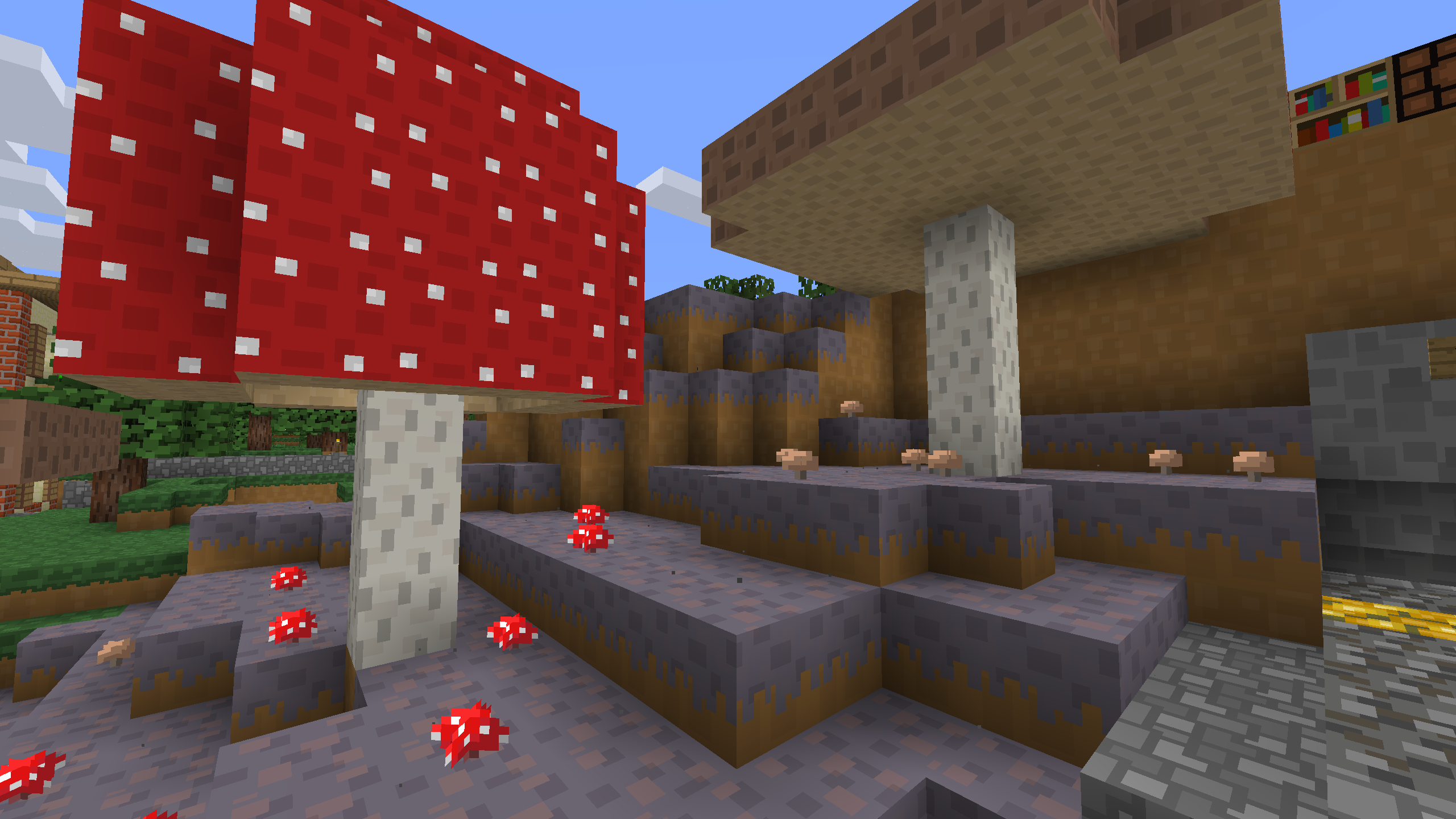
This resource pack is clean cartoony and textures contains lot of squares. Plan was to make simpler texture pack that fits well with the game. It has more or less the same color palette as vanilla. Sense it is 16x pack you won’t get any fps drops compared to vanilla. Cubix is still work in progress. All building blocks are done, items and mobs are still in progress. Pack doesn't yet include new nether textures.
Other websites:
Planet minecraft
feedback is greatly appreciated!

Cubixのインストール方法
With Millida Launcher
Install Millida Launcher
The launcher is free: download it at millida.net/launcher and sign in with any nickname.
Click “Install” on this page
The launcher opens and installs the resource pack for Minecraft 1.16–1.16.2 automatically.
Launch the game
A profile with it appears in the launcher: click “Play”.
Manually
Download the archive
Pick the file Cubix 1.16.2.zip (2.7 MB) for your game version. No need to unpack it.
Put it in the resourcepacks folder
The easiest way: “Options”, then “Resource Packs”, then “Open Pack Folder”, and drag the archive there.
Enable the pack
In the same window, move the pack to the right-hand “Selected” column and click “Done”.
バージョン
依存関係あり
| Minecraft | ローダー | ファイル | 日付 | 操作 |
|---|---|---|---|---|
| 1.16.1 | — | Cubix 1.16.22.7 MB |
FAQ
Which Minecraft versions does Cubix work on?
There are files for 1.16.2, 1.16.1, 1.16. The newest is 1.16.2.
Where can I download Cubix safely?
On this page: the file Cubix 1.16.2.zip (2.7 MB) is stored on Millida’s server, with no link shorteners. SHA-1 checksum: 42817fe6050ce6d60fac67e946e0ea7e92c8e389.
レビュー
Cubixの最初の評価を書きませんか


