
 NeoForge
 Fabric
 Quilt
 Forge
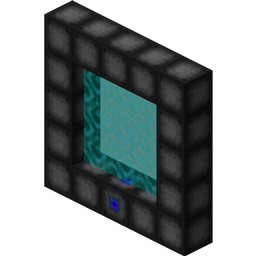
ワームホールを使えば、ワームホール安定化技術を利用してポータルを構築できます!構築したポータルは、指定した任意の場所へテレポートできます!ポータルはどんな形や大きさでも構いません!ポータルは染料で着色することもできます!
内容:
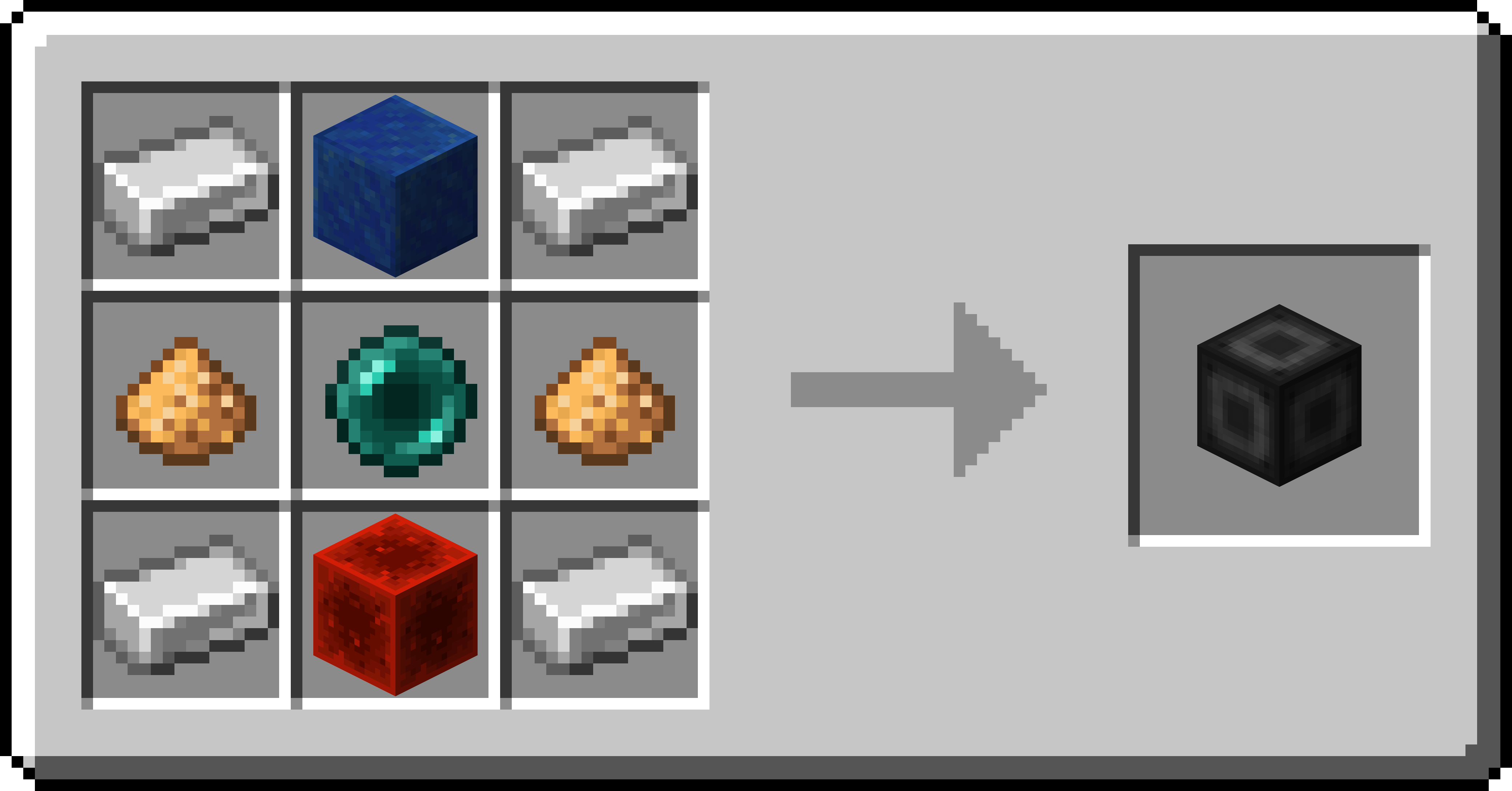
ポータルスタビライザー
- ポータルスタビライザーは、目標地点へのワームホールを作成します!
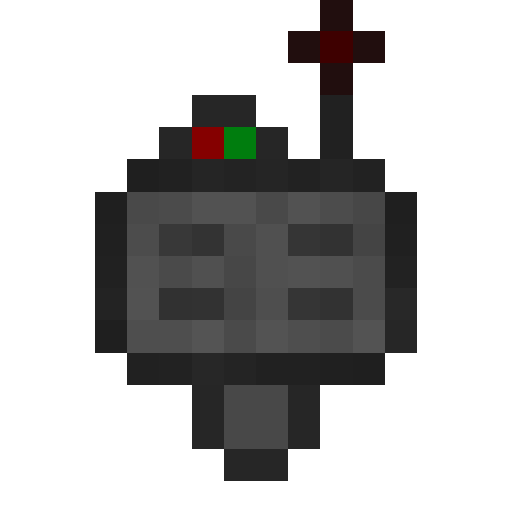
- ターゲット定義デバイスで右クリックすると、ポータルのGUIが開きます
- すべてのポータルには少なくとも1つのポータルスタビライザーが必要です
- ターゲットを1つ保存できます
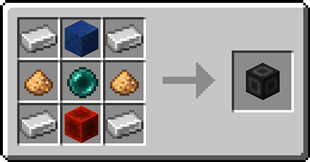
ポータルフレーム
- ポータルフレームは、ポータルの枠を作成するために使用します

基本エネルギーセル
- ポータルが使用するエネルギーを保存します
- ポータルフレームの一部として追加できます
高度エネルギーセル
- ポータルが使用するエネルギーを保存します
- ポータルフレームの一部として追加できます
基本ターゲットセル
- ポータルのGUIで選択できるターゲットを保存します
- ポータルフレームの一部として追加できます
高度ターゲットセル
- ポータルのGUIで選択できるターゲットを保存します
- ポータルフレームの一部として追加できます
石炭発電機
- 石炭発電機は、アイテムを燃やしてエネルギーを生成します
- エネルギーは5x5x5の範囲内のブロックに供給されます
ターゲット定義デバイス
- ターゲット定義デバイスはターゲットを定義できます!
- ポータルスタビライザーを右クリックすると、そのターゲットを設定できます
- ターゲットを1つ保持できます
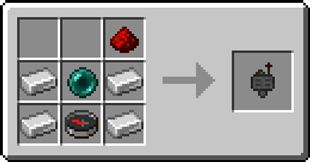
高度ターゲット定義デバイス
- 高度ターゲット定義デバイスはターゲットを定義できます!
- ポータルスタビライザーを右クリックすると、そのターゲットを設定できます
- 最大5つのターゲットを保持できます
Wormhole (Portals)のインストール方法
With Millida Launcher
Install Millida Launcher
The launcher is free: download it at millida.net/launcher and sign in with any nickname.
Click “Install” on this page
The launcher opens and installs the mod for Minecraft 1.16.3–26.3 on Fabric, Forge, NeoForge or Quilt automatically.
Launch the game
A profile with it appears in the launcher: click “Play”.
Manually
Install Fabric, Forge, NeoForge or Quilt
The loader must match the game version of the mod file, for example Minecraft 26.3. After installing it, a separate profile appears in your launcher.
Download the file for your version
In the version list above, pick the file wormhole-1.1.17-neoforge-mc26.3.jar (914 KB) for your game version and loader.
Put it in the mods folder
The folder is inside .minecraft (Windows: %appdata%\.minecraft\mods). If it does not exist, create it.
Launch the loader profile
Open “Mods” in the main menu: Wormhole (Portals) should be in the list.
バージョン
依存関係あり
| Minecraft | ローダー | ファイル | 日付 | 操作 |
|---|---|---|---|---|
| 26.3 | NeoForge | Wormhole (Portals) 1.1.17 for NeoForge 26.3914 KB 1 | ||
| 26.3 | Fabric, Quilt | Wormhole (Portals) 1.1.17 for Fabric 26.3902 KB 11 | ||
| 26.2 | Forge | Wormhole (Portals) 1.1.17 for Forge 26.2868 KB 2 | ||
| 1.16.3 | Forge | wormhole-1.1.2-mc1.16.3959 KB |
FAQ
Which Minecraft versions does Wormhole (Portals) work on?
There are files for 26.3, 26.2, 1.16.5, 1.16.4, 1.16.3. The newest is 26.3.
Is Wormhole (Portals) for Forge or Fabric?
There are files for Fabric: 26.3, for Forge: 1.16.3–26.2, for NeoForge: 26.3 and for Quilt: 26.3.
Does Wormhole (Portals) need other mods?
The author lists no required dependencies: the Fabric, Forge, NeoForge or Quilt loader is enough.
Where can I download Wormhole (Portals) safely?
On this page: the file wormhole-1.1.17-neoforge-mc26.3.jar (914 KB) is stored on Millida’s server, with no link shorteners. SHA-1 checksum: af925d1c96e903b1f9a29c61ff84247cec625957.
レビュー
Wormhole (Portals)の最初の評価を書きませんか


