
 Forge
Timeless and Classics Guns MODについて
↓↓↓ 新しいサイトはこちらをクリック ↓↓↓
Timeless and Classics Zero: 完全リマスターされたTaC
1.20.1バージョンで利用可能
銃、アニメーション、リアル、楽しい、Timelessの流儀で作られています。
私たちの活動をPatreonで、中国の方はAfdianで支援してください。皆様の支援が開発を力強く続ける支えになります!
追加要素...
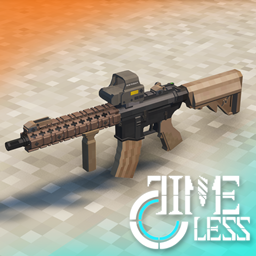
- 50種類以上の銃、それぞれに独自の性能、ティア、モデル、カスタマイズ
- アタッチメント、スコープ、マズル、マガジン、グリップ、ストックの幅広い選択肢で武器を改造
- スキン、武器の色とモデルを変更!
- カスタマイズ性、武器の様々なデータはローカル/サーバーのデータパックで変更でき、外見とサウンドはリソースパックで変更できます!
関連リンク:
Yes, Steve model modと互換性があり、独自の三人称アニメーションがあります!
コミュニティアドオン:LesRaisins Append Pack

インストールヘルプ
必須(マスト): どのTaCバージョンをプレイする前にも、mod Obfuscate (またはMC1.18.2ではFramework)が必要です。できれば最新バージョンを使用してください!
必須(0.3.9より前) : mod Curios!アーマードリグを正しく機能させるには、特にバージョン4.0.8.1でなければなりません!
バージョン0.3.10以降、Curiosは不要になりました!
MC1.18.2向けベータバージョン0.3.10について
これはベータバージョンなので、予期しないバグが存在する可能性があります。自己責任でインストールしてください
· Curiosは不要になりました。またObfuscateも不要になり、代わりにFrameworkをインストールする必要があります。
· ゲーム内でコンフィグを調整するインターフェースにバグがあり、まだ修正中です。一時的に削除されました。
· アーマーリグが復活し、ホットキー(デフォルトo)で装備/解除できます。
· サイト倍率アルゴリズムが変更されましたが、二重レンダリングの倍率がおかしくなりました。config/tac-client.tomlでscopeDoubleRenderをfalseに設定する必要があります。
· 0.3.9で更新されたスキンシステムは、機能調整の必要があるため一時的に削除されました。スキンアイテムのみが残り、実際には効果を発揮しません。
· optifineを使用する場合は、"tac-a-0.3.10-1.18.2-optifine.jar"ファイルをダウンロードして使用してください。そうしないとゲームがクラッシュします。
銃のアニメーション例 (0.3.2頃)
追加リンク:

主要開発者:
ClumsyAlien (Java開発 / 創設者)
NekoCrane (リードアーティスト / 創設者) Twitter: @CraneNeko
Chris Linefield (Java開発リード)
Receke (アーティスト)
Mayday (アニメーション開発/Java開発)
alexnitaly (アーティスト)
Hatt (アーティスト)
Mecha (アーティスト)
Pos2333 (アーティスト)
Spacebar (リードアニメーションデザイナー)
MrK (アニメーションデザイナー)
IronCurtain (サウンドエンジニア)
GaintSaltedFish (Java開発)
TaoismDeepLake(Java開発)
Fiz (Java開発/データサイエンティスト)
貢献者:
Kacper (サウンドエンジニア / アシスタントモデラー)
OddlyDelta (アニメーター) Twitter: @OddlyDelta
Bomb787 (Java開発/銃の"専門家")
Danny (モデラー)
DarkSoul38 (モデラー)
LesRaisins Studio (アドオン開発)
Timeless and Classics Gunsのインストール方法
With Millida Launcher
Install Millida Launcher
The launcher is free: download it at millida.net/launcher and sign in with any nickname.
Click “Install” on this page
The launcher opens and installs the mod for Minecraft 1.16.3–1.18.2 on Forge automatically.
Launch the game
A profile with it appears in the launcher: click “Play”.
Manually
Install Forge
The loader must match the game version of the mod file, for example Minecraft 1.18.2. After installing it, a separate profile appears in your launcher.
Download the file for your version
In the version list above, pick the file tac-0.3.10.1-1.18.2.jar (45 MB) for your game version.
Put it in the mods folder
The folder is inside .minecraft (Windows: %appdata%\.minecraft\mods). If it does not exist, create it.
Launch the loader profile
Open “Mods” in the main menu: Timeless and Classics Guns should be in the list.
Minecraft 1.18.2 runs on Java 17: with a different Java version the game may close right after launch.
バージョン
依存関係あり
| Minecraft | ローダー | ファイル | 日付 | 操作 |
|---|---|---|---|---|
| 1.16.5 | Forge | Timeless and Classics Guns 0.3.14.2-1.16.5 RELEASE41.3 MB 93 | ||
| 1.18.2 | Forge | Timeless and Classics Guns 0.3.10.1-1.18.2 BETA45 MB 18 | ||
| 1.16.3 | — | Timeless and Classics Reforged 0.2.0.0 RELEASE10.9 MB 83 |
FAQ
Which Minecraft versions does Timeless and Classics Guns work on?
There are files for 1.18.2, 1.16.5, 1.16.4, 1.16.3. The newest is 1.18.2.
Is Timeless and Classics Guns for Forge or Fabric?
Only for Forge: 1.16.5–1.18.2. There are no files for Fabric or NeoForge: a mod for another loader will not start.
Does Timeless and Classics Guns need other mods?
The author lists no required dependencies: the Forge loader is enough.
Where can I download Timeless and Classics Guns safely?
On this page: the file tac-0.3.10.1-1.18.2.jar (45 MB) is stored on Millida’s server, with no link shorteners. SHA-1 checksum: 41f39af101d54e4d3f9f6c333400b8ac59939e7a.
レビュー
Timeless and Classics Gunsの最初の評価を書きませんか


