
Thaumic Terminal MODについて
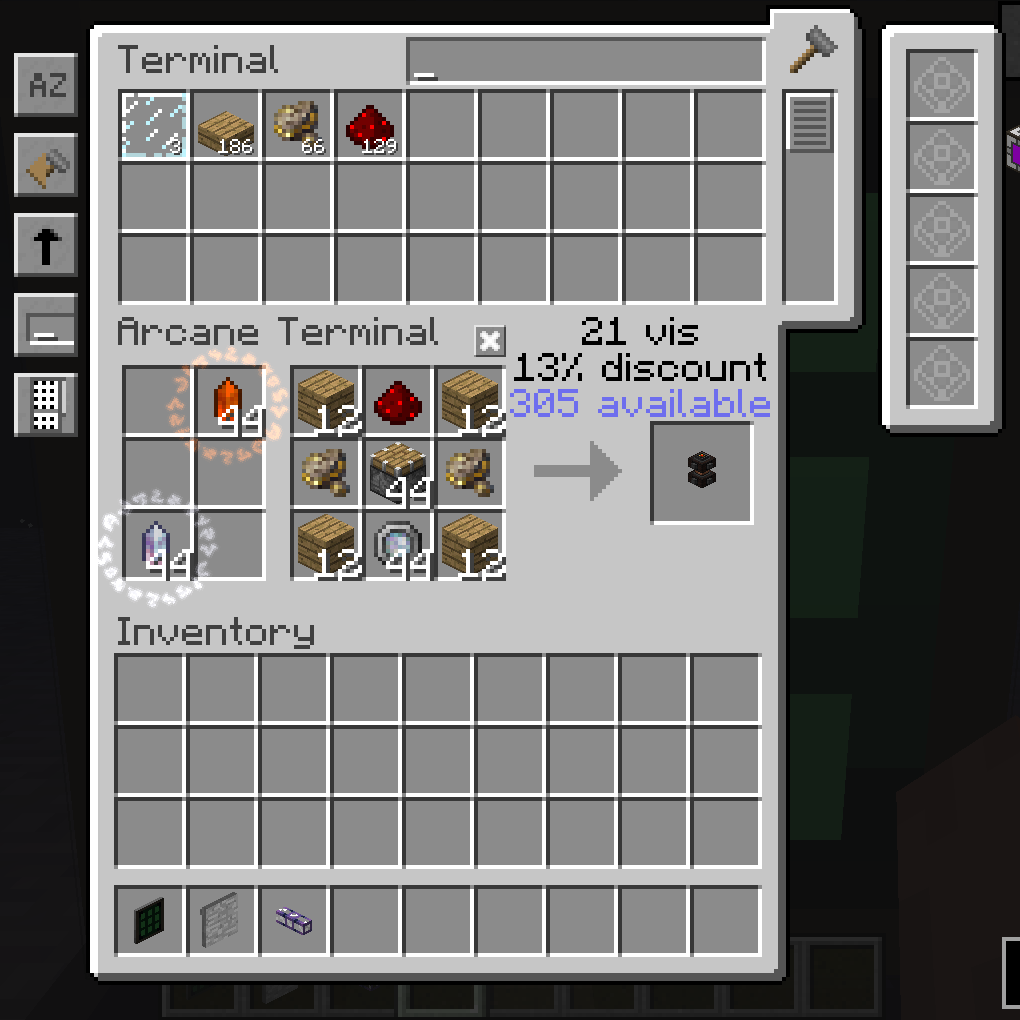
このMODはAEとThaumcraftの互換性を追加します。
現時点では、このMODにはArcane Terminalしかありません。
バグやアイデア、要望は
- Issuesページに投稿してください!
MODパックについて
- このMODをあなたのMODパックで自由に使用してください。
このMODを更新したいと思っています。もっと時間が必要です。
私たちのDiscordに参加してください!
Patreonでの支援をお願いします!
Thaumic Terminalのインストール方法
With Millida Launcher
Install Millida Launcher
The launcher is free: download it at millida.net/launcher and sign in with any nickname.
Click “Install” on this page
The launcher opens and installs the mod for Minecraft 1.12.2 automatically.
Launch the game
A profile with it appears in the launcher: click “Play”.
Manually
Download the file for your version
In the version list above, pick the file ThaumicTerminal-1.0.12.jar (75 KB) for your game version.
Put it in the mods folder
The folder is inside .minecraft (Windows: %appdata%\.minecraft\mods). If it does not exist, create it.
Launch the loader profile
Open “Mods” in the main menu: Thaumic Terminal should be in the list.
Minecraft 1.12.2 runs on Java 8: with a different Java version the game may close right after launch.
バージョン
依存関係あり
| Minecraft | ローダー | ファイル | 日付 | 操作 |
|---|---|---|---|---|
| 1.12.2 | — | ThaumicTerminal-1.0.12 (TC BETA 26 || AE rv6-stable-6)75.4 KB | ||
| 1.12.2 | — | ThaumicTerminal-1.0.9 (TC BETA 23 || AE rv5-stable-11)72.5 KB |
FAQ
Which Minecraft versions does Thaumic Terminal work on?
Only Minecraft 1.12.2: there are no files for other versions.
Which Java does Thaumic Terminal need?
Minecraft 1.12.2 runs on Java 8. If the game closes right after launch, the usual cause is the wrong Java version in the profile settings.
Where can I download Thaumic Terminal safely?
On this page: the file ThaumicTerminal-1.0.12.jar (75 KB) is stored on Millida’s server, with no link shorteners. SHA-1 checksum: b78f45e0aed9c3d17767a23c4d96e0ce1562d6f8.
レビュー
Thaumic Terminalの最初の評価を書きませんか


