
 NeoForge
 Forge
📖 概要 -
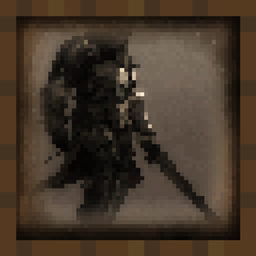
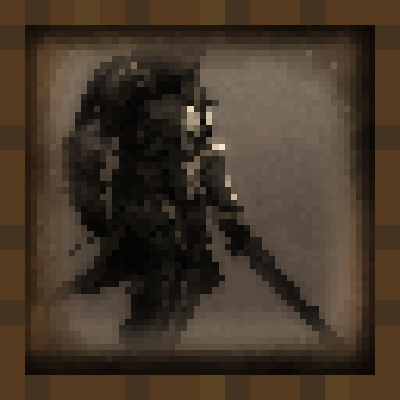
中世ファンタジーアートの美しさを表現した50点以上の絵画を追加します。
絵画の解像度は16x16で、バニラに馴染むテクスチャがMinecraftの世界に溶け込みます。通常の絵画アイテムと同じように設置して、建築の内装を変身させましょう。
Discordサーバーに参加して、あなたの芸術的才能をMinecraftコミュニティに披露しましょう。MODで作品を紹介したいアーティスト専用のチャンネルがあります。
バニラの絵画を中世風の絵画に置き換えるには:
リソースパックをダウンロード - https://www.curseforge.com/minecraft/texture-packs/medieval-paintings
❓ よくある質問 -
Q: Fabricに移植しますか? A: いいえ。自傷行為は好きではありません。
Q: 最新バージョンにアップデートできますか? A: はい、Minecraftの新しいメジャーバージョンごとにMODをアップデートします。
Q: 1.12.2/1.7.10に移植しますか? A: いいえ。MOD制作を一から学び直す必要があります。
Q: ...を追加できますか? A: Discordサーバーに参加してください。そのための専用チャンネルがあります。あなたのアイデアが気に入れば、追加される可能性は高いです。

🔗 リンク -
ここであなたは私を支援し、私のプロジェクトをフォローできます!
Medieval Paintingsのインストール方法
With Millida Launcher
Install Millida Launcher
The launcher is free: download it at millida.net/launcher and sign in with any nickname.
Click “Install” on this page
The launcher opens and installs the mod for Minecraft 1.18–1.21.11 on Forge or NeoForge automatically.
Launch the game
A profile with it appears in the launcher: click “Play”.
Manually
Install Forge or NeoForge
The loader must match the game version of the mod file, for example Minecraft 1.21.11. After installing it, a separate profile appears in your launcher.
Download the file for your version
In the version list above, pick the file medieval_paintings-1.21.1-7.0.jar (896 KB) for your game version and loader.
Put it in the mods folder
The folder is inside .minecraft (Windows: %appdata%\.minecraft\mods). If it does not exist, create it.
Launch the loader profile
Open “Mods” in the main menu: Medieval Paintings should be in the list.
Minecraft 1.21.11 runs on Java 21: with a different Java version the game may close right after launch.
バージョン
依存関係あり
| Minecraft | ローダー | ファイル | 日付 | 操作 |
|---|---|---|---|---|
| 1.21 | NeoForge | medieval_paintings-1.21.1-7.0.jar896 KB 5 | ||
| 1.21 | Forge | medieval_paintings-1.21-7.0.jar892 KB 5 | ||
| 1.18.1 | — | medieval_paintings-2.0.jar937 KB |
FAQ
Which Minecraft versions does Medieval Paintings work on?
There are files for 1.18–1.21.11, 14 versions in total. The newest is 1.21.11.
Is Medieval Paintings for Forge or Fabric?
There are files for Forge: 1.21–1.21.10 and for NeoForge: 1.21–1.21.11. There are no files for Fabric: a mod for another loader will not start.
Does Medieval Paintings need other mods?
The author lists no required dependencies: the Forge or NeoForge loader is enough.
Which Java does Medieval Paintings need?
Minecraft 1.21.11 runs on Java 21. If the game closes right after launch, the usual cause is the wrong Java version in the profile settings.
Where can I download Medieval Paintings safely?
On this page: the file medieval_paintings-1.21.1-7.0.jar (896 KB) is stored on Millida’s server, with no link shorteners. SHA-1 checksum: a126b225fb23ecc3a00f8a2a5c00abd418a6077b.
レビュー
Medieval Paintingsの最初の評価を書きませんか


