
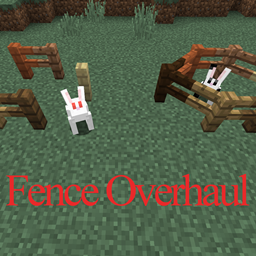
Fence Overhaul MODについて
バニラのフェンスではもう物足りないですか?Fence Overhaulは、新しいフェンスを追加することでバニラのフェンスに対する不満を解消することを目指しています。Fence Overhaulはバニラのフェンスを置き換えるだけではないので、バニラと改良されたフェンスを組み合わせて多くの素晴らしいものを作ることができます!
このMODは現在、斜めのフェンスのみを追加しますが、さらに多くのフェンス関連の改善が計画中/開発中です。
名前とクラフトレシピは変更される可能性があります。
S = 棒; F = フェンス; = 何もなし
SS
FFF ===> 斜めのフェンス (x3)
SS
2024年6月1日の更新: ついにCurseForgeに戻ってきました -- Fence Overhaul v2が現在作業中で、MC 1.20向けにコーディングされています。単純な斜めのフェンスよりもはるかに多くのものになります... 2024年9月2日の更新: レンダリングと格闘中で、まだやることは残っています。私は作業が遅いですが、去ったわけではありません。環境は1.21に自己更新されました
Fence Overhaulのインストール方法
With Millida Launcher
Install Millida Launcher
The launcher is free: download it at millida.net/launcher and sign in with any nickname.
Click “Install” on this page
The launcher opens and installs the mod for Minecraft 1.12–1.12.2 automatically.
Launch the game
A profile with it appears in the launcher: click “Play”.
Manually
Download the file for your version
In the version list above, pick the file FenceOverhaul-1.3.4.jar (40 KB) for your game version.
Put it in the mods folder
The folder is inside .minecraft (Windows: %appdata%\.minecraft\mods). If it does not exist, create it.
Launch the loader profile
Open “Mods” in the main menu: Fence Overhaul should be in the list.
Minecraft 1.12.2 runs on Java 8: with a different Java version the game may close right after launch.
バージョン
依存関係あり
| Minecraft | ローダー | ファイル | 日付 | 操作 |
|---|---|---|---|---|
| 1.12 | — | [1.12.x]FenceOverhaul-1.3.4.jar39.9 KB |
FAQ
Which Minecraft versions does Fence Overhaul work on?
There are files for 1.12.2, 1.12. The newest is 1.12.2.
Which Java does Fence Overhaul need?
Minecraft 1.12.2 runs on Java 8. If the game closes right after launch, the usual cause is the wrong Java version in the profile settings.
Where can I download Fence Overhaul safely?
On this page: the file FenceOverhaul-1.3.4.jar (40 KB) is stored on Millida’s server, with no link shorteners. SHA-1 checksum: 184761844c8d6ebac0ed7304d114f5dfd1589b9c.
レビュー
Fence Overhaulの最初の評価を書きませんか


