
Xray Java Paket sumber daya untuk Minecraft 1.20.1, 1.21.1
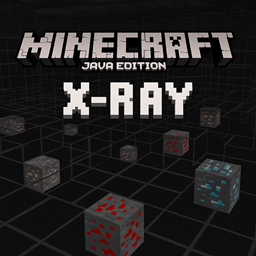
Pack X-Ray untuk Minecraft Java Edition yang menyorot bijih seperti diamond, gold, dan redstone sambil membuat sebagian besar blok transparan, memungkinkan pemain dengan mudah menemukan sumber daya berharga di bawah tanah.
X-Ray (.resource) for Minecraft Java Edition

This mod makes stone, deepslate, and netherrack blocks transparent while keeping all ores fully visible perfect for finding resources quickly in both the Overworld and the Nether.
want a compiled jar https://www.curseforge.com/minecraft/mc-mods/x-ray-java-edition
Screenshots
Overworld View
Nether View
⚠️ Note: This mod is intended for use in singleplayer or on servers that explicitly allow it. Using it on public servers without permission may violate server rules.
How to Install (.jar Version)
- Make sure you have Forge or Fabric or Quilt or NeoForge installed (matching your Minecraft version).
- Download the .jar file from the Files section.
- Place the .jar file into your .minecraft/mods folder.
- Launch Minecraft with the correct mod loader profile.
Enjoy seeing through stone and finding ores instantly!
Frequently Asked Questions
- Does this mod work with other mods? Yes, it’s lightweight and should work with most mods, but test for compatibility on your setup.
- Can I toggle the X-Ray effect? Currently, the effect is always on when the mod is active. A toggle feature may be added in future updates.
- Will this mod get me banned on servers? Only use it on servers that allow X-Ray mods to avoid violating rules.
Cara memasang Xray Java
With Millida Launcher
Install Millida Launcher
The launcher is free: download it at millida.net/launcher and sign in with any nickname.
Click “Install” on this page
The launcher opens and installs the resource pack for Minecraft 1.19.4–26.1.2 automatically.
Launch the game
A profile with it appears in the launcher: click “Play”.
Manually
Download the archive
Pick the file XRAy.zip (1.6 MB) for your game version. No need to unpack it.
Put it in the resourcepacks folder
The easiest way: “Options”, then “Resource Packs”, then “Open Pack Folder”, and drag the archive there.
Enable the pack
In the same window, move the pack to the right-hand “Selected” column and click “Done”.
Versi
Dengan dependensi
| Minecraft | Loader | File | Tanggal | Tindakan |
|---|---|---|---|---|
| 1.21 | — | XRAy.zip1.6 MB 195 |
FAQ
Which Minecraft versions does Xray Java work on?
There are files for 1.19.4–26.1.2, 23 versions in total. The newest is 26.1.2.
Where can I download Xray Java safely?
On this page: the file XRAy.zip (1.6 MB) is stored on Millida’s server, with no link shorteners. SHA-1 checksum: cd9a35b532324e90238e80eb037687bad725d05c.
Ulasan
Jadilah yang pertama menilai Xray Java



