
SoftRay Paket sumber daya untuk Minecraft 1.21
SoftRay adalah shader pack ringan berkualitas tinggi untuk Minecraft Bedrock yang meningkatkan pencahayaan, bayangan, dan atmosfer — tanpa membunuh performa. Visual bersih, sinar lembut, gameplay lancar.
Tentang paket sumber daya SoftRay
🌤️ SoftRay Shader Pack - Subtle Lighting, Smooth Performance
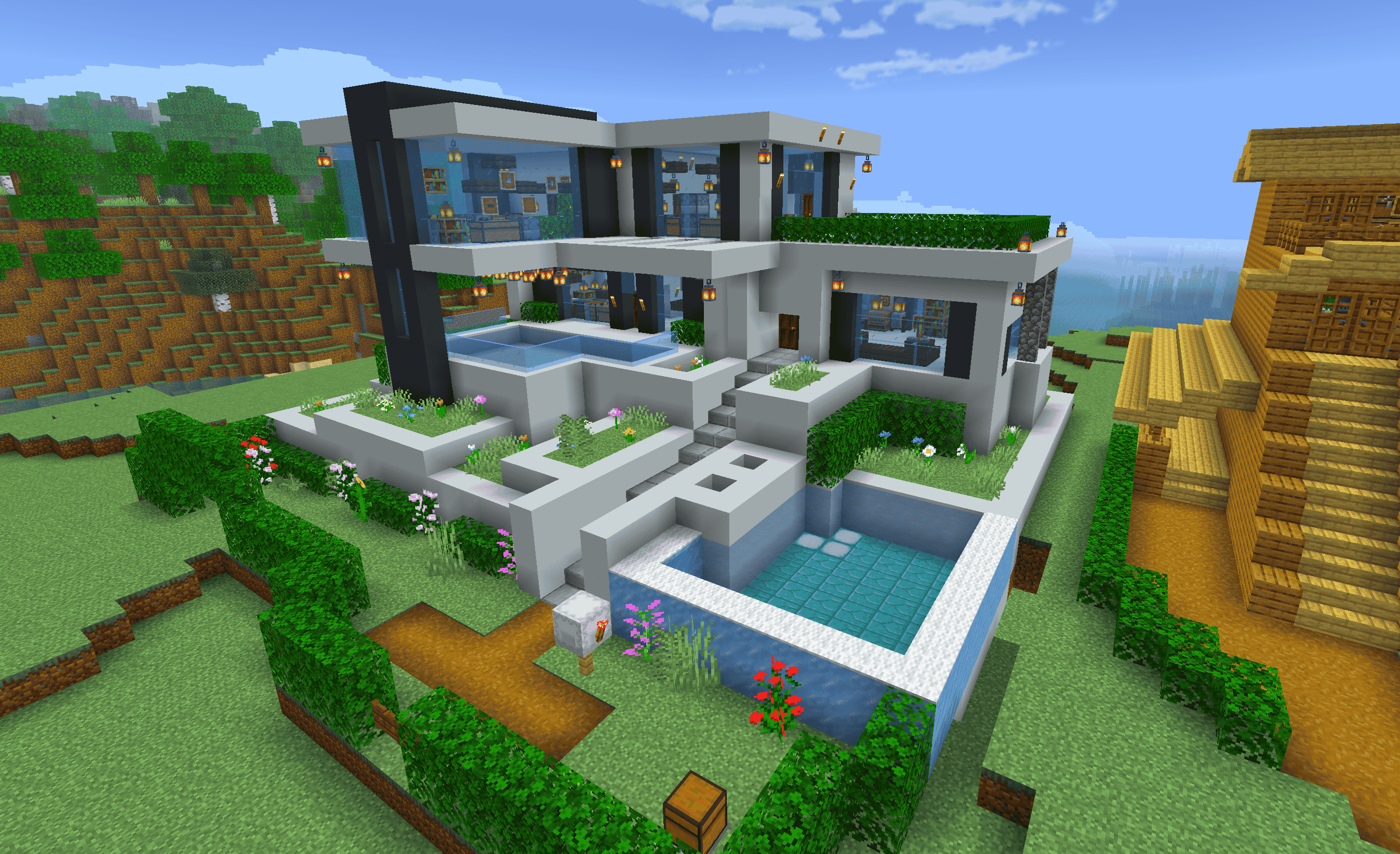
SoftRay is a Minecraft Bedrock shader pack designed for players who want clean, immersive visuals without lag. Focused on soft lighting, ambient shadows, and balanced tones, SoftRay brings a cinematic touch to your world while staying lightweight and smooth on most devices.
✨ Features:
🌞 Soft Dynamic Lighting - Natural day/night transitions with warm glows
🌅 Improved Sky & Atmosphere - Enhanced sunrises, sunsets, and sky tones
🌊 Water Tweaks - Smooth reflections and better clarity
🔦 Subtle Light Bloom - Gentle glow around bright objects and lights
📱 Performance-Friendly - Optimized for phones, tablets, and low-end systems
🔄 Compatible with the latest Minecraft Bedrock versions
📌 Ideal For:
Builders who want clean lighting
Survival players wanting immersion without lag
Content creators and casual players alike
🎮 How to Install:
Download the .mcpack file
Tap or open the file to launch Minecraft
Apply the shader in Settings > Global Resources
Enjoy your upgraded visuals with zero bloat
Created by Mint Dino
Cara memasang SoftRay
With Millida Launcher
Install Millida Launcher
The launcher is free: download it at millida.net/launcher and sign in with any nickname.
Click “Install” on this page
The launcher opens and installs the resource pack for Minecraft 1.20–1.21 automatically.
Launch the game
A profile with it appears in the launcher: click “Play”.
Manually
Download the archive
Pick the file SoftRay.mcpack (22 MB) for your game version. No need to unpack it.
Put it in the resourcepacks folder
The easiest way: “Options”, then “Resource Packs”, then “Open Pack Folder”, and drag the archive there.
Enable the pack
In the same window, move the pack to the right-hand “Selected” column and click “Done”.
Versi
Dengan dependensi
| Minecraft | Loader | File | Tanggal | Tindakan |
|---|---|---|---|---|
| 1.20 | — | SoftRay.mcpack22.3 MB |
FAQ
Which Minecraft versions does SoftRay work on?
There are files for 1.21, 1.20. The newest is 1.21.
Where can I download SoftRay safely?
On this page: the file SoftRay.mcpack (22 MB) is stored on Millida’s server, with no link shorteners. SHA-1 checksum: a785cf804da41ebff81d3ae4fa6aadde50c36100.
Ulasan
Jadilah yang pertama menilai SoftRay


