

Simple Status Bar Paket sumber daya untuk Minecraft 1.21, 1.18.2
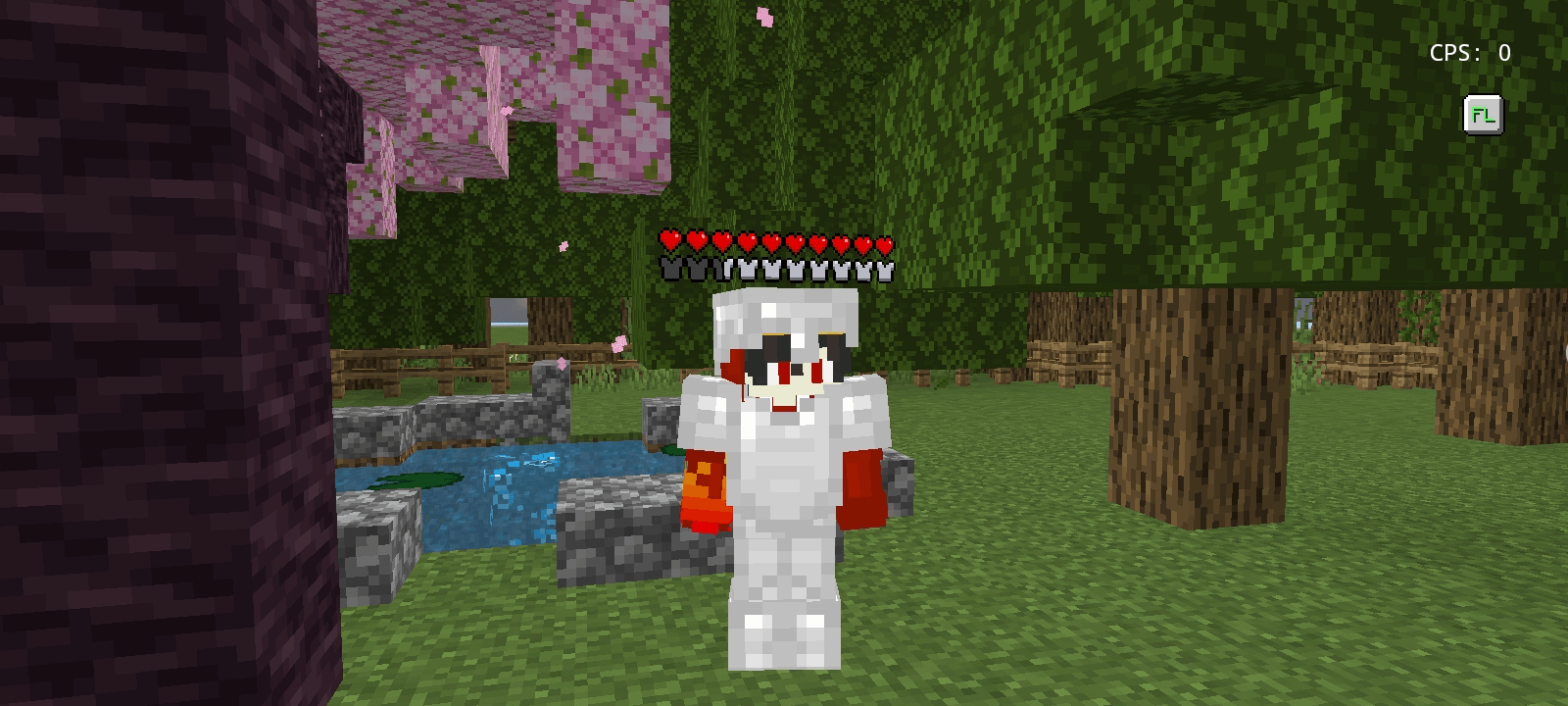
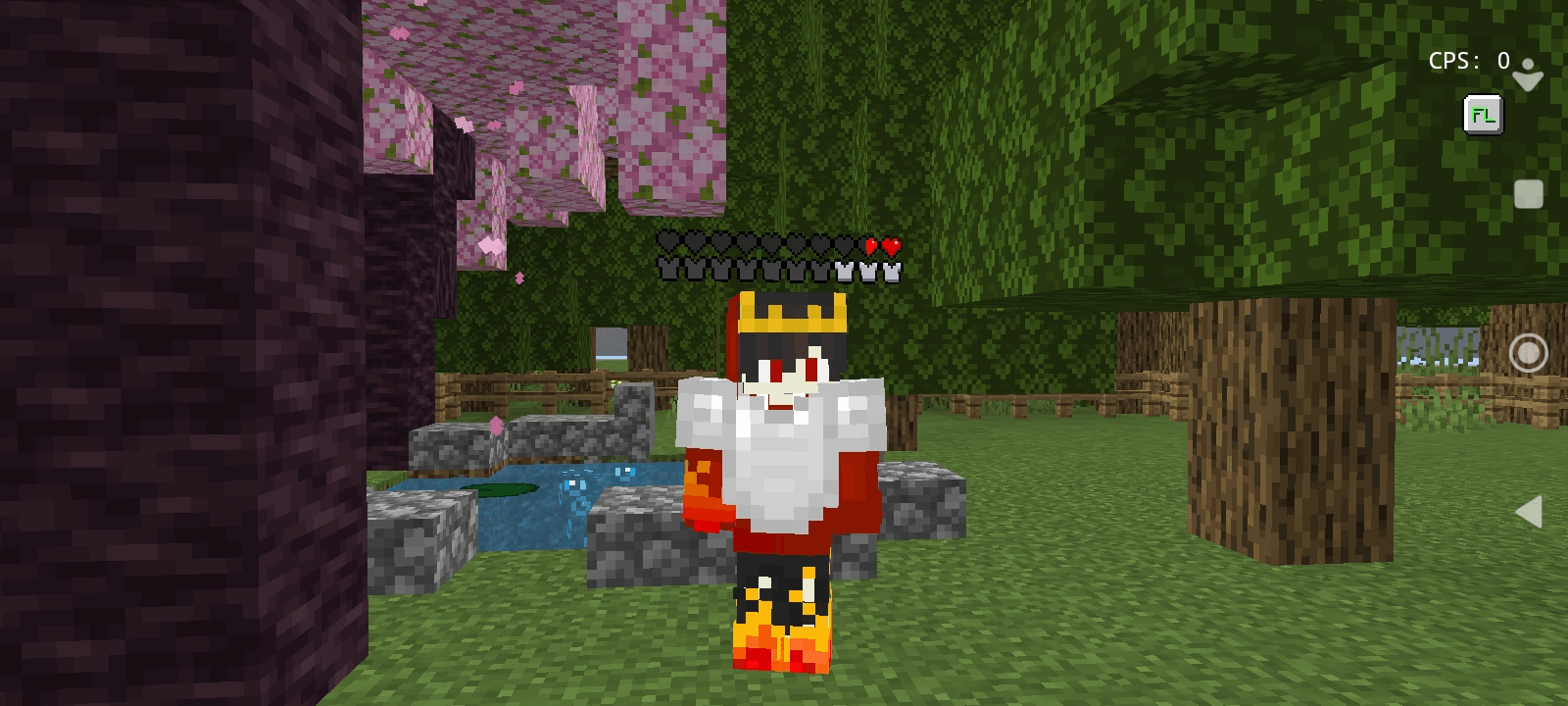
Menampilkan kesehatan dan armor pemain secara real-time tepat di atas kepala mereka
Tentang paket sumber daya Simple Status Bar
Simple Status Bar
Easily track player health and armor with a sleek, minimalist overhead UI. Designed to be clean and unobtrusive, this pack gives you a competitive edge without cluttering your screen.
🌟 Key Features
Overhead Vitals: Real-time health and armor indicators displayed directly above players.
Clean Aesthetic: A professional, minimal design that blends perfectly with vanilla gameplay.
Flawless Combat: Includes custom first-person hand swing animations to ensure vanilla mechanics remain smooth and glitch-free during PvP.
Optimized for Bedrock: Built specifically for the Bedrock engine with lightweight, lag-free code.
📱 Connect
If you enjoy the pack, check out more projects, texture pack showcases, and PvP highlights on my YouTube channel: @oskullo
Cara memasang Simple Status Bar
With Millida Launcher
Install Millida Launcher
The launcher is free: download it at millida.net/launcher and sign in with any nickname.
Click “Install” on this page
The launcher opens and installs the resource pack for Minecraft 1.18–26.20 automatically.
Launch the game
A profile with it appears in the launcher: click “Play”.
Manually
Download the archive
Pick the file Simple Status Bar.mcpack (75 KB) for your game version. No need to unpack it.
Put it in the resourcepacks folder
The easiest way: “Options”, then “Resource Packs”, then “Open Pack Folder”, and drag the archive there.
Enable the pack
In the same window, move the pack to the right-hand “Selected” column and click “Done”.
Versi
Dengan dependensi
| Minecraft | Loader | File | Tanggal | Tindakan |
|---|---|---|---|---|
| 1.21.30 | — | Simple Status Bar.mcpack74.8 KB 3 |
FAQ
Which Minecraft versions does Simple Status Bar work on?
There are files for 1.18–26.20, 47 versions in total. The newest is 26.20.
Where can I download Simple Status Bar safely?
On this page: the file Simple Status Bar.mcpack (75 KB) is stored on Millida’s server, with no link shorteners. SHA-1 checksum: ad37414208c5962abe036c876ce2ff69c24e947b.
Ulasan
Jadilah yang pertama menilai Simple Status Bar


