

Tentang paket sumber daya Lumen Visual
LUMEN: THE DEFINITIVE IMMERSIVE EXPERIENCE 🌌
Lumen is a high-quality resource pack crafted to transform Minecraft into a living, breathing world. Every detail is designed to enhance depth, realism, and atmosphere-while preserving the iconic vanilla identity. ✨
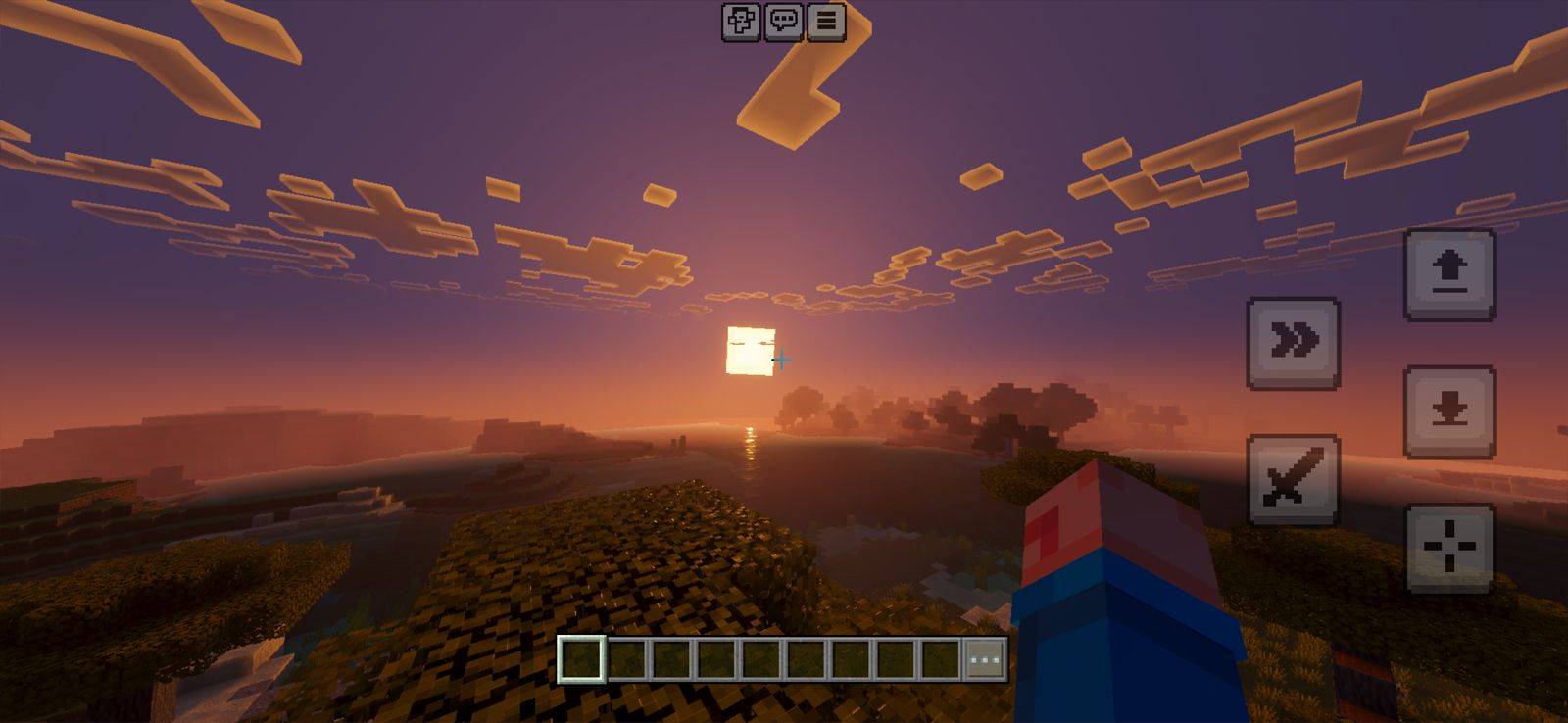
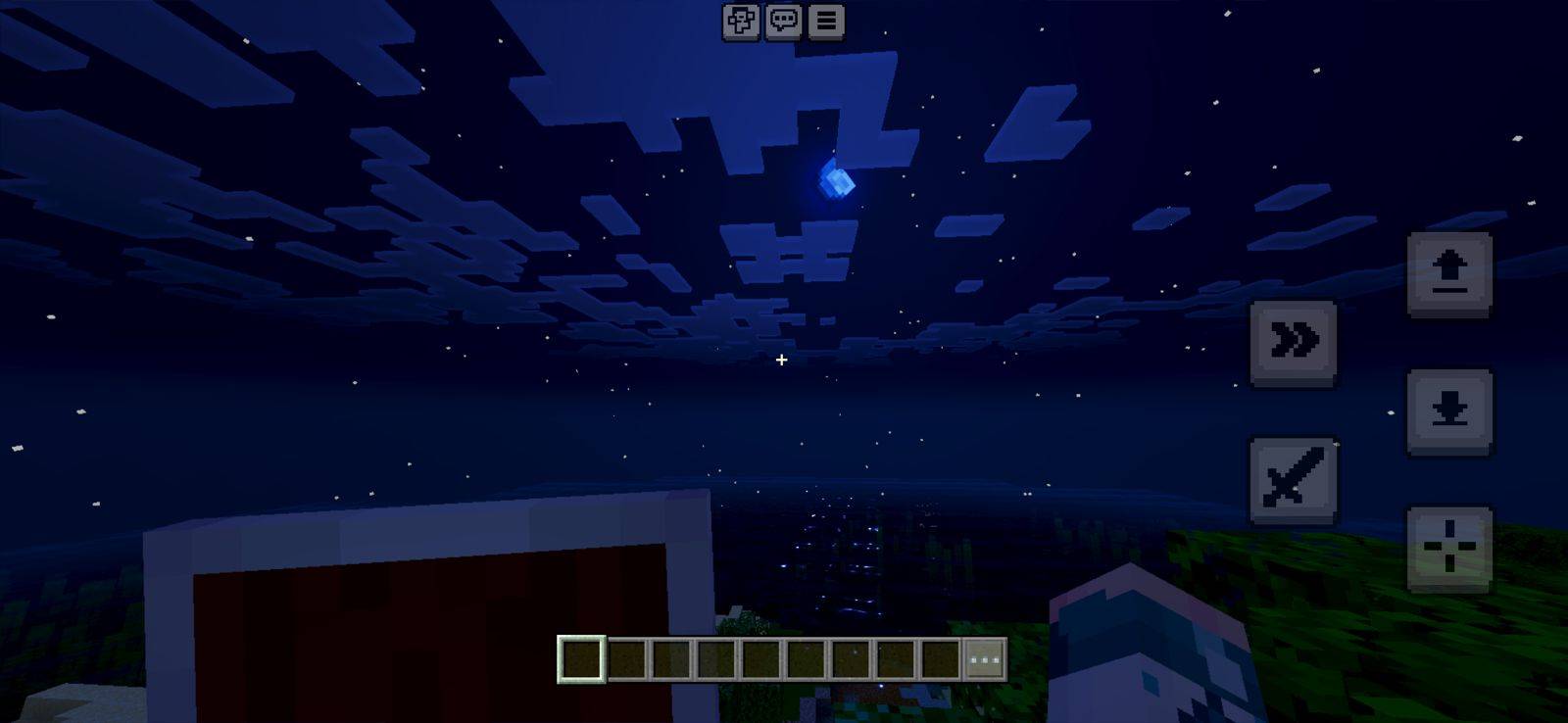
🌌 DUAL SKY SYSTEM
Choose your horizon. Shape your world.
• REALISTIC SKY: Experience breathtaking, high-fidelity vistas with cinematic depth. ☁️
• VANILLA+ SKY: A refined classic look that shines beautifully even without shaders. ☀️
📱 MOBILE OPTIMIZED
Built for smooth performance without Vibrant Visuals.
For the ultimate next-gen experience, enable them and unlock the full visual power of Lumen. 🚀
✨ CORE FEATURES
• ATMOSPHERIC AMBIENCE: Carefully tuned environmental settings across all dimensions. 🌫️
• DYNAMIC PARTICLES: Enhanced effects for combat, interactions, and world feedback. 🎆
• IMMERSIVE SOUNDS: Reworked rain audio for a deeper, more realistic atmosphere. 🌧️
• LEGENDARY UI: Custom Boss Bar designed for more epic encounters. ⚔️
🎃 UNIQUE DETAILS
• PUMPKIN HUD OVERHAUL: Custom pumpkin visuals that preview villager trades and future features. 🎃
• 3D GEOMETRY: Blocks and items with true physical depth and refined modeling. 📦
• PBR-READY MATERIALS: Designed to support advanced lighting with normal and roughness maps. 💡
• AND MUCH MORE... Constant updates, hidden details, and evolving content. 🔍
Version 1.2 - Changes REALISTIC SKY
• Added new fogs to the overworld and its biomes • Adjusted water volume and density • Improved block definition and surface detail • Enhanced visuals in the End and Nether dimensions • Expanded emissive lighting effects across multiple blocks
Version 1.6 - Changes - Hable
• Fixed fog issues • Improved lighting and block visuals • Stability and optimization for devices and consoles
Version 1.9 - Changes - ACES
• Added new MER textures • Added new loading backgrounds • Performance adjustments • Added new block edits
Cara memasang Lumen Visual
With Millida Launcher
Install Millida Launcher
The launcher is free: download it at millida.net/launcher and sign in with any nickname.
Click “Install” on this page
The launcher opens and installs the resource pack for Minecraft 1.21.131–26.10 automatically.
Launch the game
A profile with it appears in the launcher: click “Play”.
Manually
Download the archive
Pick the file LumenVisual V1.9.mcpack (27 MB) for your game version. No need to unpack it.
Put it in the resourcepacks folder
The easiest way: “Options”, then “Resource Packs”, then “Open Pack Folder”, and drag the archive there.
Enable the pack
In the same window, move the pack to the right-hand “Selected” column and click “Done”.
Versi
Dengan dependensi
| Minecraft | Loader | File | Tanggal | Tindakan |
|---|---|---|---|---|
| 1.21.131 | — | LumenVisual V1.9.mcpack26.6 MB 4 |
FAQ
Which Minecraft versions does Lumen Visual work on?
There are files for 26.10, 26.3, 26.0.02, 26.0, 1.21.132, 1.21.131. The newest is 26.10.
Where can I download Lumen Visual safely?
On this page: the file LumenVisual V1.9.mcpack (27 MB) is stored on Millida’s server, with no link shorteners. SHA-1 checksum: f8f417e13e20f194eb9212ce149c314a0d5acad9.
Ulasan
Jadilah yang pertama menilai Lumen Visual


