

Sublime Visuals Shader untuk Minecraft 1.20.1, 1.21.1
Temukan Minecraft seperti belum pernah sebelumnya dengan Sublime Visuals, menghadirkan matahari terbenam yang menakjubkan, air yang jernih, pencahayaan dinamis, efek atmosfer, dan performa yang dioptimalkan untuk setiap petualangan
 Fabric
 OptiFine
Tentang shader Sublime Visuals
# 🌌 Sublime Visuals
✨ About
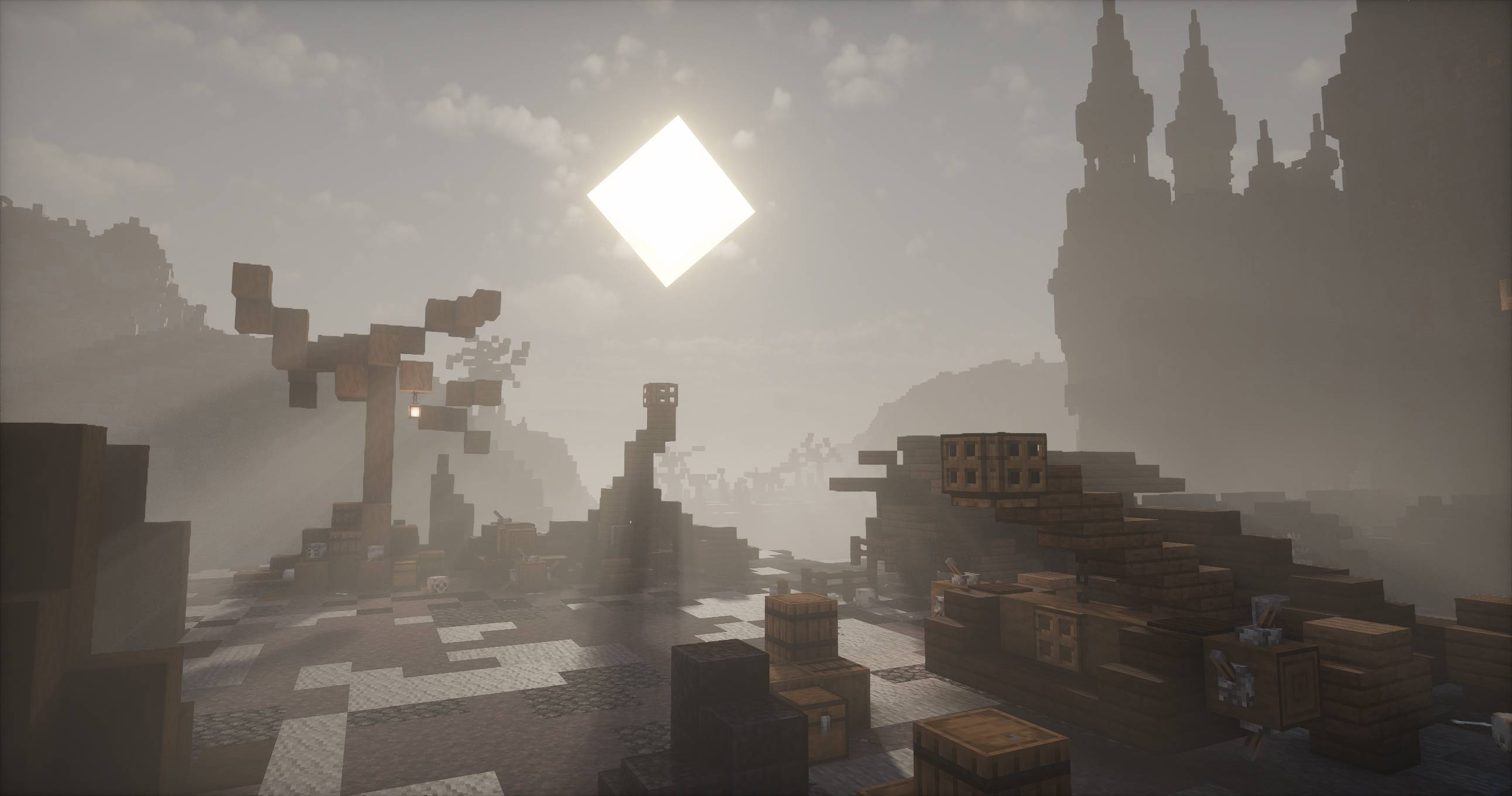
Sublime Visuals is designed to give Minecraft a fresh, immersive, and cinematic appearance while keeping gameplay smooth and enjoyable. From vibrant lighting to realistic reflections, every effect is carefully balanced for beauty and performance.

🌟 Features
✔ Dynamic Lighting
✔ Cinematic Sky
✔ Beautiful Water
✔ Soft Shadows
✔ Atmospheric Fog
✔ Vibrant Colors
✔ Bloom Effects

⚡ Performance
Optimized rendering with multiple quality presets, allowing both low-end and high-end PCs to enjoy beautiful visuals with stable FPS.
🎮 Compatibility
Minecraft Java Edition
✔ OptiFine
✔ Latest Minecraft Versions 1.17+
## 💙 Crafted with Passion by Dark_PixelForge
Experience Minecraft from a whole new perspective.
Cara memasang Sublime Visuals
With Millida Launcher
Install Millida Launcher
The launcher is free: download it at millida.net/launcher and sign in with any nickname.
Click “Install” on this page
The launcher opens and installs the shaders for Minecraft 1.17–26.3 automatically.
Launch the game
A profile with it appears in the launcher: click “Play”.
Manually
Install Iris or OptiFine
Without a shader mod the game cannot see shaders. Install it for the same Minecraft version.
Download the shader archive
Pick the file Sublime_Visuals_V4.zip (108 KB) and do not unpack it.
Put it in the shaderpacks folder
“Options”, then “Video Settings”, then “Shader Packs”, then “Open Shader Pack Folder”, and drag the archive there.
Select the shaders
In the same window, click the pack name and “Apply”.
Versi
Dengan dependensi
| Minecraft | Loader | File | Tanggal | Tindakan |
|---|---|---|---|---|
| 26.3 | Iris, OptiFine | 26.3108 KB 1 | ||
| 1.21.11 | Iris, OptiFine | 1.21.11108 KB | ||
| 1.21 | Iris, OptiFine | 1.21108 KB | ||
| 1.20.1 | Iris, OptiFine | 1.20.1108 KB | ||
| 1.17.1 | Iris, OptiFine | 1.17.1113 KB | ||
| 26.2 | Iris, OptiFine | 26.2114 KB | — | |
| 26.1 | Iris, OptiFine | 26.1114 KB | — | |
| 1.19.2 | Iris, OptiFine | 1.19.2113 KB | — |
FAQ
Which Minecraft versions does Sublime Visuals work on?
There are files for 1.17–26.3, 34 versions in total. The newest is 26.3.
What do I need to run Sublime Visuals?
Shaders are loaded through Iris or OptiFine: without one of them the game cannot see them.
How do I download Sublime Visuals?
With Millida Launcher: it installs Sublime Visuals into a modpack by itself, for the right game version and loader. The launcher is free.
Ulasan
Jadilah yang pertama menilai Sublime Visuals


