

Rift - superfast Shader untuk Minecraft 1.20.1, 1.21.1
Rift Shaders adalah shaderpack yang sangat ringan, yang menambahkan hal-hal dasar shader pada umumnya. Beberapa efek, beberapa bayangan, Anda tahu?
- unduhan
- 7 unduhan
- dilihat
- 79 dilihat
- Diperbarui
- Diperbarui 26.09.2026
- 1.20.1 — 1.21.8
 Fabric
- Klien
Rift shaders - super fast!
Rift shaders is ultra lightweight shaderpack for potato PCs, runs on entry-level cards completely fine. If you have MX350 (laptop entry-level), you should be able to run "potato" preset at 30-40fps
Rift adds lightweight effects such as custom water and lighting, godrays, Nether and End effects, etc.

Day and night are obviously reworked:
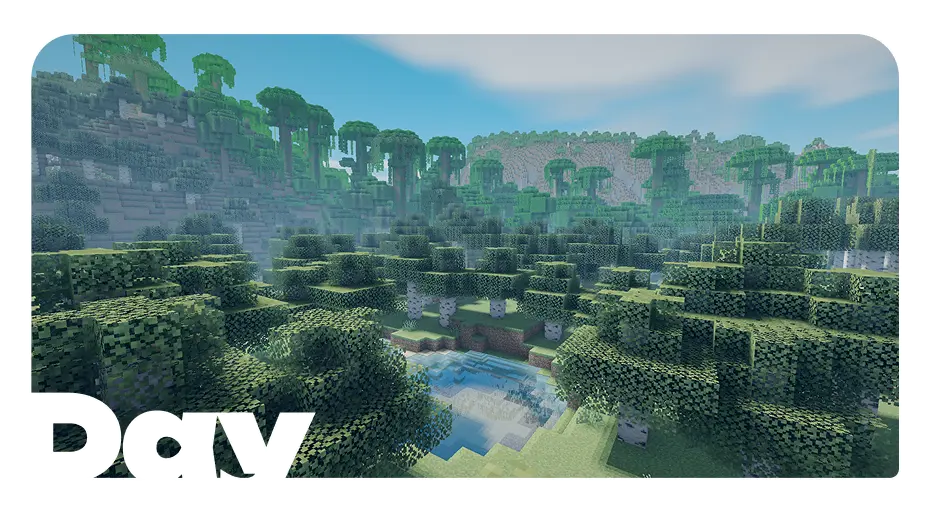
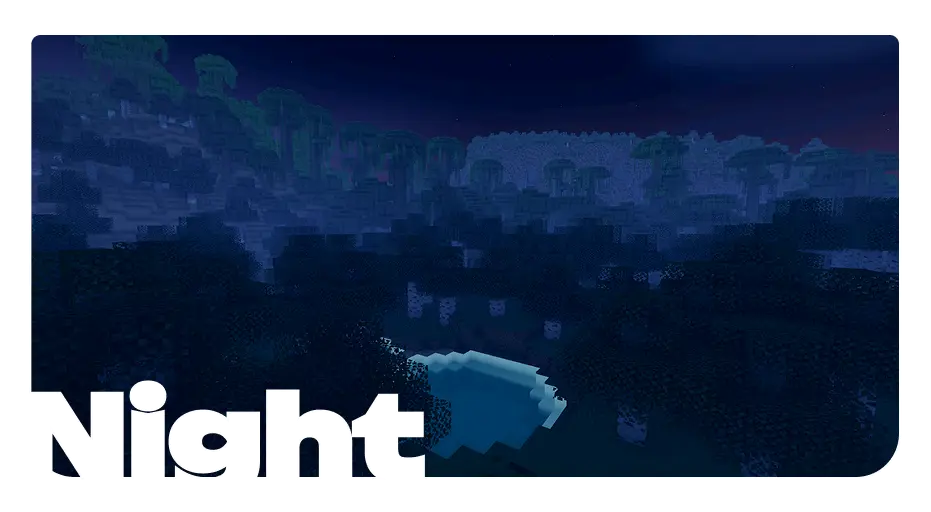
Nether is also reworked:
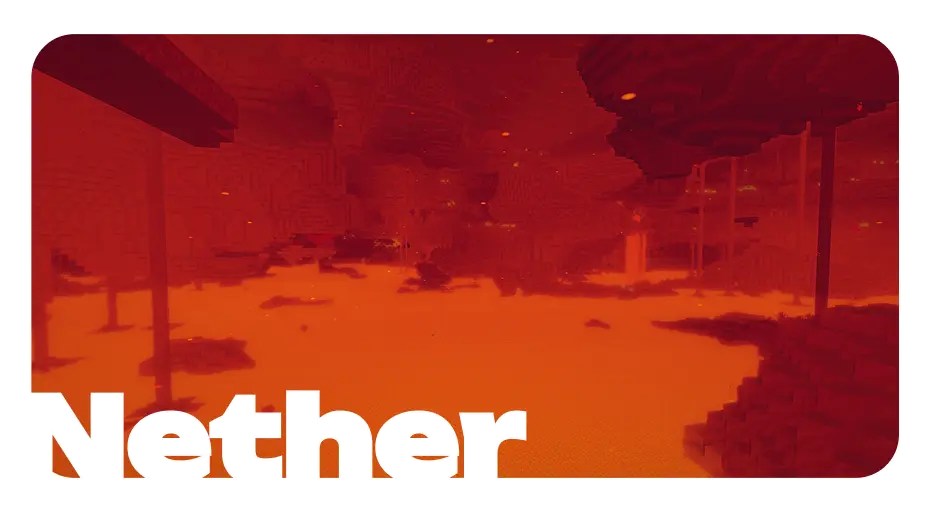
And lastly, the end:

Cara memasang Rift - superfast
With Millida Launcher
Install Millida Launcher
The launcher is free: download it at millida.net/launcher and sign in with any nickname.
Click “Install” on this page
The launcher opens and installs the shaders for Minecraft 1.20.1–1.21.8 automatically.
Launch the game
A profile with it appears in the launcher: click “Play”.
Manually
Install Iris
Without a shader mod the game cannot see shaders. Install it for the same Minecraft version.
Download the shader archive
Pick the file Rift Shaders 1.21.1-1.21.8 V1.1.0R.zip (569 KB) and do not unpack it.
Put it in the shaderpacks folder
“Options”, then “Video Settings”, then “Shader Packs”, then “Open Shader Pack Folder”, and drag the archive there.
Select the shaders
In the same window, click the pack name and “Apply”.
Versi
Dengan dependensi
| Minecraft | Loader | File | Tanggal | Tindakan |
|---|---|---|---|---|
| 1.21.8 | Iris | 1.21.8569 KB 3 | ||
| 1.20.1 | Iris | 1.20.1569 KB 4 |
FAQ
Which Minecraft versions does Rift - superfast work on?
There are files for 1.20.1–1.21.8, 14 versions in total. The newest is 1.21.8.
What do I need to run Rift - superfast?
Shaders are loaded through Iris: without it the game cannot see them.
Where can I download Rift - superfast safely?
On this page: the file Rift Shaders 1.21.1-1.21.8 V1.1.0R.zip (569 KB) is stored on Millida’s server, with no link shorteners. SHA-1 checksum: f1fa70404e332022323ee6d80b8e679139d50e21.
Ulasan
Jadilah yang pertama menilai Rift - superfast


