
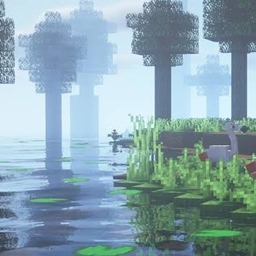
RealisticRemake Shader untuk Minecraft 26.2
Shader realistis ringan dengan kabut lembut, bayangan matahari, god rays, dan dedaunan bergoyang — dibuat untuk performa lancar di GPU sederhana.
RealisticVibes
A lightweight shader pack that brings a soft, cinematic, misty-forest look to vanilla Minecraft - without tanking your FPS.
Features
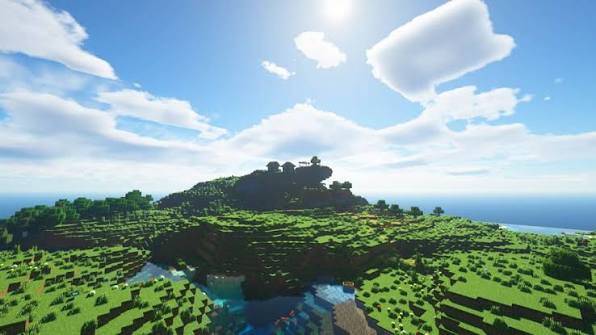
- Dynamic sun/moon shadows - real shadow-mapped lighting, not fake vanilla darkening
- God rays - light shafts that shine through trees and fog toward the sun
- Soft bloom/glow on bright light sources and sky
- Depth-based mist - distance fog that thickens naturally instead of a flat vanilla haze
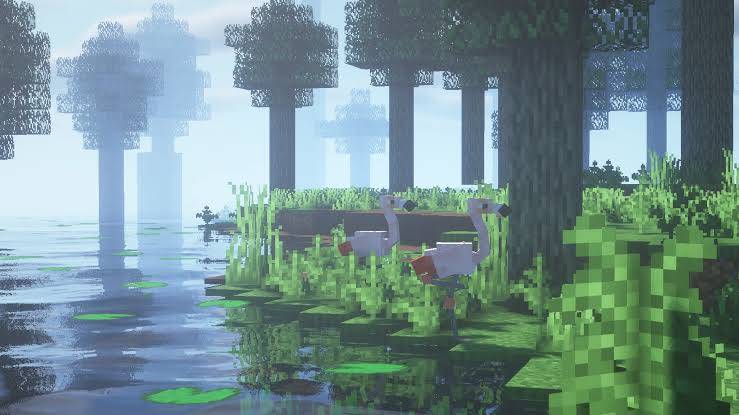
- Animated water - gentle rolling waves on the surface
- Swaying leaves - foliage moves subtly in the wind
- Cinematic color grading - cool shadows, warm highlights, boosted saturation, soft vignette, filmic tonemapping
- Darker, richer water color for a more natural swamp/lake tone
Requirements
- Iris Shaders (Fabric/Quilt) or OptiFine
- Minecraft 1.19+ recommended
Performance
Designed to run well on integrated graphics and older GPUs - no path tracing, no heavy multi-pass denoising, just efficient screen-space effects.
Installation
- Download the .zip - do not unzip it
- Place it in .minecraft/shaderpacks
- In-game: Options → Video Settings → Shaders → select RealisticVibes
Known Issues / Feedback
This is an actively developed pack - if you spot shadow acne, texture flicker, or oddities on certain block types, please report them in the comments with your Minecraft version and GPU.
Warning !!!!
Dont not copy or reupload
Cara memasang RealisticRemake
Install Millida Launcher
The launcher is free: download it at millida.net/launcher and sign in with any nickname.
Click “Install” on this page
The launcher opens and installs the shaders for Minecraft 1.21.8–26.2 automatically.
Launch the game
A profile with it appears in the launcher: click “Play”.
Versi
Dengan dependensi
| Minecraft | Loader | File | Tanggal | Tindakan |
|---|---|---|---|---|
| 1.21.8 | — | RealisticVibes_2.zip5.3 KB 5 |
Ulasan
Jadilah yang pertama menilai RealisticRemake


