

Night Vision Shaders untuk Minecraft 1.20.1, 1.21.1
Shaderpack yang bertujuan memberikan kecerahan di mana-mana sambil mempertahankan estetika game.
- unduhan
- 64 unduhan
- dilihat
- 449 dilihat
- Diperbarui
- Diperbarui 29.09.2026
- 1.20.1 — 26.3
 vanilla
- Klien
Night Vision Shaders
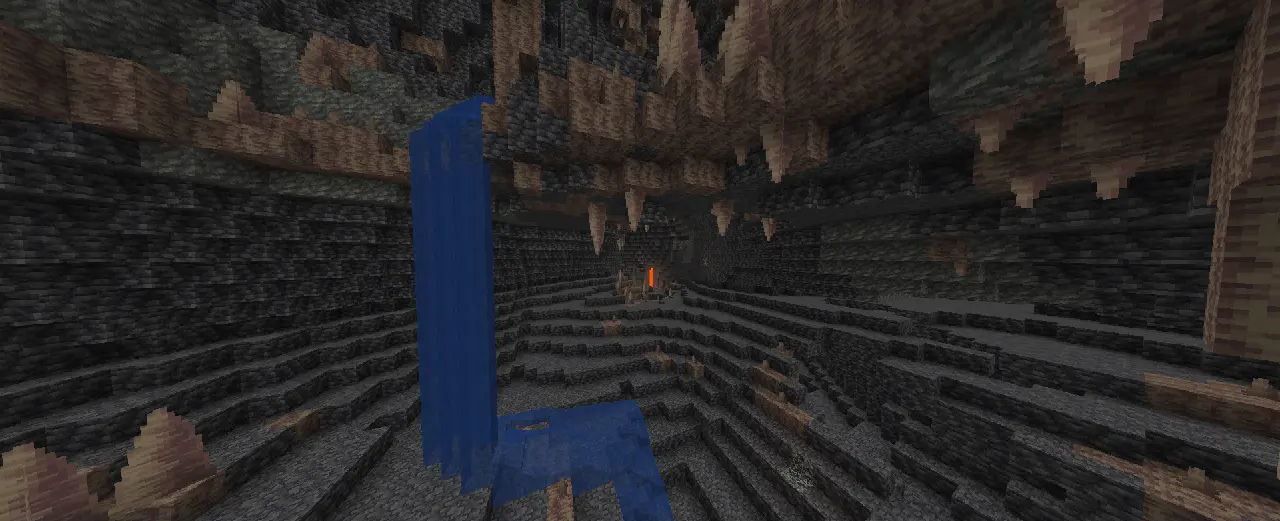
A shaderpack/resourcepack that aims on giving brightness everywhere while keeping the game aesthetic. It makes the game brighter, so you see well in caves, in the nether, underwater and everywhere else. But it also keeps slight light difference so that the aesthetic is not destroyed.
If you like this pack consider supporting the development by buying me a coffee.

Enabling the resourcepack
You can simply enable it as resourcepack (Copy the .zip into the resourcepack directory). If you are using Sodium before 26.2, the Sodium Core Shader Support mod is required. The pack does not work with Optifine!

Features
While making the game brighter it also keeps the game aesthetic:
- fog is not completely removed, it just starts further away
- light sources still emit light
- blocks still cast shadow, but less dark
- it works with Sodium (requires Sodium Core Shader Support mod)
Cara memasang Night Vision Shaders
With Millida Launcher
Install Millida Launcher
The launcher is free: download it at millida.net/launcher and sign in with any nickname.
Click “Install” on this page
The launcher opens and installs the shaders for Minecraft 1.20.1–26.3 automatically.
Launch the game
A profile with it appears in the launcher: click “Play”.
Manually
Install Iris or OptiFine
Without a shader mod the game cannot see shaders. Install it for the same Minecraft version.
Download the shader archive
Pick the file Night Vision Shaders [Java] v. 1.0.37.zip (20 KB) and do not unpack it.
Put it in the shaderpacks folder
“Options”, then “Video Settings”, then “Shader Packs”, then “Open Shader Pack Folder”, and drag the archive there.
Select the shaders
In the same window, click the pack name and “Apply”.
Versi
Dengan dependensi
| Minecraft | Loader | File | Tanggal | Tindakan |
|---|---|---|---|---|
| 26.3 | Vanilla | 26.320.2 KB 48 | ||
| 26.2 | Vanilla | 26.219.2 KB 2 | — | |
| 26.1 | Vanilla | 26.119.3 KB 7 | — | |
| 1.21.11 | Vanilla | 1.21.1119.3 KB 1 | — | |
| 1.21 | Vanilla | 1.2122.4 KB 3 | — | |
| 1.20.1 | Vanilla | 1.20.126.4 KB 2 | — |
Yang dibutuhkan untuk menjalankan
- Dependencyopsional
- Dependencyopsional
Ulasan
Jadilah yang pertama menilai Night Vision Shaders


