

Ditherpunk Shader untuk Minecraft 1.20.1, 1.21.1
Ditherpunk adalah shader pack retro yang sangat dapat dikonfigurasi untuk Minecraft
 Fabric
 OptiFine
Tentang shader Ditherpunk
Ditherpunk is a highly configurable retro shader pack for Minecraft
It is recommended to watch the below showcase in 4K to reduce compression artifacts.
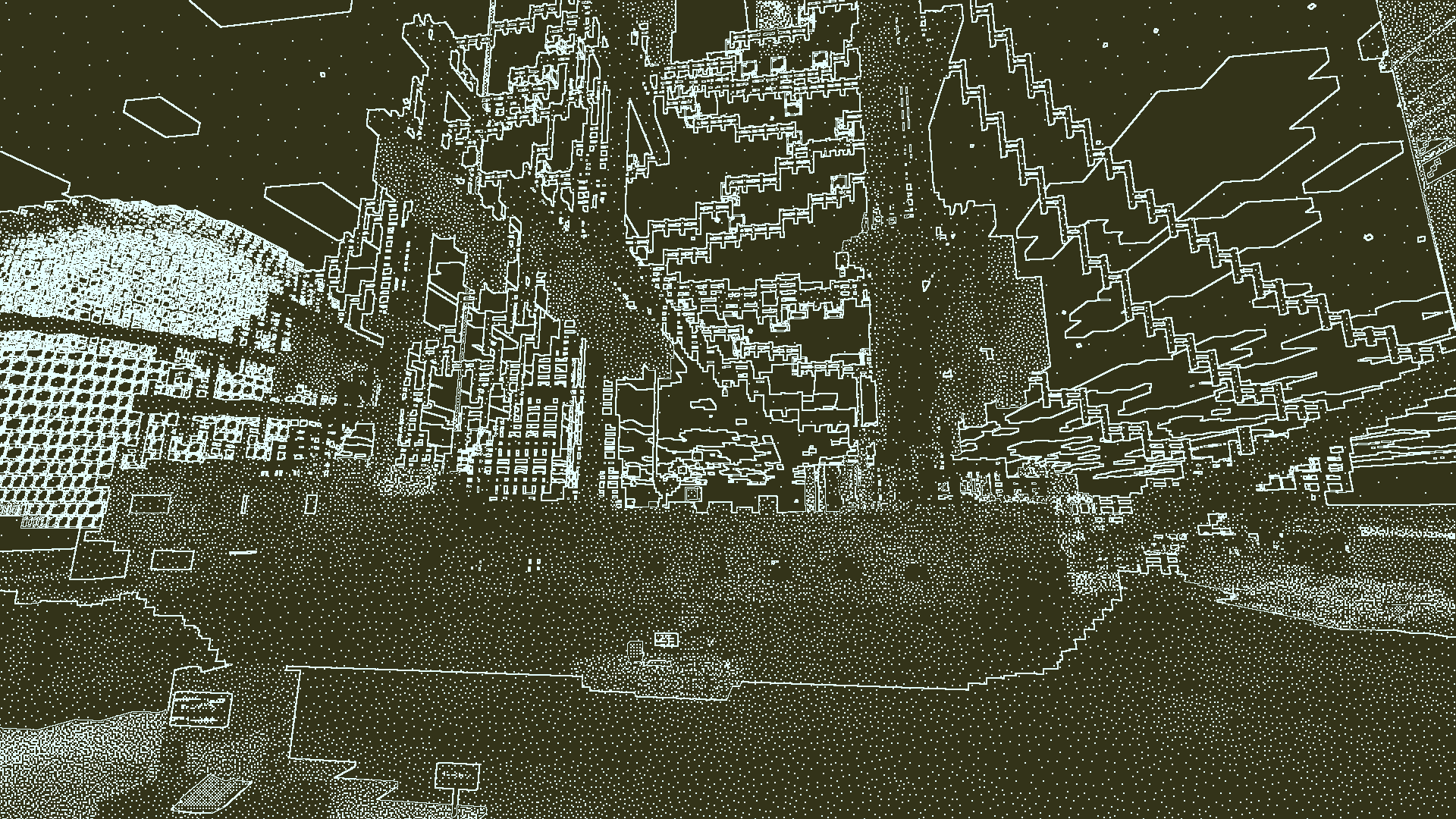
Pictured: Obra Dinn preset. Obra Dinn recreation built by "Lexi" and photographed by "Birb"
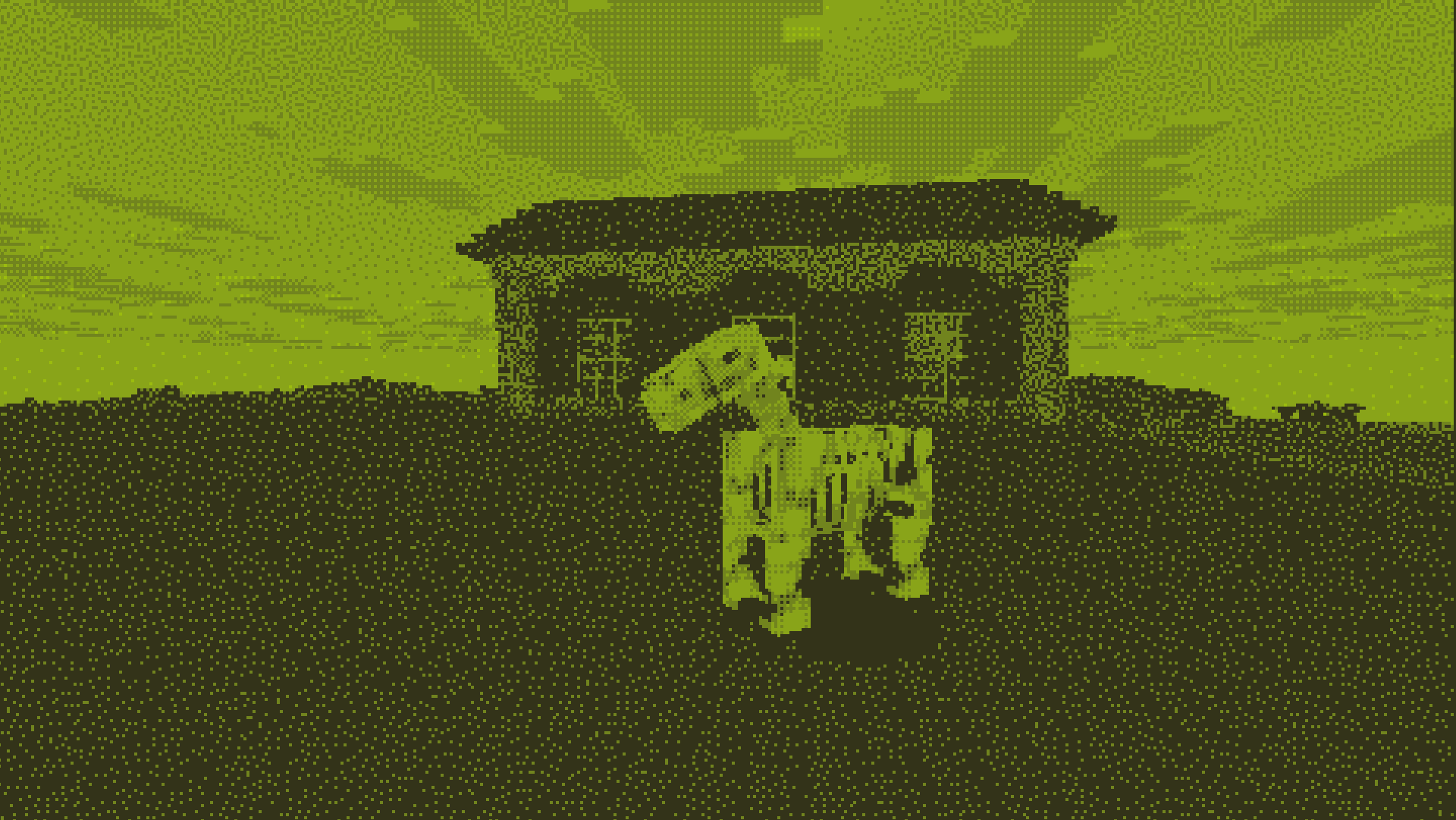
Pictured: Gameboy preset
Showcase (Korean)

Features
- Dithering
- Color Quantization
- Render different effects on different render passes
- Procedurally drawn Edge Lines
- Downscaling
- Grayscale color mapping
- Highly configurable
- Variety of presets

Acknowledgements
- Inspired by Return of the Obra Dinn by Lucas Pope
- References Used:
- Lucas Pope's Developer Log
- Surma's Ditherpunk
(also inspired the name of this shader pack)
- Björn Ottosson's Oklab colorspace
- Bálint's Base 330 shader pack
- The Iris Documentation
Known Issues
- Spectral arrow effects ignore shader effects
Cara memasang Ditherpunk
With Millida Launcher
Install Millida Launcher
The launcher is free: download it at millida.net/launcher and sign in with any nickname.
Click “Install” on this page
The launcher opens and installs the shaders for Minecraft 1.18.2–26.1.2 automatically.
Launch the game
A profile with it appears in the launcher: click “Play”.
Manually
Install Iris or OptiFine
Without a shader mod the game cannot see shaders. Install it for the same Minecraft version.
Download the shader archive
Pick the file ditherpunk_v1.1.0.zip (265 KB) and do not unpack it.
Put it in the shaderpacks folder
“Options”, then “Video Settings”, then “Shader Packs”, then “Open Shader Pack Folder”, and drag the archive there.
Select the shaders
In the same window, click the pack name and “Apply”.
Versi
Dengan dependensi
| Minecraft | Loader | File | Tindakan |
|---|---|---|---|
| 26.1 | Iris, OptiFine | 26.1265 KB | |
| 1.21.11 | Iris, OptiFine | 1.21.11265 KB | |
| 1.21 | Iris, OptiFine | 1.21265 KB | |
| 1.20.1 | Iris, OptiFine | 1.20.1265 KB | |
| 1.19.2 | Iris, OptiFine | 1.19.2265 KB | |
| 1.18.2 | Iris, OptiFine | 1.18.2265 KB |
FAQ
Which Minecraft versions does Ditherpunk work on?
There are files for 1.18.2–26.1.2, 28 versions in total. The newest is 26.1.2.
What do I need to run Ditherpunk?
Shaders are loaded through Iris or OptiFine: without one of them the game cannot see them.
Where can I download Ditherpunk safely?
On this page: the file ditherpunk_v1.1.0.zip (265 KB) is stored on Millida’s server, with no link shorteners. SHA-1 checksum: b8e5c38f12d8910e6bb2432cfc9517cee4ca1337.
Ulasan
Jadilah yang pertama menilai Ditherpunk


