

TrainCarts Plugin untuk Minecraft
Dapat menghubungkan beberapa Minecart bersama untuk membentuk kereta dan lainnya
Tentang plugin TrainCarts
TrainCarts Development has moved to SpigotMC.
You can get the new versions at the following URL:
https://www.spigotmc.org/resources/traincarts.39592/
This page is no longer being actively monitored, please seek for support on SpigotMC.
Plugin: TrainCarts - Linked Minecarts, sign-redstone systems, easy to use and realistic
Version: v1.73.0
Build: 1.7.2 R0.1/R0.2
Incompatible with: RailCraft
Description
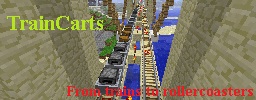
This plugin looks for suitable Minecarts and links them together if possible. When two Minecarts are being "linked", the Minecarts will act as one single moving train.
Once carts are successfully linked, an effect is played and their velocity is shared in combination with an individual factor for each Minecart, which is used to remain a steady gap between carts. This gap is adjustable, the force at which this happens as well.
End result: a train! You can move it, make a roller-coaster out of it, split it in half, watch trains collide, whatever you want to do with trains. :)
As for 1.21, it is also possible to safely exit your train by setting an exit offset with a (sideways) push factor for the train. This feature is disabled by default. (only affects dropped items). If you want to display arrival times on signs (see redstone circuit part) you need SignLink, see the downloads on the bottom of the page.
As for 1.35 you can set train properties to make 'special' trains, or to 'finalize' a train
Links
For configuration, permissions and how-to's, see the Wikipedia page (it is rather long):
- TrainCarts WIKI page
Note that I would prefer having comments, bug reports and others in the main Bukkit page, since I visit that site the most. :)
- Bukkit page
Addons
Special Addons for TrainCarts
- Action Blocks
- HangRail
Features
- Link minecarts using collision: no commands needed to make a train
- Move trains as easily as you would with single Minecarts
- Store trains to file for persistence during reloads and server restarts
- Use sign-redstone circuits for subway systems, complete railroads and much more
- Station to gracefully stop and launch trains
- Spawn
- Teleport
- Property setters
- Tag systems to switch certain tracks based on tags on the train
- Destination systems to make your train travel to far-away lands all on it's own
- Supports Minecart Mania's features
- Infinite minecart speeds are possible
- Push-away: Push mobs, players and items away from your trains to keep them running
- Everything is configurable, if something proves not to be, I will make it that way
FAQ
When players are near, trains reach their destinations. With no one near, they don't. What do I do?
By default trains do not keep chunks loaded, and they will unload once they move into unloaded chunks. To make trains keep the chunk area (and themselves) around them loaded, set the 'keepchunksloaded' property to True. This can be done using the /train keepchunksloaded true command, using a property sign or by changing it to true in the DefaultTrainProperties.yml file. For more information about train properties, see here.
Why not boats?!?!
Incompatibilities
If you have another plugin that performs similar Minecart replacement techniques, it is likely that TrainCarts will not function or function poorly. For the 'chunk persistence' part of this plugin, other plugins that unload chunks without firing events result in this feature failing. Minebackup is known for having this problem.
Metrics
This plugin sends server count statistics to MCStats.org. You can (globally) opt out in the PluginMetrics/config.yml file.
Development Builds
Click here to Download development builds of this Plugin
Cara memasang TrainCarts
A server on Paper or Spigot
The plugin runs on the server core; players do not need to install anything.
File goes into the plugins folder
Download the file TrainCarts-1.73.0.jar (450 KB) and put it into the server’s plugins folder.
Restart the server
On startup the plugin creates its own settings folder in plugins.
Use the “To server” button
On Millida Hosting, the button at the top of the page uploads the file to your server and restarts it for you.
Versi
Dengan dependensi
| Minecraft | Loader | File | Tanggal | Tindakan |
|---|---|---|---|---|
| — | — | v1.73.0450 KB | ||
| — | — | v1.60B36484 KB |
FAQ
Do players need to install TrainCarts?
No, the plugin goes only on the server, into the plugins folder: players do not need to download anything.
Where can I download TrainCarts safely?
On this page: the file TrainCarts-1.73.0.jar (450 KB) is stored on Millida’s server, with no link shorteners. SHA-1 checksum: 1bd72e90eeb8be8657b6484be87bfa3b02e0f741.
Ulasan
Jadilah yang pertama menilai TrainCarts



