
SimpleEgg Plugin untuk Minecraft 1.14
Tangkap dan ubah mob menjadi spawn egg dengan atributnya tetap terjaga.
SimpleEgg - The Free, Open Source Mob Catching Utility
This project is no longer actively maintained.
Introduction
SimpleEgg is a different flavor of MobCatcher. The core principle of capturing mobs with eggs is the same, but SimpleEgg has its own badges of honor.
- Open Source Under MIT License
- No NMS Dependence (Works across multiple server versions)
- Produces to the fullest extent possible exact carbon copies of the captured mobs
- Saved mob data is viewable in the spawn egg's item lore
Using SimpleEgg
The Basics
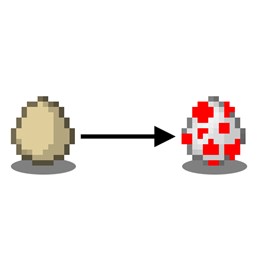
To capture a mob, throw an egg at it. SimpleEgg will either remove currency or items from you, depending on how it is configured. By default, this is five diamonds, however this can be modified to any item and amount, or switched over to Vault mode and currency used instead. If you have the required materials or money, they will be removed, the mob will vanish, and a spawn egg will drop where the mob was.
What the Spawn Egg is
The spawn egg that drops is a standard spawn egg with lore assigned to it that contains all of that mob's properties. When you use this spawn egg, SimpleEgg will read the lore and modify the spawned mob so that it is a near exact clone of the one you originally captured. Some issues that Bukkit/Spigot has with mob data are explained further down the page.
Owner Recognition
SimpleEgg is conscious of tameable mobs. A player is required to have one of two permission nodes, "SimpleEgg.owner-override", or "SimpleEgg.steal" to be able to capture a tamed mob owned by another player. A more in depth explanation of these permission nodes is on the Commands and Permissions page.
Automatic Taming
If a mob is not tamed, players who have the "SimpleEgg.auto-tame" permission node can not only capture the mob, but automatically tame it by doing so.
Egg Refunds
If a capture attempt fails for some reason that SimpleEgg can detect, there is a config setting for egg refunds. When enabled (true), a player will be refunded their egg if their capture attempt fails. Note that refunds are blocked no matter what in creative, to prevent egg duping.
Commands and Permissions
See the SimpleEgg commands and permissions on the Commands and Permissions page.
Configuration
See the SimpleEgg configuration guide if you have any questions about the configuration settings. The configuration file automatically updates itself, which is super cool, but as a consequence comments are not supported, and this page will instead explain all you need to know.
Possible Plugin Compatibility Issues
- SimpleEgg stores mob data in the spawn eggs it produces. If you have another plugin that allows item lore editing, be aware that the mob data of SimpleEgg spawn eggs can be tampered with.
- SimpleEgg will respect mob owners that vanilla Minecraft respects. Any artificial, plugin generated ownership cannot be detected, and hence cannot be respected.
Known Issues
- Villager professions are not fully supported by Spigot; some Spigot profession types blanket over two vanilla professions. May be solvable with NBT but that breaks compatibility.
- Villager trades with enchants will have enchants ruined. Looking into this.
Update Delivery
SimpleEgg uses Gravity's updater to check and notify for new versions. This communicates with Curse, simply checking for a newer build and does not download updates automatically. If a new build is available, SimpleEgg will say so in your server's console at startup and players with the "SimpleEgg.update-notify" permission will receive a message upon joining. This can be disabled with the config setting "update-checks".
Cara memasang SimpleEgg
A server on Paper or Spigot
The plugin runs on the server core for Minecraft 1.8–1.14; players do not need to install anything.
File goes into the plugins folder
Download the file SimpleEgg-0.4.9.jar (59 KB) and put it into the server’s plugins folder.
Restart the server
On startup the plugin creates its own settings folder in plugins.
Use the “To server” button
On Millida Hosting, the button at the top of the page uploads the file to your server and restarts it for you.
Minecraft 1.14 runs on Java 8: with a different Java version the game may close right after launch.
Versi
Dengan dependensi
| Minecraft | Loader | File | Tanggal | Tindakan |
|---|---|---|---|---|
| 1.14 | — | SimpleEgg v0.4.958.9 KB | ||
| 1.11 | — | SimpleEgg v0.1.134.1 KB | ||
| 1.8 | — | SimpleEgg v0.0.117.3 KB |
FAQ
Which Minecraft versions does SimpleEgg work on?
There are files for 1.14, 1.11, 1.8. The newest is 1.14.
Do players need to install SimpleEgg?
No, the plugin goes only on the server, into the plugins folder: players do not need to download anything.
Which Java does SimpleEgg need?
Minecraft 1.14 runs on Java 8. If the game closes right after launch, the usual cause is the wrong Java version in the profile settings.
Where can I download SimpleEgg safely?
On this page: the file SimpleEgg-0.4.9.jar (59 KB) is stored on Millida’s server, with no link shorteners. SHA-1 checksum: a55aec3c19ee8488814725f5d0f2a48820660b63.
Ulasan
Jadilah yang pertama menilai SimpleEgg


