

Open Inventory Plugin untuk Minecraft 1.11
Buka inventaris atau ender chest siapa pun!
Tentang plugin Open Inventory
Description:
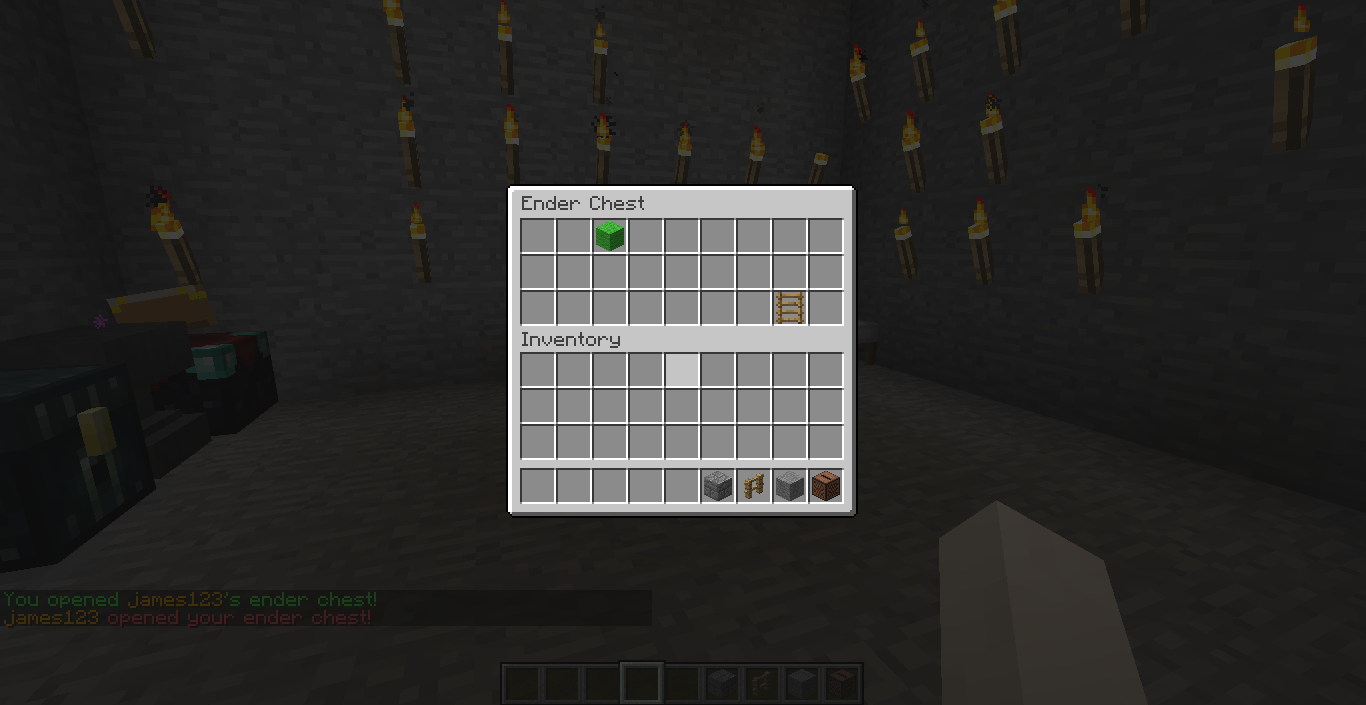
This plugin allows you to open anyone's inventory or ender chest and you can modify them as you want. You can also open a player's inventory to an another player. And it's very light so it won't cause lag.
Please leave a feedback! :)
Commands:
/openinv : Open your inventory!
/openinv [player] : Open a player inventory so you can see or/and modify it!
/openinv [player] [other player] : Open a player inventory to an other player!
/openender : Open your ender chest without the need of carrying one around!
/openender [player] : Open a player's ender chest so you can see or/and modify it!
/openender [player] [other player] : Open a player's ender chest to an other player!
/closeinv [player] : Close a player's opened inventory, V1.2 and up!
Permissions:
- openinv.inventory.self : Allow opening the inventory of the command sender.
- openinv.inventory.other : Allow the command sender to open a player's inventory to himself.
- openinv.inventory.othertoother : Allow the command sender to open a player's inventory to an other player.
- openinv.inventory.tell: Tell the target player that his inventory has been opened by someone.
- openinv.inventory.* : Gives all the inventory permissions.
- openinv.ender.self : Allow opening the ender chest of the command sender.
- openinv.ender.other : Allow the command sender to open a player's ender chest to himself.
- openinv.ender.othertoother : Allow the command sender to open a player's ender chest to an other player.
- openinv.ender.tell : Tell the target player that his ender chest has been opened by someone.
- openinv.ender.* : Gives all the ender chest permissions.
- openinv.close : Allow the command sender to close the target inventory, V1.2 and up.
- openinv.CloseProtection : Block the /closeinv command, V1.2 and up.
- openinv.* : Gives all the plugin permissions.
Installation:
Put OpenInventory in the plugins folder and reload your server.
Cara memasang Open Inventory
A server on Paper or Spigot
The plugin runs on the server core for Minecraft 1.8–1.11; players do not need to install anything.
File goes into the plugins folder
Download the file OpenInventory.jar (17 KB) and put it into the server’s plugins folder.
Restart the server
On startup the plugin creates its own settings folder in plugins.
Use the “To server” button
On Millida Hosting, the button at the top of the page uploads the file to your server and restarts it for you.
Minecraft 1.11 runs on Java 8: with a different Java version the game may close right after launch.
Versi
Dengan dependensi
| Minecraft | Loader | File | Tanggal | Tindakan |
|---|---|---|---|---|
| 1.9 | — | Open Inventory v1.216.6 KB |
FAQ
Which Minecraft versions does Open Inventory work on?
There are files for 1.11, 1.10, 1.9, 1.8.1, 1.8. The newest is 1.11.
Do players need to install Open Inventory?
No, the plugin goes only on the server, into the plugins folder: players do not need to download anything.
Which Java does Open Inventory need?
Minecraft 1.11 runs on Java 8. If the game closes right after launch, the usual cause is the wrong Java version in the profile settings.
Where can I download Open Inventory safely?
On this page: the file OpenInventory.jar (17 KB) is stored on Millida’s server, with no link shorteners. SHA-1 checksum: 1cf00fbe28ce9001bc8610c71014b5d75be93cd5.
Ulasan
Jadilah yang pertama menilai Open Inventory



